Quick Answer
To evaluate Intercom for customer success integration, assess: support-to-CSM workflows, data sync, account visibility, AI automation, proactive engagement, health signal capture, integration depth with CS tools, and whether it handles all required channels or needs a CX layer.
Support and customer success teams know what fragmented data feels like: churn signals go unseen, CSAT tanks, and renewals become a scramble. I have seen this pain firsthand at enterprise SaaS companies and in smaller B2B teams. Integration between support and CS platforms often looks good in a slide deck, but breaks down in real life—where cross-team handoff, data freshness, and channel coverage actually matter.
If you’re under pressure to pick platforms or optimize your stack, this guide will help you cut through both vendor hype and vague advice. You’ll find how to evaluate Intercom as a support platform, a grounded, experience-based comparison of Intercom as a support platform for real customer success integration—complete with practical evaluation frameworks, limitations, and industry scenarios.
Read on if you want to understand how Intercom performs—and where you may need more—from a support-to-CS integration perspective few reviews cover.
Why Evaluating Intercom for Customer Success Integration Matters
When we talk about evaluating Intercom for customer success integration, we’re looking at how well it connects real support data—conversations, issues, chat threads, help center usage—to account-level visibility, proactive engagement, and CSM workflows. This means making sure that every customer touch, question, or escalation not only gets recorded, but also informs health scores, playbooks, renewals, and retention.
Intercom generated $343 million in revenue in 2024, marking a 25% year-over-year increase following the introduction of AI-powered pricing and support capabilities. This represented a strong recovery from the 10% growth rate recorded in 2023.
For operations and CX leaders, the goal is broad: break down the silos between support and customer success, reduce manual rework, and make every support event either a warning sign or a win for long-term customer health. That level of integration determines if teams spot churn risk early, automate necessary handoffs, or miss context and lose business.
What Customer Success Integration Means When Evaluating Intercom
Support platform vs customer success platform vs CX platform
A support platform, like Intercom, focuses on customer conversations, tickets, and help desk activities. You get inbox routing, live chat, FAQs, and issue resolution.
A customer success platform—think Custify, ChurnZero, Planhat, or Totango—prioritizes account health scoring, playbooks, renewals, and lifecycle management. These usually operate on an account level, not just per conversation.
A CX platform ties interactions together across all stages and touchpoints, often across voice, chat, email, SMS, and more. The operating model is cross-channel and context-rich—much harder to fake with stick-on integrations.
What customer success integration should accomplish
- Connects support conversations to account records and history
- Turns support tickets and chat topics into health-score signals
- Automatically triggers CSM follow-up when risk is detected
- Syncs lifecycle and renewal data—like plan, tier, owner, ARR
- Preserves the full timeline of conversations for any team who needs it
Without this, CSMs typically work blind or spend time copying notes between systems.
Why support data is a customer success signal
Repeated support tickets are friction. Negative CSAT often predicts churn. Frequent ticket escalations flag unhappy accounts. Slow responses kill renewal confidence. And, in my experience, help center failures almost always signal onboarding breakdowns or product adoption problems. Teams that ignore support signals tend to get blindsided by churn or lose upsell opportunities.
| Support Data Signal | Why It Matters for CS |
|---|---|
| Repeated open conversations | Indicates unresolved friction |
| Negative CSAT | Early churn predictor |
| High escalation frequency | Account stress/risk flag |
| Help center failed searches | Onboarding/adoption blockers |
| Response time breaches | Erodes confidence, impacts retention |
What Intercom Does as a Support Platform
Intercom has become a default for SaaS and digital teams. I have deployed and audited Intercom in several environments, and here is where it fits in the real support-to-success lifecycle.
In-app messaging and live chat
Intercom’s signature strength is in-app messaging. This is ideal for onboarding, quick support, engagement while users are live, and rapid follow-up.
If your customer success model is digital-first and your team can respond mainly in-product, Intercom will feel native and frictionless. But if your engagement is voice-heavy or spans WhatsApp, I have seen more coverage is required.
Help desk, inbox, and ticketing
Intercom’s help desk covers multi-agent inboxes, conversation assignment, and automated routing. For basic ticketing and support triage, it works well.
But, with enterprise B2B teams, the real issue is account visibility. Can your CSMs see the whole account conversation history, or just user-level chatter? This is crucial if you run account-centric playbooks.
AI support with Fin
Fin, Intercom’s AI agent, can handle FAQs, help center answers, and deflect a chunk of common inquiries. Automation here lightens first-line workload.
Still, I have seen teams run into trouble when AI hallucination, insufficient knowledge curation, or shallow escalation logic undermines customer trust. The question is not: “Does AI answer?” but: “Does AI know when it’s out of its depth and escalate cleanly?”
Help center and self-service
Intercom’s help center provides articles for both customers and its AI agent. The self-serve angle reduces routine tickets, and failed searches surface new friction.
When support misses the mark on knowledge or onboarding content, CSMs should get notified—this is where many integrations fall short.
Proactive messaging and product tours
Few platforms compete with Intercom’s in-app tours, onboarding prompts, and feature adoption nudges. These support digital customer success, drive adoption, and prepare users for expansion pitches.
But proactive CS engagement outside the app still relies on integration or external channels.
Intercom Customer Success Integration Strengths
In my experience, Intercom is best when product-led engagement and digital onboarding drive customer value. Here’s what it does right for CS alignment.
Product-led onboarding and engagement
For SaaS, nothing beats Intercom’s in-app touchpoints. You get lifecycle messaging, custom triggers for education, and low-effort onboarding journeys.
This aligns well with digital-first teams and self-serve models. It’s less effective for high-touch enterprise CS with complex account hierarchies.
Conversation history for support-to-CS visibility
Support conversations are archived and can be accessed by other teams. When CSMs review support activity before renewals or QBRs, they gain context that usually improves customer conversations—or prevents being blindsided.
The mistake I see often is not mapping this context to the right account or owner, which weakens follow-up.
Segmentation and proactive outreach
You can segment by behavior, lifecycle stage, support activity, or product usage. This unlocks proactive CS motion: onboarding nudges, adoption reminders, trial-to-paid outreach, renewal check-ins.
Segmenting by account-level attributes is possible, but sometimes requires integration.
AI-assisted support efficiency
Fin reduces repetitive load, speeds up responses, and taps into help content. This is good for first touch. But if your team expects AI to signal risk or flag complex questions, you need strong escalation and routing rules.
AI here is a time-saver, not a full substitute for CSMs.
Integration marketplace and API ecosystem
Intercom integrates with top CS platforms and CRMs, including Custify, ChurnZero, Planhat, and Totango. The API is solid but may require engineering support for advanced scenarios. Middleware platforms can help operationalize custom workflows if needed.
Where Intercom Customer Success Integration May Fall Short
I see gaps appear when a team outgrows digital-first support or needs more nuanced customer success management.
Account-level customer success workflows
Pure user-level tickets don’t cover B2B CS needs. If your CSMs handle portfolio reviews, renewal plans, executive sponsors, or account plans, you need account-level visibility and playbooks. This is not Intercom’s native focus.
Advanced health scoring and renewal management
Sophisticated CS teams use platforms that blend product metrics, support data, usage, and sentiment into predictive health scores. They automate renewal tracking, playbooks, executive reviews, and risk escalation.
Intercom’s reporting is improving, but expect gaps if you need this out of the box.
Integration depth and data reliability
One-way syncs are common. For real CS integration, you want bidirectional, near-real-time sync of both user and account events. Stale, broken, or partial data only increases friction.
I have seen teams burn hours fixing field mapping or dealing with duplicate contacts.
Pricing and scaling considerations
Intercom’s pricing can look friendly for small teams, but scale quickly when you consider seats, AI usage, total conversations, and add-on fees. Model your usage over 12–36 months if you plan to grow or automate more. Hidden integration and admin time can add up.
Omnichannel gaps for non-app-centric businesses
If your customer conversations are across voice, SMS, WhatsApp, or outbound calls, Intercom may not cover everything natively. Healthcare, BPOs, financial services, and field services often need deeper omnichannel capabilities.
Intercom Alone vs Dedicated Customer Success Platform
It’s common to wonder: “Do we need both Intercom and a CS platform?” This comparison answers that for typical scenarios.
Comparison Table: When Is Intercom Enough for CS Integration?
| Scenario | Intercom Alone May Work | Add a CS Platform If… |
|---|---|---|
| Early-stage SaaS | Simple support, basic onboarding | You need structured health scoring or renewals |
| Product-led growth | In-app chat and tours are central | You need account playbooks and CSM management |
| Enterprise B2B | Low account complexity | You manage SLAs, renewals, executive sponsors |
| High support volume | AI/help center deflects most questions | Support signals must trigger CSM intervention |
| Multi-channel model | Most support is chat/email/in-app | Customers use voice, SMS, WhatsApp, phone |
When Intercom alone may be enough
For startups or SaaS teams with lightweight CS motion, Intercom’s built-in features usually deliver. If you mainly use in-app engagement or live chat and have few CSMs, it covers onboarding, ticketing, and recurring messaging already.
When a dedicated CS platform is needed
If your business is mature, has complex renewal cycles, or requires health scoring, you will need a dedicated CS platform. In my view, if you need CSMs to work from a single place that unifies signals, tasks, and account portfolios, run executive QBRs, or do proactive churn prevention—you need to integrate with, or adopt, a full CS platform.
When the decision becomes a CX architecture question
The real fork comes when your customer experience must span voice, chat, SMS, WhatsApp, email, and you need unified conversation history and automated workflows across all customer-facing teams. At this level, teams often add an omnichannel AI CX layer to connect every signal and channel—so nothing falls through.
How to Evaluate Integration Depth for Intercom Customer Success Integration
Not all integrations are created equal. Integration depth determines if your teams work efficiently or fight the stack every day.
One-way sync vs two-way sync
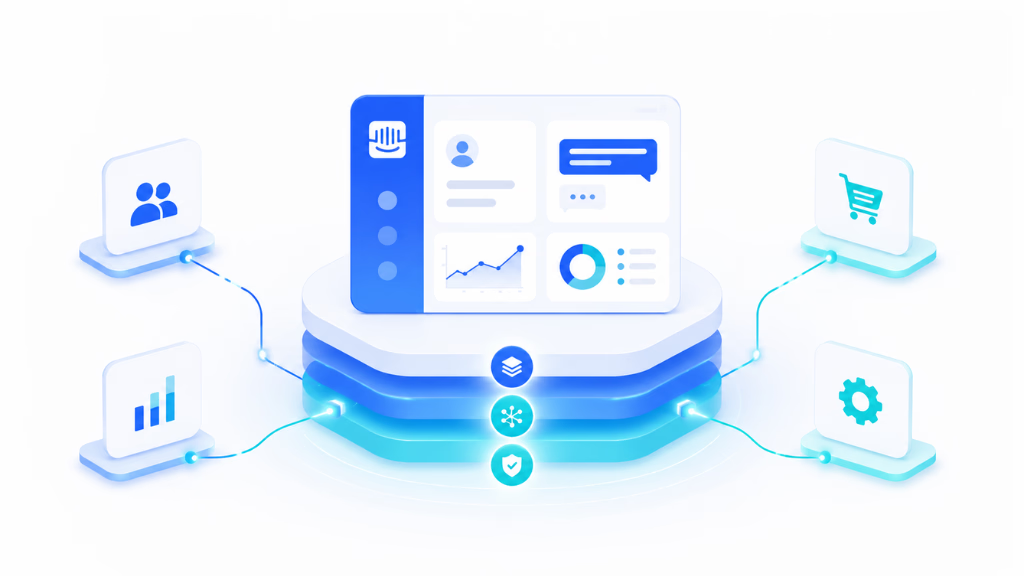
One-way syncs help with visibility, but break down in action—like escalations or playbook triggers. Two-way sync lets changes in CS tools push back to Intercom. This reduces manual updates and keeps data fresh.
User-level sync vs account-level sync
Syncing user-level data (conversations, feedback) is table stakes. Account-level sync (owner, ARR, health score, renewal) enables true B2B CS. Many teams lack this, so CSMs must stitch together partial pictures.
Native integration vs API or webhook setup
Native integrations are simpler, but inflexible for custom workflows. API and webhooks are powerful, but demand technical resources to maintain field mapping, data flows, and error handling. Middleware can fill gaps but adds complexity.
Real-time triggers vs batch updates
Real-time sync supports urgent workflows—say, when churn risk spikes or a VIP has trouble. Batch is fine for analytics and periodic updates, but lag kills proactive CS action.
Source-of-truth decisions
Decide early which tool owns each field: CRM for commercial records, CS platform for health/lifecycle, Intercom for conversations, and data warehouses for analytics. Poor governance here leads to trust and data quality issues.
Customer Success Signals to Sync From Intercom
I have seen the strongest CS teams use support signals as direct triggers for action and health scoring.
Signal Table: Intercom Support Data and CS Use Cases
| Intercom Signal | Customer Success Use |
|---|---|
| Repeated open chats | Churn-risk triggers |
| Negative CSAT | CSM follow-up |
| Escalation frequency | Account stress |
| Product tour progress | Onboarding health |
| Help center failures | Friction/adoption blockers |
| Missed response SLA | Renewal at-risk |
| VIP account inquiry | Priority routing |
| AI handoff rate | Content/knowledge gaps |
Support conversation signals
These include open/closed tickets, escalations, delays, tags, sentiment, and agent notes.
Customer feedback signals
Sync CSAT, NPS, complaint reasons, follow-up requests, and patterns of negative feedback.
Product and lifecycle signals
Pull in onboarding completion, trial milestones, adoption events, renewal dates, and changelog interaction.
AI automation signals
Track auto-resolved questions, failed AI handoffs, and top escalation categories—these help shape both CSM playbooks and future automation routes.
Evaluation Scorecard for Support and CS Leaders
You need a methodical way to review fit. Here’s the scorecard I use with clients.
| Criteria | What to Check | Why It Matters |
|---|---|---|
| Channel coverage | In-app, chat, email, voice, SMS, WhatsApp | Is customer context complete? |
| CS integrations | Custify, ChurnZero, Planhat, Totango, CRM | Supports CS automation |
| Account visibility | Company-level conversation and health | For portfolio management |
| AI automation | Deflection, escalation, knowledge grounding | Boosts efficiency, preserves CX |
| Data sync | One/two-way, real-time/batch | Reduces manual errors |
| Workflow automation | Routing, tagging, alerts, assignment | Ensures signals become action |
| Reporting | CSAT, sentiment, escalations, response time | Tracks support/CS performance |
| Pricing | Seats, usage, add-ons, scaling risk | Avoids cost blowouts |
| Governance | Permissions, audit, handoff rules | Secures sensitive accounts |
| Implementation | Admin effort, API, field mapping | Determines rollout success |
Key Evaluation Considerations
The mistake I see often is teams focusing only on features and not operational fit. Think about:
- Will your CSMs use Intercom directly, or only rely on sync data?
- Which support signals must inform health scoring?
- What escalations or events should trigger playbooks or renewals?
- Which channels matter for your customers—do you risk missing signals by ignoring phone, SMS, or WhatsApp?
- Who owns integrations, field mapping, and error handling over time?
Bullet points to check:
- Map your customer journey across all support and CS touchpoints.
- Audit your channel mix and where churn signals usually appear.
- Match integration depth to your operational process, not only what vendors offer.
- Test AI automation for governance, escalation, and training, not simply ticket deflection.
- Model both workflow efficiency and reporting needs before scaling seat count or AI usage.
When an Omnichannel AI CX Layer Belongs in the Stack
For many teams, the next level is unifying conversations and signals across all customer channels. CX leaders in healthcare, logistics, insurance, real estate, and B2B SaaS increasingly need voice, SMS, email, and WhatsApp to appear in the same customer record.
Channel silos create a real integration risk. Customers repeat issues, support teams miss churn signals, CSMs never see missed calls, and reporting undercounts real support effort.
With built-in workflow automation, Commplify can trigger follow-ups, route risks, escalate human handoff, and capture cross-channel analytics. For teams whose customer success depends on more than in-app chat, this unified approach drives action and oversight.
Conclusion
Evaluating Intercom as a support platform for customer success integration comes down to matching your real operational needs to what the platform—and its integrations—can reliably provide. Intercom is strong for digital-first teams needing in-app messaging, rapid ticketing, and product-led onboarding. Its AI and automation work best when integrated with solid knowledge bases and clear escalation routes.
Yet, as complexity rises—through account-centric CS, multi-channel coverage, or advanced health scoring—limitations around account visibility, integration depth, and operational fit often appear. In my POV, businesses should look past feature lists and focus on integration reality, workflow reliability, and cross-team reporting.
Platforms like Commplify, with unified omnichannel conversation management, fill a needed gap where customer signals span channels and every interaction counts toward success and retention. The best technology serves your process, not the other way around.
AI-driven CX is heading toward context-rich, channel-agnostic, and workflow-automated experience stacks. Evaluating and evolving your stack with this mindset is the best way to serve customers—and your internal teams—at scale.
FAQs
What is Intercom, and how does it support customer success?
Intercom is a customer communications platform that combines messaging, customer support, automation, and engagement tools. It helps customer success teams manage customer interactions, provide proactive support, and improve retention through personalized communication.
How does Intercom integrate with customer success processes?
Intercom integrates customer support and customer success by centralizing customer conversations, tracking engagement data, automating outreach, and enabling teams to identify at-risk or high-value customers.
What are the key customer success features available in Intercom?
Key features include customer messaging, automated workflows, chatbots, customer segmentation, in-app guidance, conversation history, reporting dashboards, and integrations with CRM and customer success tools.
Can Intercom replace a dedicated customer success platform?
Intercom can support many customer success activities, especially for startups and mid-sized businesses. However, organizations with complex customer success requirements may still benefit from dedicated customer success platforms for advanced health scoring, renewal management, and account planning.
How does Intercom help improve customer retention?
Intercom helps improve retention by enabling proactive communication, personalized onboarding, automated follow-ups, timely support, and customer engagement tracking that helps teams address issues before they lead to churn.
What integrations does Intercom offer for customer success teams?
Intercom integrates with popular platforms such as Salesforce, HubSpot, Slack, Zendesk, Jira, Segment, and various analytics tools, allowing customer success teams to consolidate customer data and workflows.
Is Intercom suitable for SaaS companies focused on customer success?
Yes. Many SaaS companies use Intercom to manage onboarding, customer communication, support automation, and engagement campaigns, making it a popular choice for customer success initiatives.
How does Intercom’s automation support customer success efforts?
Intercom’s automation tools can trigger onboarding messages, collect customer feedback, route conversations, answer common questions, and notify teams when customer engagement patterns indicate potential risks or opportunities.
This page was last edited on 17 June 2026, at 1:55 am