Quick Answer
The best practices for integrating customer support and sales data are to define shared business goals, audit all data sources, create a single customer view, standardize fields, use unique identifiers, sync priority data in real time, connect conversations, automate handoffs, and track both CX and revenue metrics.
Disconnected support and sales data is the silent killer of customer trust. When your agents work in silos, customers get fragmented experiences, repeated questions, and poorly timed sales outreach. I have seen this play out across contact centers and fast-growing SaaS teams—and it never ends well for renewal rates.
The real issue is not just about connecting tools. It is about turning fragmented tickets, chat logs, CRM fields, and account notes into a living map of the customer journey. Every department needs to act on that shared context, or customers will see your brand as disconnected and unhelpful.
In this article, I’ll break down which data matters, where it lives, and—most importantly—how to unify, automate, and measure data across channels. You will leave with an actionable playbook for integrating customer support and sales data, grounded in real-world CX and RevOps experience.
Why Integrating Customer Support and Sales Data Matters
When support and sales teams operate on isolated data, the customer experience suffers—along with your revenue and retention. Support may resolve issues blind to deal status, while sales teams risk contacting upset customers who have open tickets. This lack of connection leads to churn, missed expansion, and frustrated teams.
86% of buyers are willing to pay a premium for superior customer experiences, often enabled by unified data-driven insights.
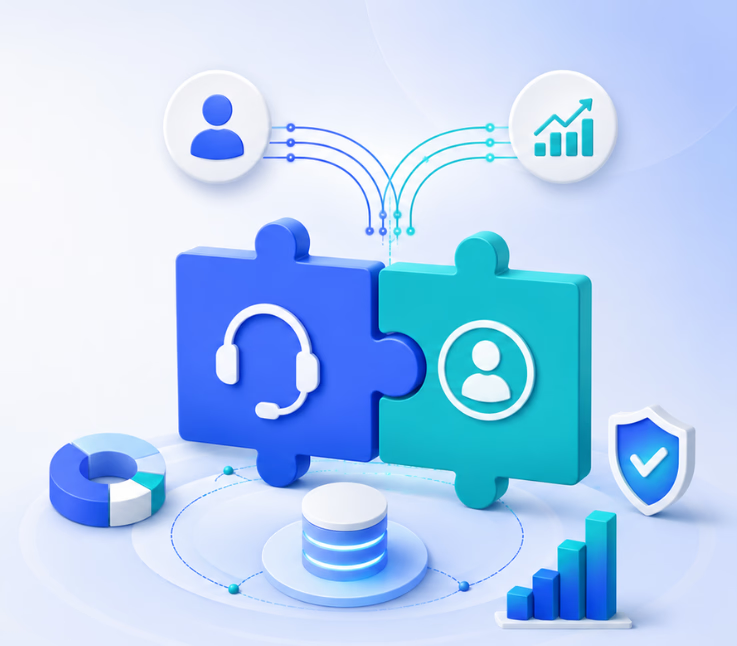
Integrating customer support and sales data connects your CRM, helpdesk, contact center, chat, SMS, email, and WhatsApp channels into a unified customer profile. This enables you to personalize every touchpoint, automate handoffs, detect churn or upsell signals, and link operational actions to metrics like CSAT, renewal rates, and pipeline growth.
12 Best Practices for Integrating Customer Support and Sales Data
Every best practice here addresses a real pain I have seen when data, teams, or processes stay disconnected. Follow these steps to move from fragmented records to actionable, connected customer journeys.
1. Define shared outcomes before integrating customer support and sales data
Integration without clear intent creates noise, not value. Shared outcomes give support, sales, success, and ops teams a common yardstick for success and justify every sync or automation you build.
Align support, sales, success, RevOps, and CX around the same goals
Agree on what matters most—reducing churn, boosting renewal, surfacing expansion, or scaling personalization. In my experience, the lack of shared goals is the #1 reason integrations fail to drive business impact.
Choose outcomes that connect customer experience to revenue
Define targets that cross departmental lines, such as decreasing renewal risk or increasing qualified upsell signals from support.
Prioritize use cases before choosing integration architecture
Focus resources where support and sales data overlap most, not on syncing every field at once.
Examples of shared outcomes to define
- Reduce churn from unresolved support issues
- Prevent sales outreach to unhappy customers
- Improve renewal readiness by surfacing at-risk accounts
- Identify expansion signals from support conversations
- Improve first contact resolution with sales context
Quick Verdict: Define the business goal first—then start building.
2. Audit every support, sales, and customer communication data source
You cannot integrate what you do not map. Many teams forget overlooked inboxes, chat tools, or call notes, leading to “Swiss cheese” data.
Map where customer data currently lives
List every system—CRM, helpdesk, chat, email, SMS, WhatsApp, proposal tools, calendars, feedback forms.
Identify which systems hold sales data
This often includes CRM, sales engagement apps, customer success platforms, and billing systems.
Identify which systems hold support data
Check your helpdesk, contact center, chat tools, shared inboxes, SMS, WhatsApp, knowledge base, and CSAT/NPS tools.
Capture hidden data sources that teams often miss
Review call transcripts, sales notes, escalation records, missed calls, product feedback, and sentiment data.
Quick Verdict: Audit all data silos upfront or you will miss critical signals later.
3. Create a single customer view for sales and support teams
If context is scattered, everyone acts blind. A unified customer profile gives every team a living map to work from—not just a database record.
Define what a single customer view means
Decide if the “record of truth” is at the account or contact level—or both, depending on your sales cycle.
Connect identity, interaction, support, sales, and revenue history
Tie every interaction to a single customer ID across platforms.
Make the customer profile useful for frontline teams
Include context that helps agents and reps act with empathy and precision. In my POV, if agents can’t answer “Is this customer happy, at risk, or ready for upsell?” from one profile, the integration is incomplete.
Customer Context Table
| Customer Context | Why It Matters |
|---|---|
| Open support tickets | Prevents tone-deaf sales outreach |
| Account owner | Supports urgent issue routing |
| Deal stage | Gives support context for opportunities |
| Contract value | Informs prioritization and SLAs |
| Renewal date | Resolves issues before renewals |
| CSAT or NPS | Shows sentiment before outreach |
| Conversation history | Prevents repeated explanations |
Quick Verdict: A single customer view is non-negotiable for true integration.
4. Standardize fields, statuses, ownership, and sync rules
Every integration begins to rot when field names, statuses, and rules drift. Define a common data language before going live.
Define shared field names across CRM and support systems
Make “Account ID,” “Open Ticket Count,” and “Sentiment” mean the same everywhere.
Use unique customer identifiers to prevent duplicate records
Duplication is cancer for customer data. Use system-generated IDs, not just email addresses.
Standardize account, contact, ticket, and opportunity statuses
Everyone must agree what “at risk,” “in progress,” or “resolved” means.
Create clear ownership rules for each data category
Assign owners by function, not tool.
Data Ownership Table
| Data Category | Primary Owner | Shared Users |
|---|---|---|
| Deal stage | Sales/RevOps | Support, Success |
| Ticket status | Support Operations | Sales, Success |
| CSAT and sentiment | Support/CX | Sales, Leadership |
| Renewal risk | Customer Success | Sales, Support |
Field Mapping Example
| Field | Source System | Destination System | Sync Type | Purpose |
|---|---|---|---|---|
| Customer ID | CRM | Support Platform | Real time | Identity matching |
| Open ticket count | Support | CRM | Real time | Account health signal |
| CSAT score | Support | CRM/Success | Daily | Retention risk |
| Product interest tag | Support | CRM | Real time | Upsell signal |
Quick Verdict: Field standardization keeps integrations stable and scalable.
5. Decide what needs real-time sync and what can update on a schedule
Syncing everything live creates noise, latency, and blown SLAs. Sync what moves the needle, automate what is routine.
Real-time vs. Scheduled Sync Table
| Data Type | Recommended Sync | Reason |
|---|---|---|
| Open critical ticket | Real time | Avoids tone-deaf sales outreach |
| Buying intent chat | Real time | Time-sensitive opportunities |
| CSAT score | Daily or real time | Depends on account value/workflow |
| Renewal date | Daily | Usually low-frequency update |
| Ticket volume hist. | Daily/weekly | Analytics & health scoring |
Quick Verdict: Real-time sync should be a business decision, not a technical preference.
6. Connect omnichannel conversations, not just CRM and ticket fields
Conversation history is where the real context lives—calls, chats, emails, WhatsApp, and SMS all contain signals lost in field sync alone.
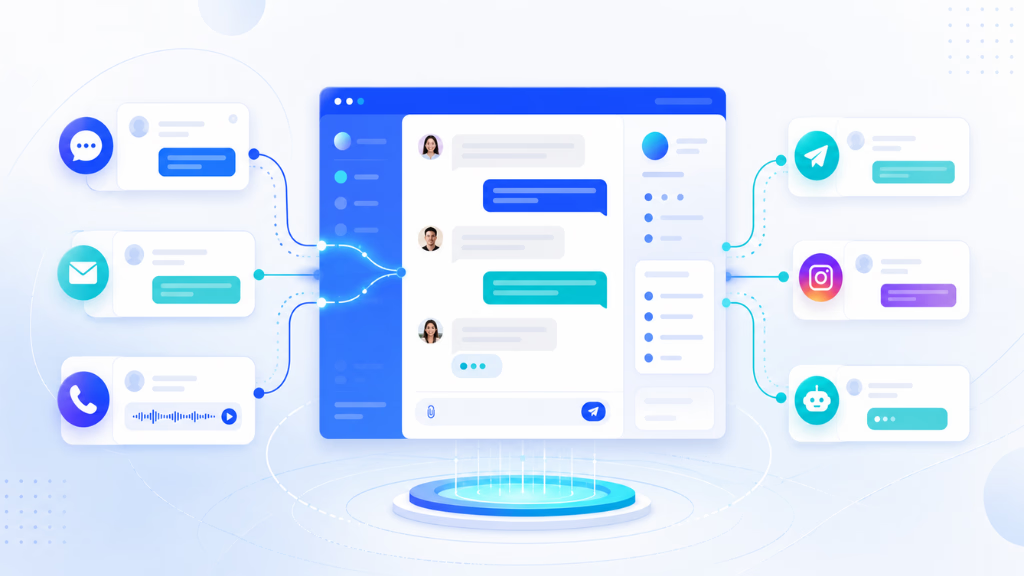
Modern CX platforms like Commplify can centralize every channel’s conversation in one inbox, tag with sentiment and intent, store escalation history, and connect each conversation to a unified customer record. When sales, support, and success teams see the same conversation timeline—including missed calls, complaints, and feature requests—every handoff is smarter.
Conversation Signals Table
| Conversation Signal | Support Use | Sales Use |
|---|---|---|
| Pricing question | Route/escalate | Identify intent |
| Repeated complaint | Prioritize resolution | Flag churn risk |
| Feature request | Categorize feedback | Spot expansion oppty. |
| Negative sentiment | Escalate issue | Pause outbound |
Quick Verdict: Omnichannel conversation capture is the integration “secret sauce.”
7. Automate high-value support-to-sales and sales-to-support handoffs
Action beats reporting. The best integrations trigger workflows when customer goals or risks surface.
Support-to-sales automation: A customer in chat asks about upgrades; system tags intent, creates CRM task, notifies account owner, and hands over chat context.
Sales to support automation: New strategic deal closes, onboarding notes and SLAs sync to support, and future issues are routed with priority.
Churn-risk automation: Multiple tickets, dropped CSAT, and negative sentiment trigger customer success alert before renewal is lost.
This is where workflow automation—such as that built into platforms like Commplify—makes a difference. Automate CRM updates, owner notifications, follow-up messages, and cross-channel routing.
Quick Verdict: Automate important handoffs or risk missing key business moments.
8. Measure whether integrated support and sales data improves CX and revenue
Any integration that does not move retention, CSAT, or pipeline is overhead. Track real outcomes, not just sync volume.
Table: Metrics to Track
| Metric | Team Uses | Why It Matters |
|---|---|---|
| First response time | Support | Measures responsiveness |
| CSAT by account | CX, Sales | Customer happiness |
| Churn risk score | Sales, CS | Early warning |
| Expansion signals flagged | Sales | Drives pipeline growth |
| Revenue at risk | Leadership | Connects CX to P&L |
Quick Verdict: Track operational, CX, and revenue impact or integration quality fades fast.
9. Use support signals in account health and churn scoring
Support touchpoints hold clear signals for risk and growth. In my experience, teams that ignore support data in account health scoring see higher churn.
Review open ticket count, CSAT history, sentiment trajectory, escalation events, and product complaints. Combine these with sales activity for a full account health view. Use scores to trigger outreach, not just reports.
Quick Verdict: Support signals drive smarter health and risk models.
10. Build role-specific dashboards for sales, support, and leadership
Too much data overwhelms, while too little blindsides. Tailor dashboards—support agents see ticket and account info; sales see expansion and churn risk; leadership sees retention, pipeline driven by support, and revenue at risk.
Quick Verdict: The right dashboard makes cross-team action possible.
11. Establish data ownership, permissions, and governance
Data without governance becomes a liability. Define who owns, accesses, updates, and audits every data category. Manage permissions to prevent accidental exposure and ensure compliance.
Clear rules avoid the common trap where “everyone owns the data, so no one does.”
Quick Verdict: Assign clear owners to prevent future chaos.
12. Continuously audit data quality and improve workflows
Integration is not a set-and-forget exercise. In my POV, every mature CX org has quarterly data reviews to check duplicate records, stale fields, broken automations, and misaligned metrics. Treat this as an ongoing operational discipline.
Quick Verdict: Continuous improvement keeps integrations relevant and trusted.
Common Mistakes to Avoid
Teams struggle when they start integrations without strategy or discipline. In my experience, “just sync everything” creates more confusion. Watch for these pitfalls:
- Integrating too much data without clear business use cases
- Ignoring voice, chat, SMS, and messaging conversations
- Failing to define field or record ownership
- Letting duplicate records and outdated status fields pile up
- Relying on manual handoffs for urgent customer signals
- Measuring only support efficiency, not retention or expansion outcomes
- Giving open data access without proper permissions
Always start with user needs, not technical features.
How Commplify Can Help Unify Support and Sales Data
A unified conversation management platform like Commplify naturally brings every voice, chat, SMS, email, and WhatsApp interaction into one conversation inbox. This approach makes it easy to tag intent, capture sentiment, track escalation history, and connect every interaction to a single customer record.
Workflow automation built into Commplify turns customer actions or signals into real-time CRM updates, team notifications, and next-step routing—keeping support, sales, and success aligned across every channel.
The big benefit: You act on complete context, not fragments—and your integration creates a single, living view for every team.
Conclusion
The business case is clear: integrating customer support and sales data reduces friction for both customers and teams. A unified view enables faster, smarter actions, while connected conversation history gives your agents and reps much-needed context.
When every department acts on the same record, you catch churn and upsell opportunities faster. Automated workflows ensure urgent signals—whether a hot lead or an angry customer—never fall through the cracks.
Products like Commplify make this vision practical by bringing every conversation, ticket, and alert into one manageable system. With workflow automation and analytics, this is the starting point for modern, AI-informed customer experience.
The future belongs to teams who can move from fragmented records to connected customer conversations—letting every agent act with full context, every time.
FAQs
What is customer support and sales data integration?
It is connecting customer service records, support tickets, and sales data into a unified view so teams can act on the same information.
Why should sales and support teams share customer data?
Sharing allows personalized service, prevents tone-deaf outreach, surfaces churn or upsell signals, and improves retention and revenue.
What types of customer data should sales and support teams integrate?
Integrate CRM fields, support tickets, account status, deal stage, CSAT, sentiment, conversation history, and escalation status for a full view.
Should support data be synced into the CRM?
Yes. Syncing key support context and signals into the CRM helps sales and success teams understand sentiment, risks, and expansion opportunities.
How does support data help sales teams?
It prevents sales outreach to unhappy customers, flags expansion signals from support conversations, and helps prioritize accounts at risk.
How does sales data improve customer service?
Seeing deal stage, account value, and renewal timing helps support agents prioritize urgent issues and personalize every interaction.
How do you integrate CRM and helpdesk data?
Map shared fields, use unique customer IDs, sync priority data in real time, and automate workflow actions across both systems.
How often should support and sales data be synced?
Sync critical data in real time; less urgent data such as history, usage, or feedback can sync daily or weekly.
What metrics should you track after integrating support and sales data?
Track CSAT, first response time, open tickets by account, churn risk score, expansion signals, renewal rate, and revenue at risk.
How can AI help integrate and use support and sales data?
AI can capture intent, detect sentiment, trigger alerts, automate CRM updates, and route urgent signals for better retention and expansion.
How do you prevent duplicate customer records across sales and support systems?
Use unique customer identifiers, standardize field mapping, regularly audit data quality, and define clear ownership for record updates.
This page was last edited on 16 June 2026, at 2:10 am