Quick Answer
The top platforms for managing customer issues across channels in 2024 are Zendesk, Salesforce Service Cloud, Commplify, Intercom, and Freshdesk. These solutions unify voice, chat, SMS, email, and messaging into one system with strong AI, automation, and analytics.
Customer experience now depends on meeting people where they are, across every channel. But too many teams fight tool overload, data silos, and burned-out agents. I have seen this happen when companies grow fast but their support stack cannot keep up.
Modern buyers expect more than just fast response—they expect context, human touch, and real insight, even as interactions span voice, chat, SMS, email, and WhatsApp. Old ways do not work well here. Picking the right omnichannel platform is the first step to gaining control.
In this guide, I break down the best platforms for managing customer issues across channels, what sets each one apart, and how they solve the hardest CX headaches I have seen in real businesses. You will get the clarity you need to choose or rethink your support stack in 2024.
Why Effective Customer Issue Management Across Channels Matters
Running omnichannel customer support means handling issues wherever your customers reach out—voice, chat, SMS, email, or messaging apps. Shifts in buyer behavior, and rising stakes for CSAT and retention, make this a non-negotiable for modern CX leaders.
In my experience, siloed tools or disconnected systems lead to lost context, inconsistent service, and slow responses. These pain points cost businesses real money through increased churn, low NPS, and agent burnout. A unified approach not only prevents data loss but drives measurable improvements in satisfaction and efficiency. The real issue is not just channel coverage—it is making sure every issue is tracked, routed, and resolved with full context intact.
Best Platforms for Managing Customer Issues Across Channels
Choosing the best omnichannel support platform is more than a feature checklist. I look for systems that truly integrate every major channel, automate the first touch, make agent handoffs smooth, and provide actionable analytics. Here are the platforms I trust for real-world enterprise CX.
Quick Comparison Table of Leading Omnichannel Support Solutions
| Platform | Channels Supported | AI & Automation | Integrations | Ideal For | Pricing Snapshot |
|---|---|---|---|---|---|
| Commplify | Voice, Chat, SMS, Email, WhatsApp | Configurable AI agents, Visual workflows | Modern APIs, LLMs | BPO, Healthcare, SaaS, Retail | Mid |
| Zendesk | Voice, Chat, Email, SMS, Social | Bots, Macros | Marketplaces | Mid-market, Enterprise | Mid-high |
| Salesforce Service Cloud | Voice, Chat, SMS, Email, Social | Einstein AI, Workflows | Deep CRM Ecosystem | Enterprise, Complex Workflows | High |
| Intercom | Chat, Email, SMS, WhatsApp, Social | Proactive Bots | SaaS Ecosystem | SaaS, Startups, Tech | Mid-high |
| Freshdesk | Voice, Chat, SMS, Email, Social | Automations, Bot Marketplace | Marketplaces | SMBs to Mid-market | Low-mid |
| Kustomer | Voice, Chat, SMS, Email, Social | Smart Routing | E-comm Integrations | Retail, E-comm | Medium |
| Nextiva | Voice-first, Chat, SMS, Email | Call Flows | UCaaS, CRM | Voice-centric Teams | Mid |
Each platform brings its own mix of core strengths. Let’s go deeper into what sets each one apart.
Commplify (Unified Omnichannel Conversation Management)
Commplify brings a unified inbox for voice (inbound and outbound), chat, SMS, email, and WhatsApp—all in one system. What stands out is its per-channel AI agent configuration: you can build distinct AI personas, tune their knowledge base, and tightly control escalation logic by workflow or vertical.
Its visual workflow automation lets you set up real routing, auto-response, and escalation logic across channels. Analytics go beyond CSAT, with intent and sentiment reporting tied to unique conversation IDs. In my POV, Commplify suits BPOs, healthcare, SaaS, ecommerce, and compliance-heavy teams who care about granular control.
Quick Verdict: A flexible choice for businesses needing true omnichannel coverage, advanced AI configuration, and operational analytics—all in a buyer-friendly package.
Zendesk
Zendesk has become a default for many enterprise and mid-market support teams, and for good reason. The platform provides unified ticketing across all major channels. It includes an easy-to-navigate agent workspace, robust macros, and a strong bot builder.
Zendesk works well for teams who value process consistency, mature automation, and wide third-party marketplace integrations. However, some organizations hit limits with deep workflow automation or true cross-channel context.
Quick Verdict: Excellent for established support organizations seeking stability across channels, but can be less agile for custom workflows or rapid innovation.
Salesforce Service Cloud
Salesforce Service Cloud shines with its deep CRM integration and customizable workflows. The native Einstein AI supports automation, intent detection, and smart routing at scale. It is tailored for enterprises managing complex processes and high ticket volumes.
I have seen it excel where CX leaders want one data source across sales, marketing, and support. The tradeoff? Implementation can be long and costly, and may feel overbuilt for teams with lighter requirements.
Quick Verdict: The best fit for enterprises that need deep process orchestration, unified data, and heavy customization.
Intercom
Intercom is the leader in messenger-first customer conversations. Its proactive support, no-fuss bots, and continuous product-led updates make it a hit with SaaS, tech, and growth teams who value on-site messaging. The experience is snappy and modern. But voice is not central, and some advanced workflow features are reserved for higher tiers.
Quick Verdict: Great for digital-first brands who want chat-centric, proactive support—but less suitable for voice-heavy or compliance-driven teams.
Freshdesk
Freshdesk offers an intuitive omni-inbox, competitive automation, and a solid set of integrations at entry-level pricing. In my experience, it helps smaller teams graduate from email chaos to centralized support without steep learning curves. The no-code automations are practical, though analytics and AI are less mature than others on this list.
Quick Verdict: Best for SMBs or mid-market teams that want affordable, user-friendly omnichannel support with reasonable automation options.
Kustomer
Kustomer stands out for its timeline-based conversation history and elastic search across a customer’s journey. The smart routing and quick access to past context make it a good fit for ecommerce and B2C brands focused on fast resolutions. Some teams may want deeper workflow automation and flexible AI agent support.
Quick Verdict: Solid for retail and DTC brands with a heavy focus on conversation context and quick agent handoffs.
Nextiva
Nextiva is a strong choice for those who put voice at the center of their support. It delivers an integrated contact center with voice, chat, SMS, and basic automation tied to unified communications. This is where many field service and phone-centric teams find what they need, though analytics and channel breadth can lag peers.
Quick Verdict: The right call for voice-driven support operations needing phone system and contact center convergence.
Feature Highlights and Unique Capabilities
Every platform promises omnichannel, but real business needs demand deeper evaluation. Here’s where I see true differentiation.
In-Depth AI Agent Configuration and Knowledge Intelligence
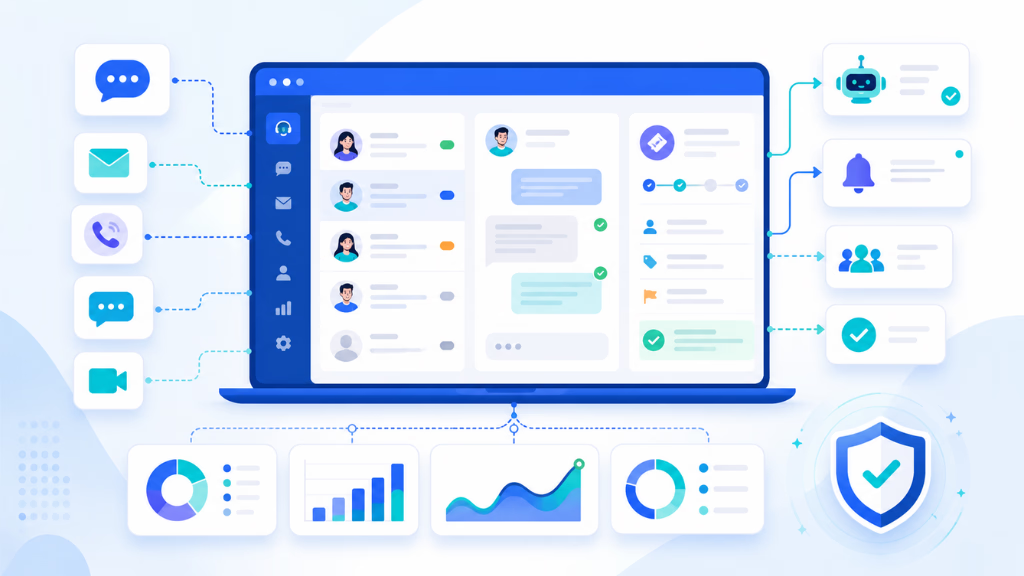
Few tools let you fine-tune AI agents per channel, department, or workflow. Commplify’s per-agent configuration lets you inject documents, FAQs, and process logic by role—so your WhatsApp agent can handle order tracking while your voice bot triages appointments. Smart knowledge routing ensures agents (AI or human) always act on accurate, up-to-date content.
Voice as a First-Class Channel
Platforms like Commplify and Nextiva treat voice as a peer to chat and SMS, not an afterthought. In my experience, many CX stacks lose context here, leading to missed calls or slow follow-ups. Voice intelligence, barge-in support, transcription, and SMS re-engagement after missed calls stop leads from falling through the cracks.
No-Code Workflow Automation
Visual automators (especially in Commplify and Freshdesk) save teams from coding and broken rules logic. You can set triggers based on missed calls, lead stage changes, or sentiment shifts, and trigger downstream actions (emails, calendar events, routing). This cuts manual handoffs and frees agents for higher-value work.
Real-World Use Cases by Industry
- B2B SaaS: Capture and qualify website leads via chat, escalate complex cases to sales, auto-book meetings.
- Healthcare: Triage appointment intents, FAQ bot for plan details, sensitive escalation paths for medical staff.
- Retail/Ecommerce: Automate order status responses, handle returns via SMS or chat bot, flag negative sentiment for agent review.
- Field Services: Route voice or SMS requests to dispatch, send appointment reminders, auto-update status logs.
Each platform’s fit depends on how much control you need and the type of automation or compliance required in your field.
Pitfalls and Key Factors to Consider When Choosing an Omnichannel Support Platform
I have seen many teams pick “omnichannel” systems that split data, confuse agents, or require endless rework. Real success means looking beyond just feature lists. Watch for:
- Underestimating the complexity of truly unified data and context across channels
- Overlooking whether voice or workflow automation is robust enough for your needs
- Neglecting the agent experience—bad user interfaces and handoffs cause burnout
- Misjudging scalability, analytics depth, and compliance requirements for the enterprise
- Underplanning for onboarding, migration, and change management
- Fitting platform strengths to industry and specific business workflows
A better approach is to map your top customer journeys, channel use, and compliance demands before talking to vendors. This saves lost months and bad surprises.
How Commplify Simplifies Omnichannel Customer Issue Management
In my experience, most platforms promise to unify channels—but few deliver on true conversation management, advanced AI control, and workflow orchestration like Commplify.
Businesses with effective omnichannel customer engagement strategies retain 89% of their customers, while those with poor engagement retain only 33%.
Commplify connects voice, chat, SMS, email, and WhatsApp into a single, intelligent inbox. Teams can deploy AI agents tailored to each department or channel, configure their knowledge sources, and visually build workflows to automate routing and escalation in real time. Analytics capture not just CSAT, but also intent, sentiment, and deep conversation metrics—giving CX leaders actionable insights to improve performance.
This is why I have seen teams in BPO, healthcare, and compliance-heavy fields trust Commplify to scale support, reduce workload, and stay nimble as channel expectations evolve.
Conclusion
Choosing the best platform for managing customer issues across channels is no longer about ticking boxes for chat or email. It is about unifying every touchpoint, automating the right interactions, and measuring what matters.
Platforms like Commplify provide the unified conversation management and AI control that modern CX leaders now expect—without sacrificing security, analytics, or scale. The ability to configure AI by channel and department, along with deep workflow automation, marks the shift toward smarter, more adaptive support operations.
In my POV, the future of omnichannel support will only get more complex. The right foundation today ensures you can adapt, automate with confidence, and deliver the experience your customers demand across every channel.
Adopting AI-driven CX is not hype—it is a leadership choice that shapes long-term loyalty, agent wellbeing, and business results.
FAQs
What is an omnichannel customer support platform?
An omnichannel customer support platform lets teams manage conversations across voice, chat, SMS, email, and messaging apps in a single system with unified context.
Why do businesses need centralized issue management across channels?
Centralized issue management ensures faster resolutions, prevents data silos, improves agent collaboration, and creates a consistent customer experience across all communication channels.
What features are essential for omnichannel customer issue management?
Key features include unified inbox, real-time context sharing, AI-driven automation, workflow configuration, analytics, knowledge integration, and support for all major channels.
How do omnichannel support platforms differ from traditional helpdesks?
Omnichannel platforms unify conversations and context across every channel, provide automation, and enable smarter workflows, while traditional helpdesks often focus on email or single-channel ticketing.
Which support platforms offer the most comprehensive channel integrations?
The top platforms for channel coverage include Commplify, Zendesk, Salesforce Service Cloud, Intercom, and Freshdesk, each varying in depth for voice, chat, SMS, email, and messaging apps.
How can AI agents improve cross-channel customer support?
AI agents can automate first responses, triage issues, maintain context across channels, reduce agent workload, and escalate complex cases for faster, more accurate support.
What is the typical cost range for omnichannel customer support platforms?
Costs vary by platform and scale but often range from $30 to $200 per agent per month, with enterprise solutions typically at the higher end, depending on features and integrations.
How can my business migrate from siloed tools to a unified support platform?
Start with mapping all current channels, consolidate data, choose a platform with migration support, plan change management, and phase onboarding to reduce disruption.
Which platform is best for my industry or organization type?
The right platform depends on your industry’s channel mix, compliance needs, and complexity. For healthcare, BPOs, and regulated industries, look to platforms with deep omnichannel and automation capabilities like Commplify.
How fast can an enterprise-scale omnichannel platform be implemented?
Implementation can take from a few weeks to several months, depending on complexity, data migration needs, and workflow customization. Realistic planning and phased rollout ease adoption.
This page was last edited on 22 June 2026, at 4:05 am