Leading platforms that support modular CX automation components—like Commplify, NICE CXone, Genesys Cloud, Zendesk, Verint, and Capacity—enable rapid configuration of AI agents, workflows, and channel integrations for adaptive, future-ready customer experience automation.
CX leaders face a new mandate: adapt fast or get left behind. Rigid or siloed platforms slow teams down, wasting time and budget with every change.
I have seen this happen when a business wants to add a new channel or update escalation logic—only to find their existing stack can’t flex. The frustration is real, especially as customer journeys keep expanding.
This guide will help you understand modular CX automation, why it matters, which platforms excel, and how to choose the right modular stack for real business impact.
Why Modular CX Automation Components Matter
Modular CX automation means building blocks you can rearrange or swap—AI agents, workflows, integrations—without deep rewrites or vendor lock-in.
In practice, “modular” equals agility. You can add an SMS channel, test a new voice workflow, or plug in a knowledge source without breaking existing processes. This is where many teams struggle: legacy systems bake in workflows or agent logic, slowing innovation and spiking IT costs.
For enterprise buyers and CX leaders, modularity brings:
- Channel and workflow agility without starting from scratch
- Cost control by updating only what’s needed
- Faster test-and-learn cycles for operational improvements
- Independence from IT for support managers
- Future readiness—critical as standards shift toward open, composable stacks by 2026
A modular approach lets you keep up with customer demands, compliance requirements, and digital transformation—all without sacrificing speed or control.
What Are Modular CX Automation Components?
Modular CX automation components are plug-and-play elements you can mix, match, or repurpose easily within a platform. True modularity means every function can be configured or reused as an independent part.
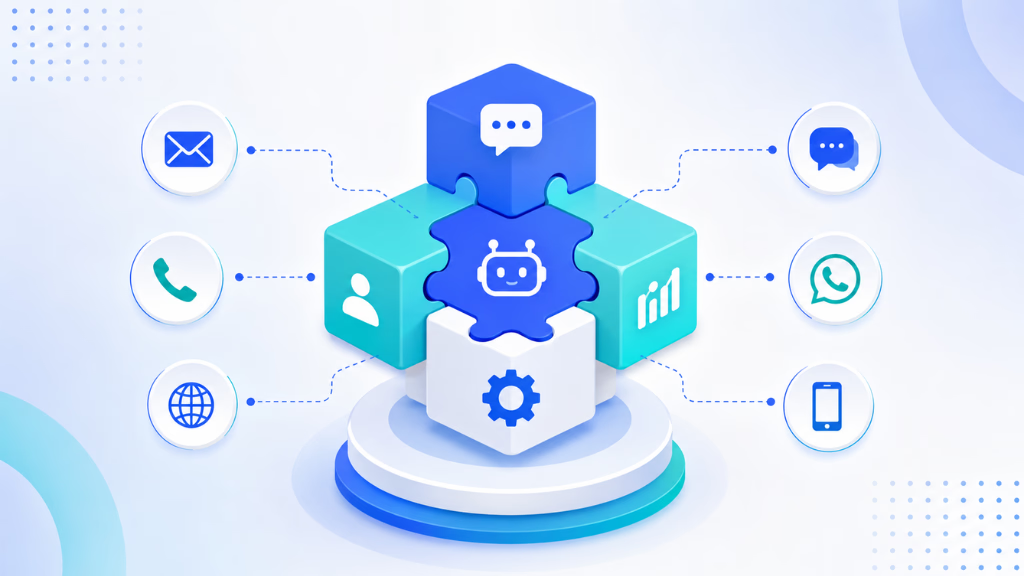
In my POV, understanding what is actually “modular” is key when shortlisting vendors. Here are essential modular components you’ll find in leading platforms:
- AI Agents: Each agent can be custom-built for a channel, use case, or department. They can have a tailored persona, knowledge base, and escalation logic.
- Visual Workflow Modules: No-code builders let you drag and drop steps, conditions, and actions. Reuse them for multiple journeys.
- Channel Connectors: These plug in voice, chat, SMS, email, or WhatsApp as needed—without custom integrations for each.
- Escalation Logic: Escalation paths and handoff can be modular, triggering human involvement per workflow or channel.
- Knowledge Sources: Attach different knowledge bases to different agents, channels, or journeys.
- Integration Modules: APIs, CRM, calendar, or email integrations that work as standalone or reusable blocks.
The real issue is that many traditional platforms only modularize chat or basic bots. To truly future-proof, you need every layer modular—AI agents per channel, workflow orchestration, escalation, analytics, and compliance.
Key Capabilities of Modular CX Automation Platforms
- AI agent design per channel and use case
- Visual, drag-and-drop workflow building
- Channel connector flexibility (voice, chat, SMS, email, WhatsApp)
- Plug-in knowledge intelligence
- Modular escalation with human-in-the-loop
- Analytics/reporting scoped by agent, channel, or workflow
I have seen operations teams save months by using these features to test new support flows or roll out changes on demand.
How Modular AI Agents Drive Channel and Workflow Flexibility
Configurable AI agents are the core of modular CX. Each business process, department, or channel needs its own logic, persona, and context. For example:
- Voice needs one type of agent—fast, concise, with accurate intent detection.
- SMS agents may focus on reminders or quick lead capture.
- WhatsApp agents must handle informal chats, FAQs, and quick handoff.
Platforms that allow you to configure agents independently (like Commplify does, binding knowledge and personality per channel or use case) simplify change management. That’s a better approach than a one-size-fits-all chatbot.
The Role of Visual Workflow Builders in Enabling True Modularity
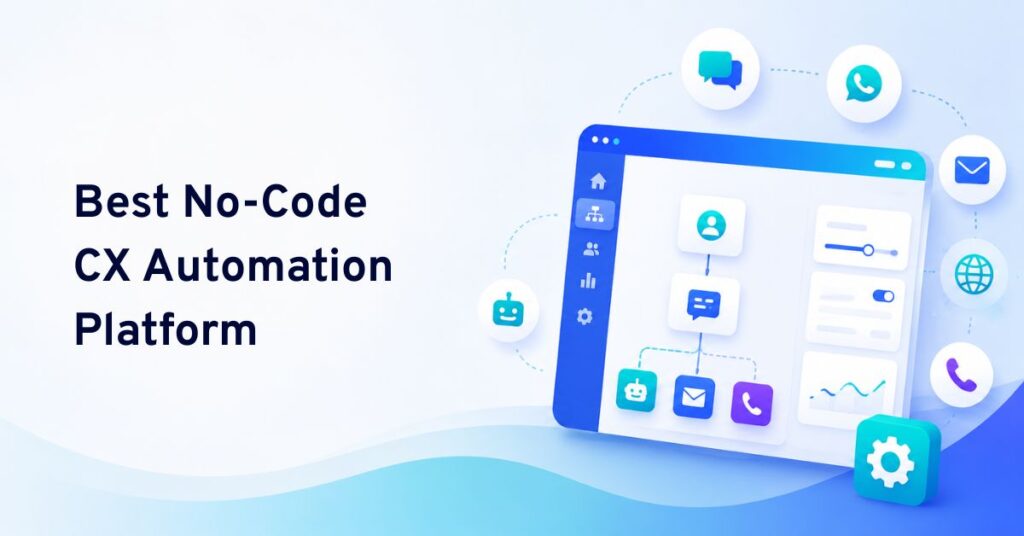
A visual workflow builder is often the most critical modularity tool. Drag-and-drop design means you can map journeys, triggers, and escalations quickly—no developer backlog.
What’s important: flexibility. Can you reuse nodes across channels? Can a missed call on voice trigger a follow-up on SMS? In my experience, only platforms with robust visual builders—such as Commplify, NICE CXone, or Genesys—let teams adapt without IT bottlenecks.
Omnichannel Modularity: Why Voice, Chat, SMS, Email, and WhatsApp Matter
Channel coverage is more than a buzzword. Modular platforms let you add or remove channels independently, each with their own AI agent and workflow.
Voice calls, for example, demand their own automation logic—real-time speech handling, missed-call recovery, and escalation to live agents. Email and chat need different context and response structures.
In my POV, modular channel connectors prevent support silos and help operations teams serve customers wherever they are, without duplicating work.
Real-World Modular CX Automation Journey: BPO, Healthcare, B2B SaaS Examples
- BPO: A support desk can configure voice and chat AI agents per client, attach separate knowledge bases, and route escalations to specific teams—all using modular pieces.
- Healthcare: Appointment triage runs on a modular voice agent, while follow-up happens over SMS/email with attached HIPAA-compliant knowledge.
- B2B SaaS: Missed-call recovery and inbound lead qualification each run as plug-in workflows, with separate AI agents for web chat, WhatsApp, and voice, all feeding a unified inbox.
A modular platform allows these use cases to adapt, scale, and change—without costly custom development.
The Leading Platforms: Comparison of Modular CX Automation Solutions
The following comparison highlights leading modular CX automation platforms based on their core capabilities, channel coverage, integration flexibility, AI features, and suitability for different business needs.
| Platform | Modular AI Agents Per Channel | Visual Workflow Builder | Modular Channel Connectors | Modular Escalation Logic | Knowledge Modules Per Agent |
|---|---|---|---|---|---|
| Commplify | Yes | Yes (drag-and-drop) | Voice, chat, SMS, email, WhatsApp | Yes | Yes |
| NICE CXone | Yes | Yes (Flows) | Multichannel | Yes | Per bot |
| Genesys Cloud | Yes | Yes (Architect) | Voice, chat, email, SMS | Yes | Per-bot, per-channel |
| Zendesk | Yes (Sunshine) | Yes (no-code) | Chat, email, WhatsApp, SMS | Escalation per workflow | Per-bot, per dept |
| Verint | Yes (AI bots, modules) | Yes (orchestration) | Omni | Yes | Per workflow |
| Capacity | Yes | Yes | Chat, email, SMS | Yes | Per bot |
| Ada | Yes (per bot/channel) | Yes (builder) | Chat, email, SMS | Basic | Per bot |
Most fit best in environments where modularity is strategic—BPOs with large client mixes, fintech and healthcare needing compliance, or SaaS with fast-changing journeys.
In-Depth Look at Top Platforms
Commplify
Allows modular configuration of AI agents, workflows, and escalation logic per channel or use case. Unified inbox for all channels, strong support for voice automation, modular knowledge bases per agent, visual workflow builder, and open integration.
Quick Verdict: Best-in-class for true modularity across all channels.
NICE CXone
Highly configurable, especially for voice and digital channels. Workflow management is strong, but channel modules sometimes require deeper integrations.
Quick Verdict: Top-tier for enterprise with legacy migration needs.
Genesys Cloud
Comprehensive modularity in voice and digital, visual builder with Architect. Well-suited for large teams with complex use cases.
Quick Verdict: Excellent composability, best in regulated sectors.
Zendesk
Strong no-code builder and Sunshine platform, best for chat/email/WhatsApp-centric orgs. Channel connectors and escalation logic are flexible.
Quick Verdict: Simple to start, future-ready with open API.
Verint
Deep modularity with orchestration across channels, advanced analytics, and workflow customization. Quick Verdict: Ideal for analytics-led CX ops.
Capacity
Best for digital chat/email/SMS, strong no-code workflows, flexible integrations. Voice integration less mature.
Quick Verdict: Fast deployment for digital-first orgs.
Ada, others
Specialize in digital channels with modular bot design and workflows, but less robust voice/telephony.
Industry fit matters. Modular platforms offer the most value where change is frequent, automation spans channels, and compliance or client customization is a must.
How to Evaluate Platforms for Modular CX Automation
Evaluating modularity takes more than scanning a feature list. Here’s how I recommend assessing platforms:
- Does the tool let you build/configure AI agents per channel?
- Is the workflow builder visual and flexible?
- Can you add or remove channels with no code changes?
- Are escalations and human handoff modular—configurable per workflow?
- Is integration truly “plug-and-play” for your CRM, calendar, and email?
- Can you assign different knowledge bases per agent or journey?
- Does analytics break down by workflow/channel/agent?
- Is access control granular (workspace, department, admin roles)?
Sample feature scoring grid:
| Criteria | Weight | Commplify | NICE CXone | Genesys | Zendesk | Verint | Capacity |
|---|---|---|---|---|---|---|---|
| Modular AI per channel | High | Yes | Yes | Yes | Yes | Yes | Yes |
| Visual workflow builder | High | Yes | Yes | Yes | Yes | Yes | Yes |
| Channel connectors | High | All major | All major | All | Most | All | Most |
| Modular escalation logic | High | Yes | Yes | Yes | Yes | Yes | Yes |
| Knowledge base modularity | Med | Yes | Yes | Yes | Yes | Yes | Yes |
| Integration/API openness | High | Yes | Yes | Yes | Yes | Yes | Yes |
| Analytics per channel/flow | High | Yes | Yes | Yes | Yes | Yes | Yes |
Questions to ask vendors:
- What’s the smallest unit I can configure independently?
- How do I reuse or swap workflows/agents across channels?
- How “open” are your integrations? Can I connect to all my external tools without closed APIs?
- How do you handle access controls and data privacy in modular setups?
Watch out for:
The mistake I see often is buying solutions only “modular” at the surface—basic API options or single-channel bots. True modularity runs through the architecture: agent logic, workflow design, channel connectors, escalation, analytics, and integrations.
Common Mistakes and Considerations for Modular CX Buyers
Selecting a modular CX platform isn’t just about channel counts or AI features. In my experience, these common mistakes can stall even well-planned rollouts:
- Overlooking voice automation or putting it off until “later”
- Focusing only on chatbots, ignoring email/SMS/WhatsApp
- Underestimating the complexity of escalation and human handoff
- Not checking the granularity of configuration (can you set up per agent, per channel, per journey?)
- Ignoring integration limits—will it “play nice” with your CRM, email, or calendar?
- Neglecting security and access control at the modular level
Careful buyers always insist on hands-on demos. They test every piece—agent config, escalation, workflow, data visibility—before signing.
How Commplify Delivers Modern Modular CX Automation
Commplify is a strong example of true modularity in action. Each AI agent, channel connector, and workflow can be built and managed separately. For instance:
- Configure AI agents for voice, chat, SMS, email, and WhatsApp, each with its own persona, workflow, and knowledge base.
- Use a drag-and-drop builder to create workflows that automate, escalate, or hand off per channel or use case.
- Route every conversation—whether from voice, chat, or social—to a unified inbox with consistent analytics.
- Attach different knowledge modules for each agent, supporting complex compliance or industry needs.
- Set up vertical-specific workflows for healthcare, BPO, or B2B SaaS without code or IT tickets.
Last year, our CX team built a missed-call recovery workflow using Commplify’s modular voice and SMS nodes in hours—not weeks. That flexibility is now our baseline.
Conclusion
Modular CX automation isn’t an option—it’s becoming the standard for enterprise success. Buyers who choose platforms with plug-and-play AI agents, visual workflow builders, channel connectors, and modular integrations will adapt faster.
The key takeaway: The right modular platform saves time, controls costs, and frees teams to focus on customers, not on rebuilding automations for each little change.
Platforms like Commplify offer a path forward—where AI agents, workflows, and channels are true building blocks. This makes it easy for support managers or CX leaders to adapt as business and customer demands evolve.
I believe the next wave of CX is flexible, open, and modular—letting you respond to change without starting from scratch again and again.
FAQs
What is a modular CX automation platform?
A modular CX automation platform lets you configure, combine, and reuse AI agents, workflows, and integrations independently across channels, supporting rapid changes without deep redevelopment.
Why is modularity important in customer experience automation?
Modularity brings agility, reduces IT dependence, and lowers costs by allowing businesses to adapt processes, channels, and automations quickly as customer needs or regulations evolve.
Which platforms support modular automation components?
Commplify, NICE CXone, Genesys Cloud, Zendesk, Verint, and Capacity all support modular automation components for CX. Each offers varying levels of agent, workflow, and channel flexibility.
How do I evaluate modularity in CX tools before buying?
Test if the platform lets you build AI agents, workflows, and escalations per channel or journey. Confirm visual workflow builder strength, integration openness, and granular access control.
Can modular CX platforms combine voice, chat, and workflow automation in one tool?
Yes, leading modular CX platforms—such as Commplify—combine voice, chat, SMS, email, and WhatsApp with unified workflow automation in a single environment.
What are the benefits of modular vs monolithic CX automation platforms?
Modular platforms offer faster changes, easier scaling, lower costs, and less vendor lock-in. Monolithic tools make updates slower and can’t flex as easily with changing customer journeys.
Are there security or compliance risks with modular automation components?
If managed well, modular platforms actually improve security by having clear role-based access and workflow isolation. Always check for data privacy controls and compliance certifications.
How does modularity impact integration with my existing CX/CRM stack?
Modular platforms simplify integration by offering plug-and-play connectors, open APIs, and reusable modules—making it easier to connect with your existing CRM, calendar, and analytics tools.
This page was last edited on 10 July 2026, at 6:18 am