
Quick Answer
Automation tools for CX teams enable non-technical staff to visually design, modify, and publish workflow logic—like routing and responses—across channels without IT support, allowing immediate process updates through no-code platforms.
If you manage a CX team, you know the pain of slow-moving IT queues. When a new campaign or customer issue pops up, your staff likely waits days or weeks just to tweak a simple workflow rule.
The real issue: Customer expectations do not slow down for IT. Delays crush agility—and your team’s ability to deliver fast, personalized service.
The goal of this guide is clear. You will learn how leading brands use no-code automation tools so CX teams own process changes instantly, reduce IT bottlenecks, and keep operations one step ahead of customer needs.
Why Reducing IT Dependency in CX Automation Matters
Removing IT bottlenecks from automation puts agility back where it belongs: in the hands of the customer-facing team. When CX teams depend on IT for every workflow update, the business is exposed to operational risk.
In my experience, every day a logic change is delayed is a day your customer loses trust. Service tweaks sometimes need to happen at peak times (think, crisis issue or flash sale). CX staff must make logic changes fast—without a technical manual or a week-long ticket backlog. Teams that use automation tools to reduce IT reliance outpace the competition, cut costs, and improve both CSAT and employee morale.
Automation Tools for CX Teams to Update Logic Without IT Dependency
The right workflow automation platform can help non-technical CX staff implement process changes with just a few clicks. Let’s break down what this looks like, what features matter, and how teams succeed without standing in IT’s line.
Defining No-Code and Low-Code Platforms for CX Use
No-code and low-code platforms let CX teams create or update workflow logic using drag-and-drop builders, not developer skills.
In my POV, the best no-code tools focus on real CX problems—not flashy tech. Teams can build workflows for things like call routing, chatbot handoffs, or missed-message notifications, all without learning code or using complex interfaces. This keeps momentum with the people closest to the customer.
How Modern Workflow Builders Remove Technical Barriers
Modern visual builders give power back to CX. A well-designed interface means anyone with process knowledge—not just IT—can:
- Map out customer journeys
- Set up routing, escalation, and notifications
- Test and deploy changes instantly
I have seen this in action. A support manager updates after-hours escalation logic at 4pm, pushes it live across voice, chat, and WhatsApp by 4:10, with no downtime or IT approval needed.
Real-World Scenarios: Routing, Escalation, and Campaign Changes
CX teams use no-code builders for real tasks such as:
- Changing call routing rules for holiday hours or local events
- Escalating VIP tickets directly to senior agents when sentiment drops
- Creating one-off workflows for flash sales, with expiry timers
Last year when our support team ran a product launch, we needed a new chat routing logic for the launch window. We built and deployed the new workflow ourselves in minutes and rolled it back right after the campaign—all without a single IT ticket.
Overview of Cross-Channel Automation
Customers expect help everywhere: calls, chat, email, SMS, WhatsApp. The mistake I see often is choosing tools that only automate a single channel. The strongest platforms (like Commplify) tie logic updates together, so changes go live across all customer touchpoints at once.
With all channels unified in one builder, teams can automate:
- Call and chat routing
- Escalation via SMS
- Auto-replies on email and WhatsApp
- Mutually-aware triggers (e.g., missed call triggers SMS follow-up)
This is what makes process change practical, not a data-management headache.
Typical Pain Points These Tools Solve
Workflow automation solves problems that used to drag down productivity:
- Long IT backlogs delaying basic changes
- Fragmented logic when each channel or team runs its own system
- Errors from manual process handoffs
- Support agents working from incomplete or outdated rules
When I talk with ops leaders, the main outcome they want is faster change cycles with less risk of mistakes.
Best Automation Tools for CX Teams
CX automation tools help support teams reduce repetitive work, respond faster, route customer issues more efficiently, and improve overall service quality. Instead of managing every task manually, CX teams can use automation to handle common questions, organize tickets, support agents, and track customer interactions across multiple channels.
Below are some of the best automation tools for CX teams.
1. Commplify — Best Omnichannel AI CX Platform
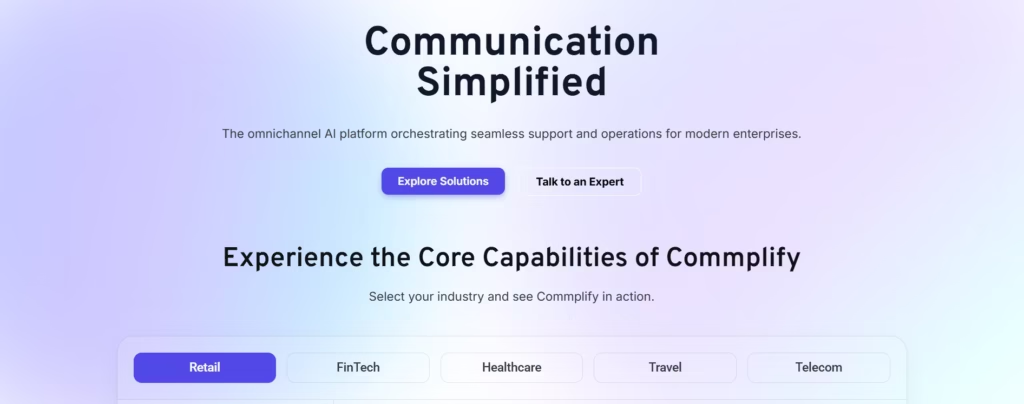
Commplify is an omnichannel AI CX platform designed to help businesses automate and manage customer interactions across calls, chats, emails, and messaging channels. It helps CX teams improve response speed, understand customer intent, route issues intelligently, and support agents with AI-powered assistance.
Unlike basic chatbot tools, Commplify focuses on the complete CX workflow. It can help teams manage conversations, automate routine tasks, support human agents, monitor quality, and improve resolution tracking from one connected platform.
Key benefits of Commplify
Commplify helps CX teams:
- Automate customer conversations across multiple channels
- Detect customer intent and route issues faster
- Support agents with AI-powered suggestions
- Improve quality assurance and performance monitoring
- Reduce manual work and speed up issue resolution
- Maintain a consistent customer experience across channels
Commplify is a strong choice for growing CX teams, contact centers, BPOs, eCommerce brands, insurance companies, financial service providers, and businesses that want a smarter way to scale customer experience operations.
2. Zendesk — Best for Ticketing Automation
Zendesk is a popular customer service platform for ticket management, help desk automation, live chat, and knowledge base support. It helps CX teams organize customer requests, assign tickets, set automation rules, and track support performance.
Zendesk is useful for teams that need a structured support system to manage high volumes of customer tickets and reduce manual case handling.
3. Intercom — Best for Conversational Support
Intercom is a customer messaging platform that helps businesses manage live chat, automated messages, product guidance, and AI-powered support. CX teams can use it to answer common questions, guide users, and provide real-time help on websites or apps.
It is especially useful for SaaS companies, startups, and digital businesses that want automated conversational support.
4. Freshdesk — Best for Affordable Help Desk Automation
Freshdesk offers ticketing, workflow automation, team collaboration, and knowledge base features. It helps CX teams assign tickets, manage SLAs, use canned responses, and organize customer conversations in one place.
Freshdesk is a good option for small and mid-sized teams looking for a practical and budget-friendly help desk solution.
5. HubSpot Service Hub — Best for CRM-Connected Service Automation
HubSpot Service Hub helps CX teams manage tickets, live chat, customer feedback, and knowledge bases while staying connected with HubSpot CRM. This allows agents to view customer history and provide more personalized support.
It is best for businesses already using HubSpot or teams that want customer service automation connected with sales and marketing data.
6. Salesforce Service Cloud — Best for Enterprise CX Teams
Salesforce Service Cloud is built for large organizations that need advanced case management, workflow automation, AI insights, and CRM integration. It helps teams manage complex customer service operations across multiple departments and channels.
It is ideal for enterprises, financial services, telecom, healthcare, and other large-scale support teams.
7. Zapier — Best for Connecting CX Tools
Zapier helps CX teams connect different apps and automate repetitive tasks between platforms. For example, teams can automatically create support tickets from form submissions, send Slack alerts for urgent issues, or update CRM records after customer interactions.
It is useful for teams that use multiple tools and want simple workflow automation without custom development.
How to Choose the Right CX Automation Tool
The best CX automation tool depends on your team’s size, customer volume, support channels, and business goals. Before choosing a platform, consider whether it can support your communication channels, automate repetitive tasks, route issues properly, assist agents, and provide useful analytics.
For teams that need complete omnichannel AI automation, Commplify is a strong option. For ticketing-focused teams, Zendesk or Freshdesk may work well. For CRM-connected support, HubSpot Service Hub or Salesforce Service Cloud can be a better fit.
Key Capabilities Every CX Automation Tool Must Provide
No-code workflow platforms aren’t all the same. Some look impressive but fall short in practice. Here is what actually makes a difference for enterprise CX teams.

Visual Workflow Builder with Drag-and-Drop Simplicity
Teams need to see and change process flows without guessing or digging through menus.
The best builder gives a clear map of every rule and trigger. This means a CX manager sees the actual customer journey, not a list of tech commands.
Role-Based Access and Approval Flows
Control matters as much as speed. Good tools let you set who can make changes, who must approve, and who only views logic.
I have seen teams struggle without this: Shadow IT grows, changes slip by untracked, and compliance suffers. Solid role-based access stops those risks.
Real-Time Editing and Publishing
When a workflow update is needed, minutes matter. The right platform lets you edit, preview, and publish with immediate results.
In my experience, instant publishing is non-negotiable. CX momentum dies if every edit sits in an IT queue.
Unified Logic Management Across All Customer Communication Channels
If logic lives in five different places, mistakes will happen. Unified builders help CX teams manage rules for calls, chat, SMS, and email together.
A better approach is to see and update all automations in a single dashboard. This cross-channel control is crucial for large or fast-moving teams.
Integrated Analytics and Visibility into Automation Performance
You can’t improve what you don’t measure. Good automation platforms show:
- Which changes drive better response times
- Where escalations spike
- CSAT trends after workflow updates
This feedback helps CX teams fine-tune logic without waiting on IT reports.
Practical Examples: Common Logic Changes CX Teams Need
Here are the changes I see most often among enterprise CX teams. These might seem basic, but they make huge differences at scale.
Updating Routing Rules for Peak Call/Chat Times
Many support teams change routing logic daily to handle volume spikes. For example, push after-hours calls to overflow staff, or direct VIP traffic to top agents during product launches.
Quick changes here mean fewer missed contacts and higher CSAT.
Escalation Paths Based on Customer Status or Sentiment
Sometimes a customer’s issue needs urgent help due to account value or detected sentiment.
CX teams update escalation triggers so gold customers, or frustrated callers, reach managers directly. This reduces churn and incident times.
Notification Triggers for Missed Calls or Urgent Requests
A simple but powerful change: Setting up “missed call” triggers so the team can follow up via SMS or WhatsApp. When missed contacts spike, rules can be tweaked on the fly.
Auto-Responses and CSAT Collection Workflows
No-code editors let teams set up automated FAQ responses, resolve common queries, or send CSAT survey links after conversations—in minutes.
I have seen this cut manual workload and boost survey response rates by 20 percent.
Campaign-Specific Process Changes
When a brand runs flash sales or product launches, CX workflows must adapt fast.
Teams can spin up unique routing, staffing, or follow-up rules for campaign periods and revert after. No missed chances, no IT backlog.
Balancing Empowerment with Security and Compliance
Empowering CX does not mean surrendering control. The mistake I see often is swinging the pendulum too far—removing IT entirely and opening cracks for errors or compliance gaps.
Governance should be a guardrail, not a barrier.
A practical model is to set up:
- Role-based access: Only authorized CX leaders can make or approve changes.
- Audit trails: Every logic edit or rollout is tracked for review.
- Approval flows: Risky updates require sign-off from operations or compliance leaders.
- Regulatory guardrails: Workflows are checked against industry or local laws before going live.
IT’s role shifts from blocking changes to setting standards, monitoring audit logs, and providing oversight. This balances agility with enterprise risk management.
Common Pitfalls and Decision Factors When Choosing CX Automation Tools
Many teams rush into new tools and face problems later. In my experience, pay close attention to these decision points:
- Shadow IT risk: Tools without proper access controls lead to fragmented, untracked logic.
- Fragmented channels: If the tool cannot manage all your channels together, you will end up with siloed workflows.
- Missing scalability: Changes that work with 10 agents break at 200 without robust permissions and analytics.
- Insufficient user training: Even the best interface fails without proper onboarding.
- Vendor overpromising: Some platforms claim no-code but require heavy IT for setup or changes. Test before you buy.
Buyer’s Quick-Check: Must-Have Features
| Feature | Must-Have For CX Teams |
|---|---|
| Visual drag-and-drop editor | Yes |
| Cross-channel (voice/chat/SMS/etc) | Yes |
| Role-based access controls | Yes |
| Real-time publishing | Yes |
| Unified analytics dashboard | Yes |
| Audit logs and change history | Yes |
| Easy rollback or versioning | Preferred |
| Case studies in your industry | Strong sign |
How Commplify Enables No-Code Workflow Automation for CX Teams
Commplify’s visual, no-code workflow builder lets CX and operations teams create and update customer journeys in minutes—across voice, chat, SMS, email, and WhatsApp—all in one place.
In my experience, I have seen non-technical managers:
- Drag and drop routing logic for flash sales—deploying instantly without IT.
- Set up new escalation rules after-hours, ensuring urgent cases get the right attention.
- Adjust auto-reply and CSAT flows based on recent feedback, tracked in real time.
- Review analytics on the same dashboard to measure the exact impact of each change.
One memorable example: A CX team noticed spikes in missed calls after business hours. Using Commplify, they built a workflow so those missed calls triggered an SMS and escalated to a night team—within minutes, customers got the right follow-up, and the team saw measurable CSAT improvement the next day.
The outcome: Continuous improvement, owned by CX, with IT focused on standards and safety—not bottlenecks.
Conclusion
Empowering CX teams to update automation logic without IT dependency is a strategic shift that raises both team performance and customer satisfaction. Giving frontline staff control with a visual, no-code platform improves agility, reduces operational risk, and makes every process iteration faster.
Commplify now stands as an example of how well-designed tools support these outcomes. Its workflow automation gives CX leaders instant process ownership, unified cross-channel logic, and actionable analytics, all while keeping IT engaged for oversight.
The future of customer experience is agile, AI-assisted, and CX-led. When your teams can shape processes in real time, your service grows more adaptive than any playbook or IT schedule can ever be.
Looking ahead, AI-driven, self-serve automation will define which brands win the next era of customer loyalty and operational excellence.
FAQs
What are automation tools for CX teams?
Automation tools are systems that let CX staff adjust workflow logic, routing, and responses without coding or IT.
What is no-code workflow automation for customer experience?
It means CX teams use visual editors to build and change process logic without any programming skills or IT help.
How can CX teams update business logic without IT dependency?
By choosing no-code platforms with drag-and-drop editors and instant publishing, CX teams make changes across channels themselves.
Which types of workflow changes are most common in CX automation?
Typical changes include call/chat routing, escalation paths, notification triggers, and setting automated replies or survey flows.
Are self-serve automation tools secure and compliant?
Yes. Leading tools have access controls, audit logs, and approval flows to maintain security and compliance.
How do I evaluate the right no-code platform for my CX team?
Look for a unified editor, multi-channel support, role-based controls, real-time analytics, and solid industry case studies—like those from Commplify.
This page was last edited on 29 June 2026, at 2:56 am