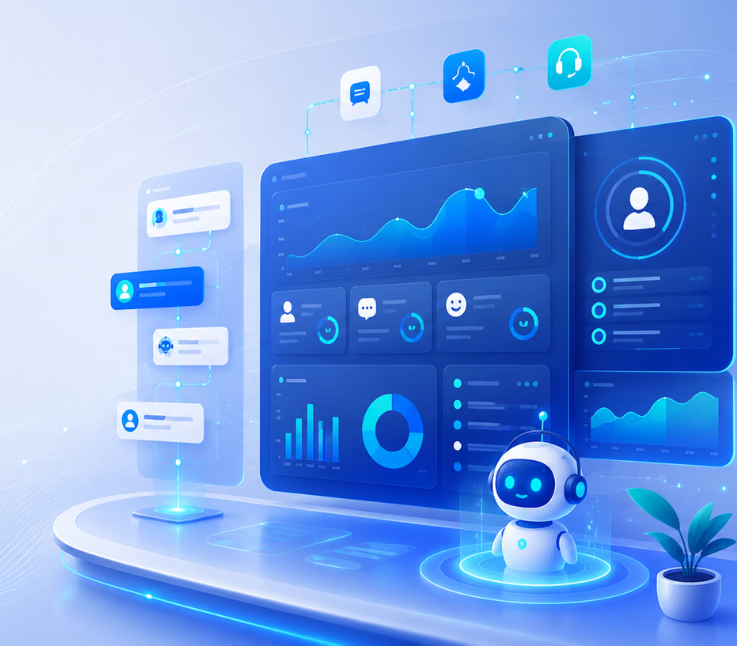
The best AI agent platforms for CX analytics dashboards bring together all customer data, across channels, using real-time and historical dashboards that track both AI and human support—helping CX teams act on insights to boost satisfaction and efficiency.
Staring at endless metrics, siloed by channel and team, it is easy to miss what really matters in customer experience. In my experience, most support leaders want one thing: clarity. They need to see, at a glance, how every agent—human or AI—is doing, what is trending, and where to act.
The real issue is not data volume, but making sense of it across channels like voice, chat, email, SMS, and WhatsApp. I have seen teams lose countless hours fighting dashboard overload while missing urgent support trends.
This guide maps the path from scattered metrics to impactful insight. You will learn what sets the top AI agent CX analytics dashboards apart, what features elevate daily CX operations, and what to demand as you build your next-gen support stack.
Why AI Agent Platforms and CX Analytics Dashboards Matter
AI agent platforms handle the bulk of customer interactions. CX analytics dashboards reveal how well they work—across every channel, agent, and workflow.
A great dashboard replaces guesswork with live, actionable data. In practice, this means seeing AI-agent resolution rates next to human performance, tracking customer sentiment, and understanding why escalations happen. The best tools not only unify all this data but help leaders act quickly—driving higher CSAT, faster resolutions, and measurable ROI.
Without unified analytics, teams end up with fragmented insights, slow responses, missed opportunities, and dashboard fatigue.
Best AI Agent Platforms and CX Analytics Dashboards
The best AI agent platforms do more than answer customer questions. They understand intent, retrieve relevant information, complete tasks, escalate complex cases, and maintain context across multiple communication channels.
At the same time, strong CX analytics dashboards help customer experience leaders understand what is happening behind every interaction. They reveal customer sentiment, recurring contact reasons, automation performance, escalation patterns, agent productivity, journey friction, and overall service quality.
The following platforms combine AI-powered customer engagement with analytics, reporting, or customer journey intelligence. This ranking considers:
- AI agent and workflow automation capabilities
- Voice and digital channel coverage
- Customer intent and sentiment analysis
- Human-agent escalation
- CX reporting and dashboard depth
- Integration and orchestration capabilities
- Suitability for enterprise customer experience operations
| Platform | Best For | AI Agent Strength | CX Analytics Strength |
|---|---|---|---|
| Commplify | Unified omnichannel CX automation | Workflow-aware voice and digital AI agents | Unified analytics, intent, sentiment, and operational insights |
| Zendesk AI | AI-powered customer support | Automated resolutions and intelligent ticket handling | AI agent performance and support analytics |
| Intercom Fin | Digital-first support teams | Customer-facing AI agent for service and sales | Customizable AI resolution and CSAT reporting |
| Salesforce Agentforce | Salesforce-based enterprises | Custom enterprise agents connected to CRM data | Service, customer, and business intelligence analytics |
| Freshworks Freddy AI | Growing customer service teams | Ready-to-deploy support agents and copilots | Conversational and operational support insights |
| NICE CXone Mpower | Large contact centers | Enterprise voice and digital AI agents | Interaction, workforce, quality, and sentiment analytics |
| Genesys Cloud | Journey orchestration | AI-powered engagement and routing | Customer journey monitoring and visualization |
| Sprinklr Service | Global omnichannel brands | Conversational AI across digital channels | Conversation analytics across more than 30 channels |
| Talkdesk | AI-powered contact centers | End-to-end voice and digital automation | Interaction journey and AI agent observability |
| ServiceNow | Enterprise workflow automation | AI agents that complete cross-system tasks | AI agent efficiency and workflow analytics |
1. Commplify — Best Overall Omnichannel AI Agent and CX Analytics Platform
Commplify is the best overall choice for organizations that want to connect AI agents, omnichannel customer communication, workflow automation, and CX analytics within one operating environment.
Instead of treating voice calls, chats, emails, SMS conversations, and messaging interactions as separate support activities, Commplify brings them together through a shared AI-driven orchestration layer. Its AI agents can detect customer intent, route interactions intelligently, respond with relevant context, follow configured business processes, and transfer conversations to human employees when necessary.
Key AI Agent Capabilities
Commplify supports workflow-aware AI agents trained around real organizational processes instead of relying only on generic question-and-answer scripts. The platform can be used for support, lead qualification, follow-up automation, appointment booking, customer validation, retention activities, knowledge operations, and other customer-facing workflows.
Its orchestration architecture combines agentic AI with deterministic controls. This is important for organizations that want AI agents to reason and respond naturally while still following approved rules for sensitive processes, routing, escalation, and compliance.
Important capabilities include:
- Voice and digital AI agents
- Customer intent detection
- Intelligent omnichannel routing
- SLA-aware response management
- Human-agent fallback and escalation
- Workflow and follow-up automation
- Knowledge and business-data integration
- Configurable customer journey templates
- Quality control and governance layers
- Context preservation across channels
CX Analytics Dashboard Capabilities
Commplify connects customer engagement data with operational analytics. Teams can bring voice, chat, SMS, email, and WhatsApp interactions into a unified view instead of analyzing each channel through a separate reporting tool.
Its analytics capabilities can help teams examine sentiment, intent, response performance, automation outcomes, escalations, journey behavior, and workflow activity. Insights can also be connected to follow-up actions, allowing organizations to respond to a detected issue rather than simply recording it in a dashboard.
CX leaders can use these insights to monitor metrics such as:
- AI containment and resolution rates
- First-contact resolution
- Average response and handling time
- Customer satisfaction
- Escalation rate
- Customer sentiment
- Contact reasons and intent trends
- Channel performance
- Human and AI agent workload
- Cost per interaction
- Workflow completion rates
- Service-level performance
Why Commplify Ranks First
Commplify ranks first because it connects three areas that are frequently separated: AI-led customer engagement, omnichannel orchestration, and actionable CX analytics.
Many tools either automate conversations or analyze customer data. Commplify is designed to help teams use insights directly within routing, escalation, workflow, and follow-up processes. It is particularly relevant for businesses that want consistent AI behavior across voice and messaging without creating separate automation and reporting silos.
Best for: Enterprises, contact centers, BPOs, healthcare providers, financial services companies, retailers, logistics companies, and service organizations that need unified AI agents and CX intelligence.
2. Zendesk AI — Best for AI-Powered Customer Support Analytics
Zendesk AI is a strong option for organizations that want to add AI agents, automation, and advanced analytics to an established customer service environment.
Its AI capabilities support intelligent bots, automated self-service, ticket management, agent assistance, routing, and customer support across email, messaging, live chat, voice, social channels, and help centers.
AI Agent Capabilities
Zendesk AI agents can respond to customer questions using connected support content and automate routine service interactions. When a request requires human attention, the platform can transfer the conversation into the broader Zendesk service workflow.
The platform is particularly useful for ticket-based support teams that want to introduce AI without replacing their existing help desk structure.
CX Analytics Dashboard
Zendesk provides dedicated reporting for AI agent performance. Its reporting dashboard gives teams an overview of AI agent activity and can be filtered or exported for deeper analysis. Available reporting areas include conversation volume, escalations, customer satisfaction, content references, and overall AI agent performance.
Zendesk analytics can also help managers identify customer issues, monitor employee performance, reduce handling time, and understand support behavior.
Best for: Customer support departments already using Zendesk or businesses that prioritize ticketing, help-center automation, and service analytics.
3. Intercom Fin — Best for Digital-First AI Customer Service
Intercom Fin is a customer-facing AI agent designed to operate throughout the customer journey. It can use organizational knowledge, customer history, procedures, and conversation context to answer questions and complete customer-facing service activities.
Fin is especially suitable for software companies, online services, subscription businesses, and other organizations where customer conversations mainly happen through digital channels.
AI Agent Capabilities
Fin can be deployed across chat, email, phone, Slack, and other supported communication environments. Its improvement process includes training the agent on company knowledge and procedures, testing it through simulations, deploying it across channels, and analyzing results to identify gaps.
The platform can support both customer service and selected sales interactions, making it more flexible than a traditional FAQ chatbot.
Fin AI Agent Reporting
Intercom provides a dedicated Fin AI Agent report template. Teams can customize the report, add or remove charts, change chart sizes, and create reports based on the metrics that matter to their operation.
Relevant measurements include:
- AI involvement rate
- Resolution rate
- Answer rate
- Escalation behavior
- Conversation volume
- Fin customer satisfaction
- Content performance
- Topic and knowledge gaps
Intercom also offers reporting specifically for Fin CSAT, helping teams evaluate customer satisfaction within AI-managed conversations.
Best for: SaaS companies and digital-first businesses that want a highly focused customer-facing AI agent with customizable resolution reporting.
4. Salesforce Agentforce — Best for CRM-Connected Enterprise AI Agents
Salesforce Agentforce is an extensible AI agent platform for building and deploying agents across customer and employee workflows. It works within the broader Salesforce environment, where agents can use customer records, organizational data, automation, integrations, and business processes.
AI Agent Capabilities
Organizations can use Agentforce to build agents that answer customer questions, update information, trigger workflows, assist service representatives, and perform tasks across connected systems.
Its major advantage is access to Salesforce’s CRM ecosystem. Companies already using Service Cloud, Data 360, MuleSoft, Slack, or other Salesforce products can connect AI agents to a large amount of existing customer and operational context.
CX Analytics Capabilities
Salesforce Service Cloud includes case management, knowledge management, omnichannel support, automation, and analytics. This allows organizations to analyze service activity alongside broader customer and CRM data.
Agentforce can therefore be useful when a business wants its AI agent measurements to sit within a larger revenue, customer success, marketing, sales, and service reporting ecosystem.
The platform may be most practical for companies that already have the Salesforce data architecture and implementation resources required to configure it effectively.
Best for: Large organizations already operating within the Salesforce ecosystem.
5. Freshworks Freddy AI — Best for Fast AI Customer Service Adoption
Freddy AI is the artificial intelligence layer used across Freshworks customer service products. It includes AI Agents for customer self-service, AI Copilot for human employees, and AI Insights for service managers.
Freshworks positions Freddy AI as a ready-to-launch option for automating customer interactions across chat, messaging applications, and email.
AI Agent Capabilities
Freddy AI Agents can address common requests, use prebuilt agentic workflows, assist human support representatives, summarize cases, and automate parts of the ticket-resolution process.
This combination makes Freddy useful for teams that want to introduce customer-facing automation while also improving the productivity of human agents.
Freddy AI Insights
Freddy AI Insights gives service leaders visibility into customer support operations. It can help organizations examine workload, automation opportunities, service performance, recurring customer issues, and areas requiring management attention.
Its conversational analytics functionality allows users to explore data using natural-language prompts. The system can interpret a question, analyze support information, and present relevant insights through reporting widgets.
Best for: Small and midsize businesses or growing service teams looking for accessible AI automation and conversational reporting.
6. NICE CXone Mpower — Best for Enterprise Contact Center Analytics
NICE CXone Mpower is an enterprise customer experience platform built to coordinate human employees, AI agents, interaction workflows, workforce tools, and customer data.
Its AI agents can operate across voice and digital channels, automate customer intents, support proactive engagement, assist employees, and complete connected service processes.
AI Agent Capabilities
NICE offers AI agents for:
- Customer self-service
- Voice and digital support
- Sales and marketing engagement
- Proactive customer communication
- Process automation
- Human-agent assistance
The platform is particularly strong in complex contact center environments where customer automation must work alongside workforce management, quality assurance, recording, routing, and employee performance systems.
Interaction Analytics
NICE Interaction Analytics analyzes voice and text conversations to reveal customer intent, sentiment, churn indicators, recurring topics, process problems, and agent performance issues.
The platform is designed to analyze interactions across multiple channels and bring the resulting information into a shared workspace.
NICE also connects analytics with quality management and workforce optimization, making it useful for organizations that need detailed operational oversight of both human and AI-managed interactions.
Best for: Large contact centers with advanced workforce, quality, compliance, and interaction-analysis requirements.
7. Genesys Cloud — Best for Customer Journey Analytics and Orchestration
Genesys Cloud is a strong choice for organizations that want to connect AI-powered engagement with customer journey management.
Rather than measuring only individual calls or tickets, Genesys helps businesses visualize and evaluate how customers move across channels, interactions, and journey stages.
AI and Journey Orchestration
Genesys uses customer behavior, historical interaction information, intent signals, routing, and real-time analytics to coordinate customer experiences. Its journey-management tools are designed to connect customer data and interactions across service, marketing, and other engagement functions.
Customer Journey Analytics
Genesys journey analytics enables teams to measure customer paths, monitor important journey metrics, identify pain points, and understand where customers succeed or abandon a process.
Organizations can examine both historical interactions and real-time experiences to discover:
- Journey bottlenecks
- Repeated customer effort
- Channel-switching behavior
- Failed self-service journeys
- High-friction customer segments
- Opportunities for proactive engagement
- Causes of escalation or abandonment
Genesys is a particularly strong option when end-to-end journey visibility is more important than evaluating isolated support tickets.
Best for: Enterprises and contact centers that prioritize journey orchestration, predictive engagement, and cross-channel customer behavior.
8. Sprinklr Service — Best for Large-Scale Omnichannel Conversation Analytics
Sprinklr Service combines customer service, conversational AI, reporting, and analytics across a large number of communication channels.
The platform is designed for global organizations managing conversations across customer service, social media, messaging, and other digital touchpoints.
AI Customer Service Capabilities
Sprinklr can help teams unify customer journeys, connect conversations across touchpoints, automate responses, assist customer service employees, and apply AI throughout customer-facing operations.
Its conversational AI tools can use connected knowledge to interpret customer questions and provide relevant responses.
Conversational Analytics
Sprinklr can analyze customer conversations across channels and produce custom reports and dashboards. The platform states that its service environment can analyze conversations and draw insights from data across more than 30 channels.
Its reporting can help teams understand:
- Customer sentiment
- Conversation themes
- Agent performance
- Interaction phases
- Response and resolution patterns
- Product or service complaints
- Brand-level customer feedback
- Cross-channel customer behavior
Sprinklr is especially useful for companies that need customer service analytics to connect with social listening, consumer intelligence, and brand management.
Best for: Global brands with high volumes of customer conversations across social, messaging, and digital channels.
9. Talkdesk — Best for AI Agent Journey Observability
Talkdesk offers an AI-powered contact center environment that combines customer-facing AI agents, human-agent assistance, automation, and customer experience analytics.
Its AI agents can work across voice and digital channels, access connected information, reason through multi-step requests, and complete customer interactions with limited human involvement.
Customer Experience Analytics
Talkdesk Interaction and Quality Analytics analyzes voice, chat, and digital conversations to uncover customer emotions, trends, friction points, quality problems, and opportunities for further automation.
Its approach to AI agent analytics goes beyond a basic contained-or-escalated measurement. Talkdesk describes dashboards that can show interaction volume, outcomes, intent-level performance, escalation causes, abandonment causes, and the customer’s journey through an AI-managed interaction.
Talkdesk has also introduced AI Agent Observability functionality that allows managers to review previous AI conversations, validate agent behavior, audit performance, and identify training opportunities.
Best for: Contact centers that need detailed visibility into how AI agents behave throughout each customer interaction.
10. ServiceNow — Best for Enterprise AI Workflow Analytics
ServiceNow’s AI agents are designed to complete tasks across customer service, IT, HR, procurement, and other enterprise workflows.
These agents can perform activities ranging from automated responses to more complex problem-solving processes using large language models and connected enterprise data.
AI Agent Analytics Dashboard
ServiceNow provides an AI Agent Analytics dashboard for tracking AI agent usage and operational efficiency. The dashboard can reveal trends related to resolution time, tasks completed, and the overall use of AI agents within an organization.
For customer service departments, ServiceNow can connect AI agents with cases, customer records, products, catalogs, previous interactions, and internal workflows. This allows the platform to generate contextual customer insights while helping employees resolve cases.
ServiceNow is generally best suited to organizations that want AI customer service to operate as part of a wider enterprise workflow platform rather than as a standalone contact center tool.
Best for: Large enterprises using ServiceNow to coordinate customer service with internal business operations.
How to Choose the Right AI Agent Platform and CX Analytics Dashboard
The right platform depends on more than the quality of its chatbot. A successful AI agent must be able to operate within real customer journeys, access accurate information, complete approved actions, and transfer the customer to a human employee without losing context.
Consider the following areas before selecting a platform.
1. Evaluate Channel Coverage
Determine whether the platform supports the channels your customers actually use, including:
- Voice
- Website chat
- SMS
- Social messaging
- Mobile applications
A platform may offer excellent chat automation but still create operational silos when voice, email, and messaging data remain disconnected.
2. Examine Task Completion, Not Only Answer Generation
An AI agent should do more than generate a written response. Look for the ability to:
- Update customer records
- Book or reschedule appointments
- Check order or application status
- Process approved requests
- Trigger follow-up workflows
- Qualify leads
- Route cases
- Verify information
- Escalate sensitive situations
The most valuable AI agents move conversations toward an actual outcome.
3. Review the Analytics Dashboard
A useful CX analytics dashboard should report on customer outcomes as well as operational efficiency.
Important metrics include:
- AI resolution rate
- AI involvement rate
- First-contact resolution
- Escalation rate
- Abandonment rate
- Customer satisfaction
- Customer sentiment
- Average handling time
- Response time
- Intent-level performance
- Human takeover rate
- Cost per resolution
- Workflow completion
- Knowledge gaps
Avoid relying only on deflection. A conversation that never reaches a human agent is not necessarily a successful resolution.
4. Look for Intent-Level and Journey-Level Insights
Basic dashboards show how many conversations were handled. Advanced platforms explain why customers contacted the company, which intents were completed successfully, where people encountered friction, and what caused escalation or abandonment.
Journey-level analysis is particularly important when one customer request moves through several channels, departments, or automated processes.
5. Check Human Handoff Quality
When an AI agent cannot safely or accurately complete a request, it should transfer the interaction with:
- Customer identity
- Conversation history
- Detected intent
- Completed actions
- Relevant account information
- Sentiment or urgency indicators
- Recommended next steps
Poor handoffs force customers to repeat themselves and reduce the value of automation.
6. Assess Governance and Control
Organizations should be able to define what an AI agent is permitted to do, which information it may access, when approval is required, and when the interaction must be escalated.
Platforms combining flexible AI reasoning with deterministic business rules are often better suited to regulated or high-risk customer journeys.
7. Consider How Insights Turn Into Action
The strongest CX analytics platforms do not simply display charts. They connect insights with workflows.
For example, negative sentiment could trigger an alert, repeated escalation could identify a knowledge gap, and a failed booking process could create an operational task. This connection between analytics and action helps organizations continuously improve both customer experience and AI agent performance.
Expert Guide to the Best AI Agent Platforms CX Analytics Dashboards
A modern CX analytics dashboard is much more than a pretty report. It is the nerve center of support strategy. Let’s break down how the best AI agent platforms unify and elevate CX analytics—and what you, as a CX leader, should expect.
Core Metrics and Analytics Tracked in Modern CX Dashboards
Modern dashboards focus on revealing actionable outcomes, not just surfacing raw data.
Key metrics tracked include:
- Customer Satisfaction Score (CSAT)
- Net Promoter Score (NPS)
- First Contact Resolution (FCR)
- Sentiment analysis (positive, negative, neutral)
- Escalation rate (AI to human)
- AI-handled vs. human-assisted volume
- Queue depth and wait times
- Abandonment and churn risk
- Channel-specific resolution rates (voice, chat, SMS, email, WhatsApp)
- Intent recognition and trending topics
- ROI measures: cost per resolution, time saved, automation effectiveness
Teams rely on both real-time and historical views. Real-time spotlights active issues, while history surfaces patterns, trends, and root causes.
How AI Agent Platforms Unify and Expand CX Analytics
In my POV, the only way to get a true 360-degree view is to break channel silos. Modern AI agent platforms bring every interaction—voice, chat, email, SMS, WhatsApp—into one reporting layer.
This unification enables:
- Visualizing the complete customer journey, not just fragments
- Tracking where AI excels versus where human skill is needed
- Detecting handoff bottlenecks and improving escalation logic
- Monitoring sentiment, intent, and topic trends—often before complaint volume spikes
Workflow automation analytics are also essential. Teams want to know not only what actions AI agents take but also which triggers and automations actually drive efficiency or CSAT uplift.
Educational Example:
Modern platforms like Commplify unify customer interactions across all key channels into a single analytics dashboard. This means no more toggling between tools for voice, chat, SMS, email, or WhatsApp. You see AI-agent success rates, handoff frequency, channel-by-channel sentiment, and workflow automation impact—all in one place, so you can spot and act on emerging issues without hunting for context.
Types of CX Analytics: Descriptive, Diagnostic, Predictive, Prescriptive
It is easy to get lost in data unless you break analytics into types:
- Descriptive analytics: Shows what happened (e.g., “AI resolved 65% of chats today”).
- Diagnostic analytics: Explains why (e.g., “Escalation rate spiked due to a new product launch”).
- Predictive analytics: Forecasts what is likely (e.g., “Churn risk increases with slow first responses”).
- Prescriptive analytics: Suggests actions (e.g., “Route certain topics to more skilled human agents”).
AI is quickly shifting dashboards from just descriptive to predictive and prescriptive, surfacing not just what is happening, but also recommended actions. In my experience, this change is what actually moves the needle for CX teams.
Anatomy of a Next-Gen CX Analytics Dashboard: What to Look For
Let’s outline what the best dashboards show and why it matters to operations leaders:
- Unified multi-channel inbox: See every conversation—voice, chat, SMS, email, WhatsApp—in a single stream, sortable by channel, team, or issue.
- AI-agent vs. human analytics: Instantly view what percentage of cases are resolved by AI. Spot trends in escalation, and identify where handoffs work or stall.
- Live intent and sentiment trending: Track what customers are asking for and how they feel about interactions in real time.
- Escalation and handover reporting: Understand not only how often handoffs happen, but if human interventions are improving outcomes.
- Role-based views: Let frontline agents see their own stats, supervisors drill down into teams, and senior leaders review macro KPIs.
- Workflow and automation analytics: See a log of every automation run, with results tied to key outcomes—this is where workflow analytics, as seen in platforms like Commplify, becomes critical.
- Customization: Tailor dashboards for industry, workflow, and local metrics, not just a generic report.
Last year when our support team needed to flag a surge in complaints from WhatsApp, only a true omnichannel dashboard surfaced the pattern early. This is where many teams struggle: if you cannot see every channel together, you miss the big picture.
Real-Time and Historical Metrics at a Glance
A common mistake I see: relying only on historical data to improve CX. The real value comes from blending real-time alerts (spikes in wait times, emerging sentiment dips) with longer-term trend lines. In my experience, this is what enables quick, effective interventions—like rebalancing staffing or escalating an unknown issue to product teams before it explodes.
Customization and Role-Based Views
One dashboard should not serve all. The most effective platforms support custom views:
- Frontline support: Instant view of personal KPIs, open cases, and QA feedback.
- Supervisors: Team-level performance, automation coverage, workload heatmaps, and coaching opportunities.
- Executives: Macro trends, cost-to-serve, ROI, and customer loyalty metrics.
A better approach is to let each role create and save their dashboard templates. In sectors like healthcare or SaaS, role- and workflow-specific metrics are a must.
Workflow Automation Analytics and Their Impact
Automation should not be a black box. Modern analytics dashboards now track:
- Which workflows fire, how often, and why
- The measurable impact on queue depth, handle times, or CSAT
- Failure and success rates for specific triggers and actions
For example, Commplify’s workflow automation analytics surface not only which automations run, but how each step impacts operational KPIs—making it easier for managers to optimize automations for real business outcomes.
Key Factors to Consider When Evaluating AI Agent CX Analytics Dashboards
The real mistake I see from buyers is picking a dashboard based on surface-level features, not their day-to-day business use. Before choosing, focus on these critical factors:
- Does the platform bring all channel data—voice, chat, SMS, email, WhatsApp—together, or will you still have silos?
- Can dashboards be tailored for different roles and industry needs?
- Does the analytics go beyond reporting, offering AI-powered insight and prescriptive guidance?
- Are workflow automations visible, measurable, and tuneable from the dashboard?
- How does it integrate with your CRM, ticketing, or product stack?
- Can it scale to your volume, with strong security and compliance controls?
- What are the actual efficiency or CSAT improvements reported by other users?
Which AI Agent and CX Analytics Platform Is Best?
Commplify is the best overall option for businesses seeking a unified combination of omnichannel AI agents, workflow automation, human escalation, intent intelligence, and CX analytics.
Zendesk and Intercom are strong choices for customer support and digital-first service. Salesforce and ServiceNow are better suited to companies that want AI agents connected to wider CRM or enterprise workflows. NICE, Genesys, Sprinklr, and Talkdesk are compelling options for large contact centers that need advanced interaction, journey, quality, and workforce analytics.
The final decision should be based on your customer channels, integration requirements, journey complexity, governance needs, analytics goals, and ability to turn customer insights into operational action.
Conclusion
A modern AI agent platform with an advanced CX analytics dashboard is now foundational for world-class customer experience. The right dashboard unifies all your customer data and presents insights so teams can act—whether that means boosting automation, customizing support, or improving escalation logic.
Platforms like Commplify, offering a unified omnichannel CX analytics dashboard, empower support leaders to eliminate data silos and move from reporting to real-time action. The result: measurable gains in efficiency and customer satisfaction.
As AI continues to reshape CX, expect dashboards to move from passive reporting to active, prescriptive guidance—making data not just visible, but truly useful for every leader, agent, and executive in your customer journey.
FAQs
What is a CX analytics dashboard?
A CX analytics dashboard is a single interface that collects, visualizes, and reports on customer interactions, support metrics, and KPIs across all channels.
How do AI agent platforms improve customer experience analytics?
They track, analyze, and report on all conversations, blending AI and human support data for actionable insights that improve service quality and efficiency.
Which are the best AI-powered CX analytics platforms in 2026?
Top platforms include Commplify, NICE, Zoom CX, Intercom/Fin, Zendesk Explore, ServiceNow, and Qualtrics XM.
What key metrics should be tracked in a CX dashboard?
Track CSAT, NPS, first contact resolution, sentiment, effort score, escalation rate, agent/AI handle rate, queue depth, abandonment, intent, and ROI.
How do I compare CX analytics dashboards for AI agent platforms?
Compare by channel coverage, dashboard customizability, data integration, workflow analytics, AI-specific reporting, and actionable insights.
How does omnichannel analytics improve contact center performance?
It unifies data, provides a full customer view, and helps optimize staffing, automation, and service quality across all service channels.
What should I look for when choosing a CX analytics tool?
Look for unified omnichannel analytics, role-based dashboards, workflow reporting, flexible integrations, and ROI proof in your industry.
What types of customer interactions can be analyzed?
Any recorded interaction—voice, chat, SMS, email, WhatsApp—can be analyzed for sentiment, resolution, escalation, and agent/AI performance.
How is AI used in CX analytics dashboards?
AI classifies conversations, detects sentiment, predicts escalation, recommends actions, and identifies root causes to support proactive improvement.
Are there real-world case studies showing results of AI agent analytics?
Yes, many enterprises report improved CSAT, faster resolutions, and higher automation coverage with unified, AI-powered CX analytics dashboards.
This page was last edited on 14 July 2026, at 5:18 am