


AI-driven email management software for teams uses artificial intelligence to auto-sort, prioritize, and manage email; enables shared inbox collaboration; automates replies and workflows; and tracks analytics—helping teams handle high volume, boost productivity, and improve customer experience.
Email overload has become a real issue for support, operations, and customer service teams. As volume grows, traditional inboxes break down—leading to missed messages, inconsistent responses, and support burnout. I have seen this first-hand when teams try to scale without the tools to match their workflow complexity.
AI driven email management software has changed the way teams handle inbox chaos. By giving teams automation and collaboration in a single place, it becomes possible to keep service levels high even as demand spikes.
In this complete guide, I will break down how AI empowers team email management, practical features to look for, real industry use cases, and how to select the right platform for your needs.
What Is AI-Driven Email Management Software for Teams?
AI-driven email management software for teams uses artificial intelligence to organize, analyze, prioritize, and automate email communication across an organization. Unlike traditional email tools that only store and send messages, AI-powered solutions understand email context, identify customer intent, automate repetitive tasks, and help teams respond faster.
For modern businesses handling hundreds or thousands of emails daily, AI email management tools reduce inbox overload by automatically sorting conversations, detecting urgent requests, generating responses, assigning emails to the right team members, and providing actionable insights from communication patterns.
These platforms combine technologies such as natural language processing (NLP), machine learning, automation workflows, and generative AI to make team email communication more efficient and organized.
How Does AI Email Management Software Work for Teams?
AI email management software analyzes incoming and outgoing emails to understand the meaning, urgency, and purpose behind every conversation. Instead of relying only on manual rules or folders, AI continuously learns from communication patterns and improves email handling over time.
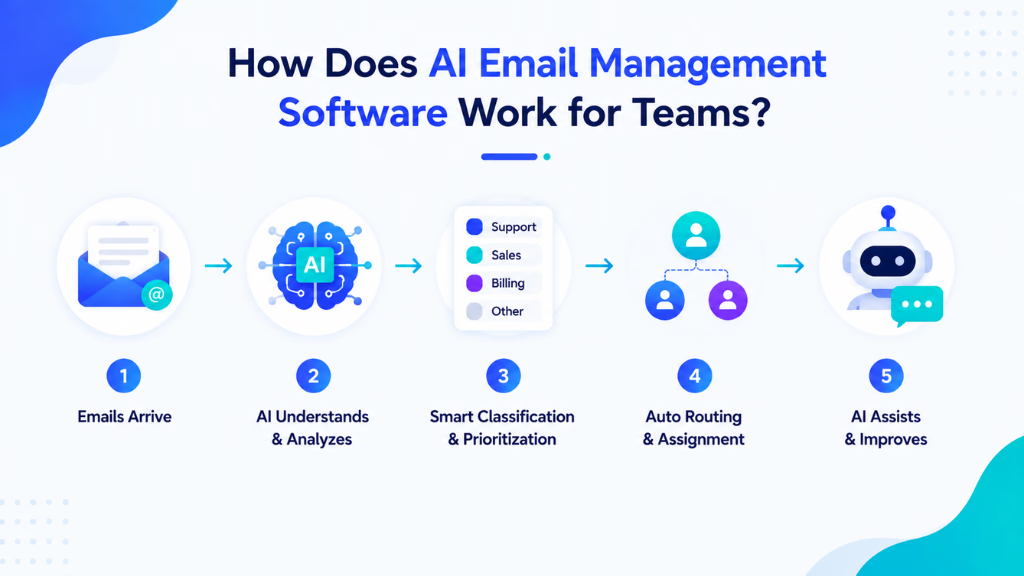
The typical workflow includes:
1. AI-Powered Email Classification
AI automatically categorizes emails based on their content, intent, and priority.
For example, it can identify:
- Customer complaints
- Sales inquiries
- Support requests
- Billing questions
- Internal communications
- Urgent business requests
This helps teams focus on important conversations instead of manually filtering through crowded inboxes.
2. Intelligent Email Prioritization
AI analyzes factors such as sender importance, message context, deadlines, sentiment, and previous interactions to determine which emails require immediate attention.
A support team, for example, can quickly identify frustrated customers or high-value requests without manually reviewing every message.
3. Automated Email Responses
Generative AI can create accurate email replies based on previous conversations, company knowledge, and communication guidelines.
Teams can use AI-generated drafts to:
- Answer common customer questions
- Follow up with leads
- Summarize long discussions
- Respond to routine requests
- Maintain consistent brand communication
Human team members can review and personalize responses before sending them.
4. Smart Email Routing and Assignment
AI automatically forwards emails to the right person or department based on message intent.
For example:
- Technical issues → Support team
- Pricing questions → Sales team
- Payment problems → Finance team
This eliminates manual assignment and reduces response delays.
5. Email Summarization and Conversation Insights
AI can summarize long email threads into key points, decisions, and required actions.
This helps teams quickly understand previous discussions without reading dozens of messages.
Key Features of AI-Driven Email Management Software for Teams
The best AI email management platforms combine automation, collaboration, and intelligence features to improve team productivity.
1. AI Email Sorting and Categorization
AI automatically organizes emails into meaningful categories based on content and urgency.
Instead of creating complex filtering rules manually, teams get an adaptive system that understands communication patterns.
2. Automated Workflow Management
AI email tools can trigger actions based on specific email events.
Examples:
- Creating support tickets automatically
- Assigning conversations to team members
- Sending follow-up reminders
- Updating CRM records
- Escalating unresolved issues
This reduces repetitive administrative work.
3. Shared Team Inbox Management
Many organizations struggle with managing shared inboxes like:
- support@
- sales@
- contact@
- info@
AI-powered shared inbox solutions help teams collaborate by showing ownership, tracking responses, preventing duplicate replies, and ensuring every customer receives timely support.
4. AI Response Generation
AI assistants help teams write faster and better emails by generating responses based on:
- Previous conversations
- Customer information
- Company policies
- Preferred tone and style
This improves both productivity and communication consistency.
5. Sentiment and Intent Analysis
AI can identify customer emotions and intent within emails.
It can detect:
- Angry customers
- Purchase interest
- Urgent requests
- Cancellation risks
- Positive feedback
Teams can prioritize conversations that need immediate human attention.
6. Email Analytics and Performance Tracking
AI email management tools provide insights such as:
- Response times
- Email volume trends
- Team workload
- Customer communication patterns
- Common customer issues
These insights help managers improve team efficiency.
Benefits of AI-Driven Email Management Software for Teams
AI-driven email management software helps teams handle growing communication volumes more efficiently by automating repetitive tasks, improving collaboration, and ensuring important conversations receive timely attention.
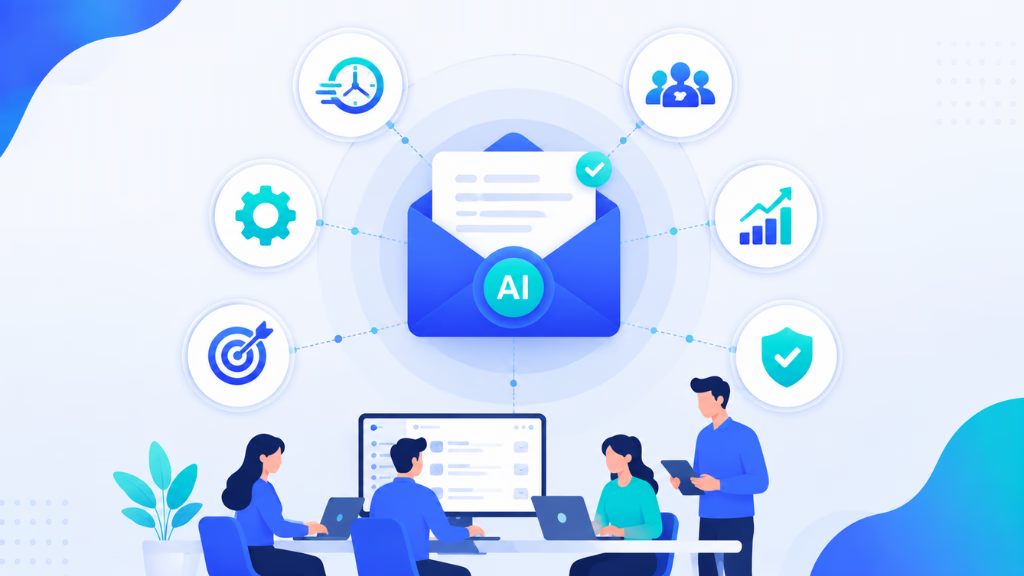
By using AI to organize, prioritize, and analyze emails, businesses can reduce inbox workload, speed up responses, and create a more productive communication workflow.
Reduce Email Overload
Employees spend significant time reading, sorting, and responding to emails. AI reduces inbox clutter by automatically organizing conversations and highlighting important messages.
Improve Team Productivity
By automating repetitive email tasks, teams can spend more time on high-value activities instead of manual inbox management.
Faster Customer Responses
AI routing, prioritization, and automated drafts help businesses respond faster, improving customer satisfaction and retention.
Better Collaboration Across Teams
AI-powered shared inbox management ensures everyone knows who handles each conversation, preventing missed emails and duplicate responses.
Maintain Consistent Communication
AI-generated responses follow company guidelines, helping teams maintain a consistent tone across customer interactions.
Scale Communication Without Increasing Team Size
As email volume grows, AI allows businesses to manage more conversations without continuously expanding their support or sales teams.
Top AI-Driven Email Management Software for Teams
With numerous AI email management solutions available, choosing the right platform depends on your team’s communication needs, workflow complexity, and automation goals. The best tools go beyond basic inbox organization by using AI to automate email handling, improve collaboration, generate responses, and help teams manage customer conversations more efficiently.
Here are some of the top AI-driven email management software platforms that help businesses streamline team communication and increase productivity.
1. Commplify AI — Best AI Email Management Platform for Teams
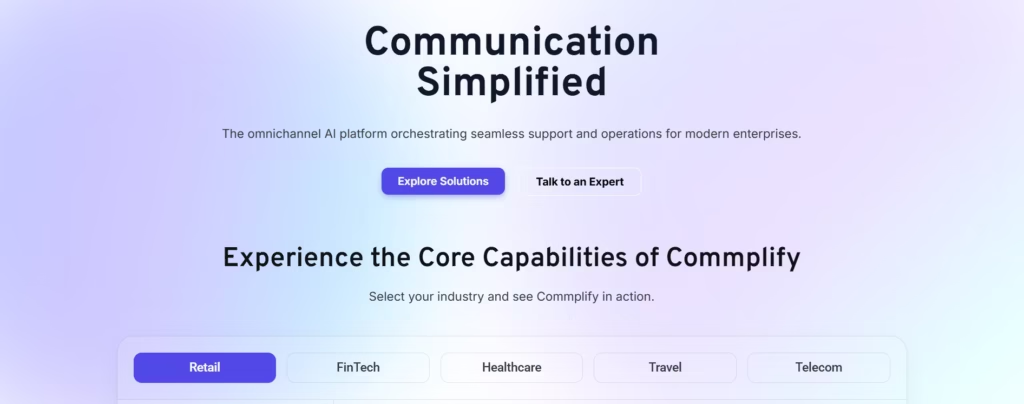
Commplify AI helps businesses automate customer communication using AI-powered conversational systems. It enables teams to manage incoming conversations more efficiently by understanding customer intent, automating responses, and improving communication workflows.
Unlike traditional email automation tools that only focus on organizing messages, Commplify AI focuses on intelligent customer interaction by combining AI automation with human team collaboration.
Key capabilities include:
- AI-powered customer communication automation
- Intelligent conversation handling
- Automated responses based on business knowledge
- Faster customer query resolution
- Multi-channel communication support
- Reduced manual workload for teams
Commplify AI is ideal for businesses that want to move beyond basic email organization and build smarter communication workflows powered by AI.
2. Front
Front is a collaborative inbox platform designed for teams managing customer emails and shared communication channels.
Its key features include:
- Shared inbox collaboration
- Email assignment
- Workflow automation
- Team analytics
- Customer communication tracking
Front is popular among customer support, sales, and operations teams that need better visibility into team email management.
3. Superhuman
Superhuman focuses on helping professionals manage personal and team email productivity through AI-assisted workflows.
Features include:
- AI writing assistance
- Email prioritization
- Faster email search
- Productivity shortcuts
- Conversation summaries
It is mainly designed for professionals who want to process emails faster.
4. Missive
Missive combines email management with team collaboration features.
It supports:
- Shared inboxes
- Internal discussions
- Email assignments
- Team workflows
- AI-assisted responses
Missive works well for small and medium-sized teams managing customer conversations together.
5. Help Scout
Help Scout provides customer email management tools with automation features for support teams.
Its capabilities include:
- Shared inbox management
- Customer profiles
- Automated workflows
- Knowledge base integration
- Support reporting
It is commonly used by businesses that manage customer support primarily through email.
AI Email Management Software vs. Traditional Email Tools
Traditional email tools mainly help users send, receive, and organize messages, but they often require manual sorting, prioritization, and follow-ups. AI email management software goes further by understanding email context, automating repetitive tasks, prioritizing important conversations, generating responses, and improving team collaboration.
This makes AI-powered solutions more effective for businesses handling high volumes of customer and internal communication.
| Traditional Email Tools | AI Email Management Software |
|---|---|
| Requires manual sorting | Automatically categorizes emails |
| Users manually prioritize messages | AI identifies urgent conversations |
| Replies are written from scratch | AI generates response drafts |
| Limited workflow automation | Intelligent task automation |
| Difficult team collaboration | Shared inbox intelligence |
| Limited insights | AI-powered analytics |
Traditional email platforms help businesses communicate, but AI-powered systems help teams manage communication intelligently.
Who Can Benefit From AI Email Management Software?
AI email management software is valuable for any team that handles a high volume of emails and needs faster, more organized communication. From customer support and sales teams to marketing, operations, and growing businesses, AI helps reduce manual email tasks, improve collaboration, and ensure important conversations are handled efficiently.
Customer Support Teams
Support teams can automatically categorize customer requests, generate responses, and reduce response times.
Sales Teams
Sales professionals can prioritize leads, automate follow-ups, and identify high-intent prospects.
Marketing Teams
Marketing teams can manage campaign responses, customer feedback, and partnership inquiries more efficiently.
Operations Teams
Operations teams can automate internal requests, approvals, and routine communication workflows.
Small Businesses
Small teams can handle growing email volumes without hiring additional employees for inbox management.
Future of AI-Driven Email Management for Teams
The future of email management is moving from simple automation toward intelligent communication assistants. AI systems will increasingly understand business context, predict customer needs, complete tasks automatically, and coordinate workflows across multiple communication channels.
Future AI email management platforms will likely provide:
- Fully autonomous email task handling
- Predictive customer support responses
- AI-powered workflow decisions
- Deeper CRM and business tool integration
- Real-time communication intelligence
As businesses continue to manage increasing volumes of digital communication, AI-driven email management software will become essential for maintaining productivity, faster response times, and better customer experiences.
How Commplify Empowers Seamless AI Email Management for Teams
Many teams struggle to bring together email, chat, and voice—resulting in siloed conversations and workflow gaps. Commplify’s approach addresses this by uniting every message, task, and response into a single omnichannel inbox.
In my experience, the difference comes from combining these features:
- Visual no-code workflow automation for email triage, tagging, auto-replies, escalations, and customer surveys
- Assignment logic, collision detection, and internal notes for smooth team handoffs
- Dual-mode knowledge intelligence so agents and AI reply accurately, based on the right policies and FAQs
- Org-wide, workspace-level analytics to measure productivity, AI vs. human response rates, and customer outcomes
- Enterprise-grade role controls and data separation, supporting even the most complex org charts
Teams using platforms designed like this spend less time fighting inbox noise and more time delivering accountable, high-quality customer experience.
Conclusion
AI-driven email management software for teams is now essential for businesses handling high volumes and complex workflows. It gives teams structure, control, and smoother collaboration—while freeing people from manual sorting and repetitive replies.
The best outcomes come from combining automation with expert oversight, deep analytics, and strict security. In my POV, tools with unified omnichannel support and robust workflow builders set teams up for lasting CX gains.
Platforms like Commplify lead because they address practical pain points with built-in workflow automation, knowledge intelligence, and enterprise controls—instead of selling “AI” hype. For any CX, support, or operations team, this shift enables true scale and service consistency.
As customer expectations rise, teams who automate intelligently and keep a human touch will define the future of digital customer experience.
FAQs
What is AI-driven email management software for teams?
It is cloud-based software that uses AI to triage, sort, and automate replies to team emails while enabling collaboration, assignment, and workflow automation in one inbox.
How does AI email management help teams improve response times and productivity?
AI sorts and prioritizes messages, suggests instant replies, auto-assigns work, and tracks metrics—reducing manual effort and speeding up responses across the team.
Are AI email tools secure and compliant for sensitive team communications?
Leading platforms offer enterprise-grade security with role-based permissions, data isolation, audit trails, and compliance features for regulated industries.
Which features matter most in AI-driven team email software?
Automated triage, shared inbox management, workflow automation, analytics, secure access controls, and deep integrations with business apps are essential.
What types of teams see the most value from AI-powered inbox management?
Support, customer service, operations, sales, healthcare, BPO, finance, and legal teams benefit most—especially those facing high volume or compliance needs.
Can AI email platforms integrate with our existing tools (Gmail, Outlook, Slack, CRMs)?
Yes. The best tools natively connect with major email services, chat, CRM, and productivity apps to support unified work across systems.
What are the risks or limitations of using AI in team-based email management?
Risks include AI misclassifying messages, over-automation, and missed context. Human review and clear escalation protocols are important safeguards.
How do you implement and onboard AI-driven email management for your team?
Pilot with a small group, train on new workflows, set clear handoff rules, and monitor analytics. Prioritize change management and agent support to ensure adoption.
Does AI ever handle email incorrectly, and how is oversight managed?
Yes, AI can make errors. Effective tools support human-in-the-loop review, flag exceptions, and provide easy escalation to agents or supervisors.
Is there a free tier or trial version for evaluation?
Most leading platforms offer free trials or demo accounts so teams can test features and fit before committing.
This page was last edited on 3 September 2026, at 2:51 am








