Reliable AI chat systems can reduce manual support workloads by an estimated 40–60%, depending on the use case. Leading options include Commplify, Intercom Fin, Zendesk AI, Ada, and Freshdesk Freddy AI for automating support at scale.
It’s 9 AM, and your support queue is already growing.
One customer wants an order update. Another needs a password reset. Someone else is asking the same refund question your team answered 20 times yesterday.
None of these requests is difficult. But together, they consume hours of valuable agent time.
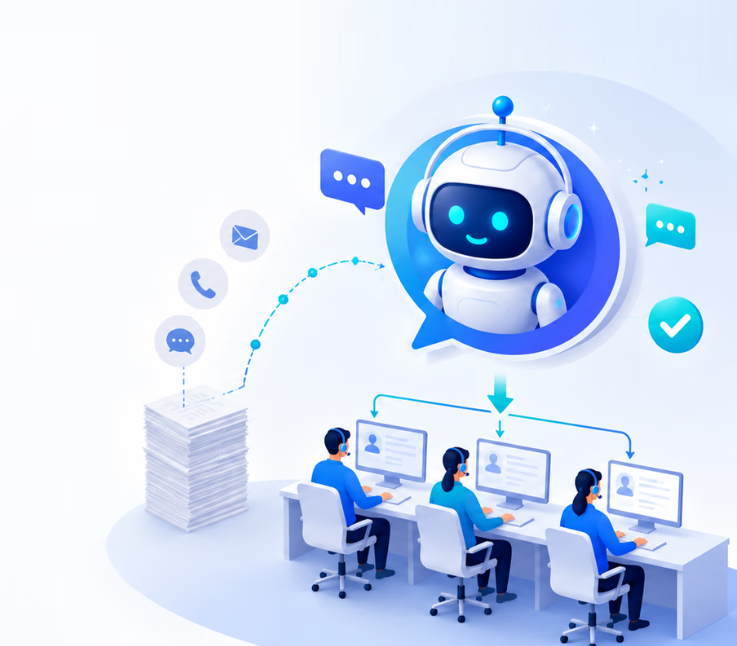
Now imagine AI handling many of those conversations before an agent even opens the queue.
That is exactly where AI chat systems are changing customer support. Some platforms now report automating 50% or more of customer inquiries in suitable deployments. They can answer repetitive questions, route tickets, summarize conversations, automate workflows, and provide 24/7 assistance.
But not every AI chat system delivers the same results.
This guide compares 10 reliable AI chat systems, explains how they reduce manual workloads, explores real-world benchmarks, and shows you what to look for before choosing one.
What Are AI Chat Systems?
AI chat systems are software platforms that use artificial intelligence (AI) to understand customer messages and automate conversations. They use technologies such as natural language processing (NLP) and large language models (LLMs) to answer questions, provide self-service support, perform tasks, and escalate complex issues to human agents.
Modern AI chat systems can use retrieval-augmented generation (RAG) to retrieve accurate information from a knowledge base, CRM, or help desk. They can also use APIs and webhooks for workflow automation, intelligent routing, conversation summarization, and human handoff.
With omnichannel AI, businesses can automate customer support across web chat, WhatsApp, SMS, email, and social media while maintaining conversation context across channels.
10 Reliable AI Chat Systems for Reducing Manual Support Workloads
The best reliable AI chat systems for reducing manual support workloads do more than answer FAQs. They automate repetitive customer conversations. They also help support teams manage more requests with less manual effort.
The latest available data shows that the global AI chatbot market is projected to reach $46.64 billion by 2029, expanding at a 24.53% CAGR.
Many platforms connect with CRM, help desk, and knowledge base systems. They can also use REST APIs, webhooks, and native integrations to automate support workflows.
Here are 10 reliable AI chat systems worth considering.
1. Commplify: Omnichannel AI Automation
Commplify is an omnichannel AI CX platform built to automate customer conversations across chat, voice, email, and messaging channels. It combines AI agents, RAG, workflow automation, centralized customer context, and human-in-the-loop support.
Its biggest advantage is the ability to connect conversations across channels. Customers can move between touchpoints without forcing agents to rebuild the context from scratch.
Commplify also supports knowledge search, CRM synchronization, conversation summaries, ticket categorization, and automated workflows. This makes it useful for businesses that want to reduce repetitive Tier-1 support while keeping human agents available for complex cases.
Key Features
- Omnichannel AI across voice, chat, email, and messaging
- RAG-powered knowledge search
- Unified customer context
- Automated conversation summarization
- CRM and workflow integrations
- Context-aware human handoff
- Multilingual conversations
- APIs and custom integrations
- Analytics and performance reporting
Pricing
Starts as low as $0.30 per successful resolution, $0.05 per chat conversation, or $0.10 per voice minute. Enterprise plans use custom pricing. Human agent seats are not charged separately.
Best For
Enterprises, CX teams, contact centers, BPOs, sales teams, and businesses looking for an omnichannel AI chat platform with flexible usage-based pricing.
Why Choose Commplify?
Commplify provides reliable omnichannel AI for customer support. It automates repetitive questions and routine workflows. It also supports intelligent routing and human handoff. This helps teams reduce manual support workloads and handle more customer conversations efficiently.
2. Intercom Fin: AI Customer Resolution
Fin is Intercom’s AI agent for customer service. It is designed to resolve customer questions rather than simply respond to them.
Fin can learn from existing support content and use that information to provide contextual answers. It can also execute procedures, perform actions through connected systems, and route conversations to human agents when necessary.
Businesses can deploy Fin with Intercom or connect it to an existing help desk. This makes it useful for teams that want reliable conversational AI for customer service without necessarily replacing their current support environment.
Its outcome-based approach also helps teams measure whether AI is actually resolving customer requests.
Key Features
- Generative AI customer support
- Knowledge-grounded responses
- Automated customer resolution
- AI-powered procedures and actions
- Multichannel support
- Image understanding
- Customizable AI tone
- Human agent handoff
- Help desk integrations
- Customer service analytics
Pricing
Fin starts at $0.99 per outcome. Intercom’s help desk starts at $29 per seat/month with annual billing. Advanced and Expert plans start at $85 and $132 per seat/month, respectively.
Best For
SaaS companies, digital businesses, growing support teams, and organizations focused on improving automated resolution.
Consideration
Outcome-based charges can increase as AI-resolved conversation volume grows. Teams should model their expected monthly outcomes before comparing Fin’s total cost with flat-rate alternatives.
3. Zendesk AI: Enterprise Support Automation

Zendesk AI brings AI agents and agent assistance into an established enterprise help desk environment.
It can automatically analyze incoming requests and classify them based on intent, sentiment, language, and other signals. This supports real-time ticket triage and intelligent routing.
Zendesk also provides AI assistance for human agents. Features such as ticket summaries, suggested replies, writing assistance, and contextual recommendations can reduce the manual work involved in each interaction.
This combination makes Zendesk useful for reducing both ticket volume and Average Handling Time (AHT).
Key Features
- AI agents for automated service
- Intelligent ticket triage
- Intent and sentiment detection
- Automated routing
- Generative AI responses
- Ticket and conversation summarization
- Agent Copilot
- Knowledge base integration
- Omnichannel customer service
- Enterprise analytics and reporting
Pricing
Zendesk uses plan-based and AI usage pricing. AI agent costs can vary according to automated resolutions and contract terms. Copilot and advanced AI capabilities may require additional paid plans or add-ons.
Best For
Enterprises, mature customer service teams, contact centers, and organizations already using Zendesk.
Consideration
Pricing can involve the core Zendesk plan plus AI usage and optional add-ons. Organizations should calculate the complete cost of AI agents, Copilot, and required support seats before purchasing.
4. Freshdesk Freddy AI: Help Desk Automation
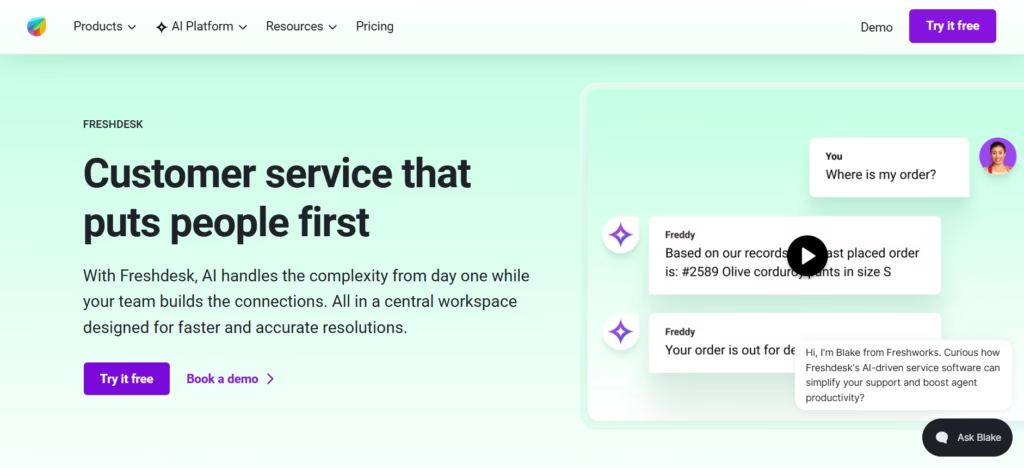
Freddy AI is Freshworks’ AI layer for automating customer service and assisting human support agents.
Freddy AI Agent can provide contextual support through connected knowledge and automated workflows. It can handle common customer requests, while Freddy AI Copilot helps agents draft responses, summarize tickets, and work more efficiently.
Freshdesk also supports intelligent routing, knowledge bases, agentic workflows, and multilingual customer service.
This makes Freddy useful for organizations that want to combine traditional ticket management with AI customer service automation.
Key Features
- Freddy AI Agent
- AI Agent Studio
- Email and conversational AI agents
- Agentic workflows
- Intelligent routing
- Ticket summarization
- Sentiment analysis
- AI response assistance
- Knowledge base integration
- Multilingual support
Pricing
Freshdesk starts at $19 per agent/month when billed annually. Pro starts at $55 and Enterprise at $89. The first 500 Freddy AI Agent sessions are included for eligible paid plans. Additional AI sessions currently cost $49 per 100 sessions. Freddy AI Copilot is available from $29 per agent/month.
Best For
SMBs, mid-market companies, ecommerce support teams, and organizations already using Freshdesk or Freshworks.
Consideration
AI Agent sessions and Copilot can add to the core subscription cost. High-volume teams should estimate expected session consumption before choosing a plan.
5. Ada: Automated Customer Support
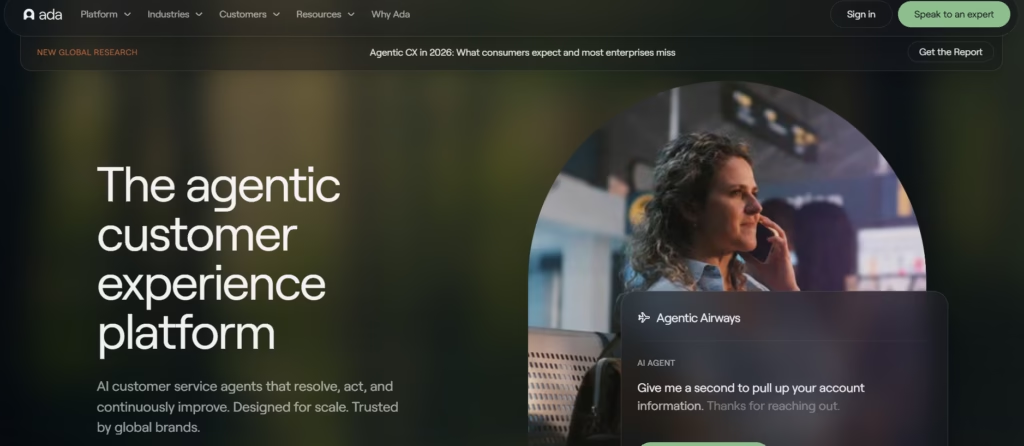
Ada is an enterprise AI customer service platform focused on automated resolution.
Its AI agents can use company knowledge and integrations to understand requests, retrieve information, and complete suitable customer service tasks.
This makes Ada more capable than a traditional FAQ chatbot. With backend integrations, AI can potentially complete workflows rather than simply tell customers how to complete them themselves.
Ada is especially useful for organizations trying to scale customer support without increasing headcount while maintaining a clear contextual escalation path to human teams.
Key Features
- AI-powered automated resolution
- Conversational AI
- Generative AI
- Knowledge grounding
- API-based actions
- Multichannel support
- Automated workflows
- Human agent escalation
- Customer service analytics
- Enterprise integrations
Pricing
Ada does not publish a simple fixed public price for its enterprise AI customer service offering. Pricing is tailored according to deployment and usage requirements.
Best For
Enterprises and high-volume customer service operations pursuing large-scale support automation.
Consideration
Businesses need to contact Ada for a tailored quote. This makes quick pricing comparisons more difficult than with vendors that publish per-resolution or per-session rates.
6. Workativ: AI Support Automation
Workativ combines AI agents and workflow automation to automate repetitive support and service requests.
Instead of stopping after generating an answer, Workativ AI agents can connect conversations with business workflows. An agent can identify a request, gather required information, trigger an approved process, and return the result to the user.
This approach is useful for structured support processes where employees or agents would otherwise switch between several applications.
It can therefore reduce both repetitive conversations and the manual steps behind them.
Key Features
- AI Agent Studio
- Agentic AI
- Workflow automation
- AI knowledge training
- Business application integrations
- Automated actions
- Live-agent support
- Custom application integrations
- Analytics
- Enterprise automation capabilities
Pricing
The Business plan starts at $349/month. It includes 500 AI chat sessions, two AI agents, five actions, and three admin/live-agent seats. Enterprise pricing is custom.
Best For
IT support, employee service, mid-market businesses, and enterprises with repetitive cross-application workflows.
Consideration
The Business plan includes limits on AI agents, sessions, actions, and administrators. Organizations with complex workflows may need the custom Enterprise plan.
7. Tidio Lyro: AI Chat Support
Lyro is Tidio’s conversational AI agent for automating repetitive customer questions and support tasks.
It uses NLP and LLM technology with company knowledge to understand customer intent and generate contextual answers.
Lyro can also perform recurring tasks and connect with existing support environments. Human handoff allows conversations requiring judgment to move from AI to an agent.
For smaller businesses, this offers a relatively accessible way to introduce 24/7 automated customer assistance without building a custom AI support architecture.
Key Features
- Conversational AI agent
- Knowledge-based responses
- Customer intent recognition
- Automated support tasks
- Human handoff
- Customizable communication style
- Help desk integrations
- 24/7 customer assistance
- Multilingual capabilities
- Existing support-stack integration
Pricing
Standalone Lyro AI Agent pricing starts at approximately $32.50/month for 50 AI conversations with annual billing. Tidio’s broader customer service platform has separate plans and usage allowances.
Best For
SMBs, ecommerce businesses, startups, and growing support teams that want affordable AI chat automation.
Consideration
Pricing scales with AI conversation volume. High-volume organizations should compare the cost at their expected usage level rather than relying only on the entry price.
8. Moveworks: Enterprise AI Support
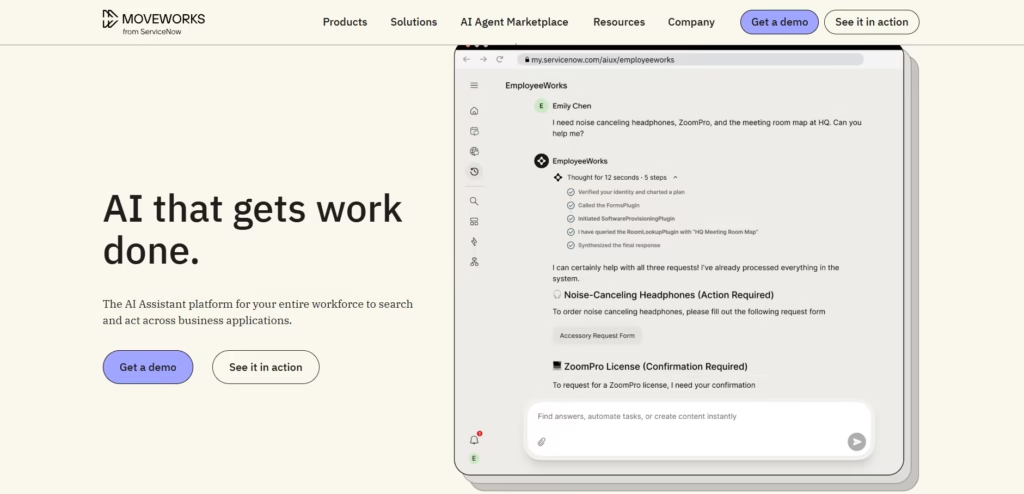
Moveworks is an enterprise agentic AI platform designed to connect employees with information and actions across business applications.
Users can ask questions in natural language rather than manually navigating several systems. AI can identify their intent and interact with connected enterprise applications.
Moveworks supports integrations across IT, HR, CRM, productivity, and business systems. This can reduce repetitive internal support requests and increase self-service.
Its enterprise focus makes it particularly relevant for organizations that need AI support automation across complex technology environments.
Key Features
- Enterprise agentic AI
- Natural language understanding
- Enterprise search
- Workflow automation
- Cross-application integrations
- Employee self-service
- AI agents
- Knowledge retrieval
- Enterprise security
- Extensible automation
Pricing
Moveworks uses custom enterprise pricing. Businesses must request a quote based on their requirements, scale, and selected capabilities.
Best For
Large enterprises, IT service teams, employee support operations, and organizations with complex internal systems.
Consideration
Moveworks is enterprise-oriented. Smaller organizations looking mainly for customer-facing website chat may find simpler AI customer service platforms easier to deploy and budget for.
9. Crisp AI: Multichannel AI Support
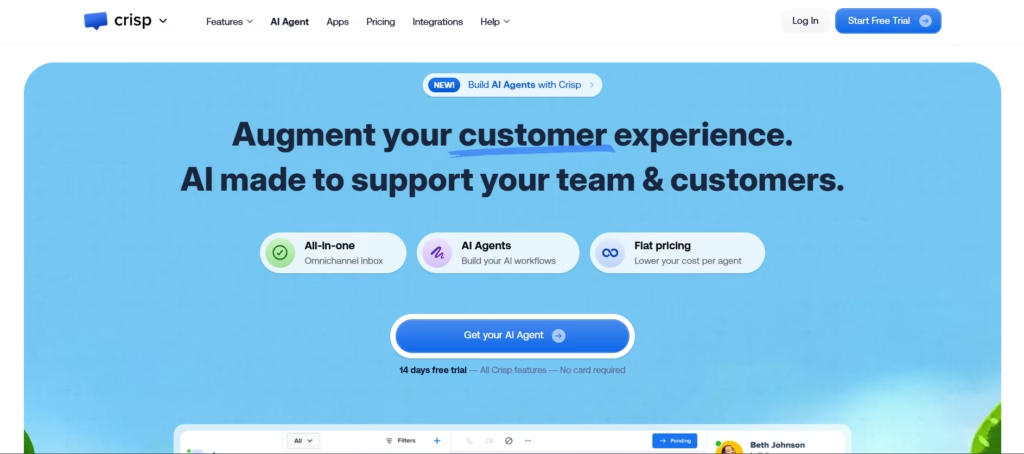
Crisp combines an AI Agent with a shared inbox, knowledge base, workflow automation, and multichannel customer messaging.
Businesses can centralize conversations from channels such as website chat, email, WhatsApp, Instagram, SMS, and other messaging services.
Its AI features can automate repetitive conversations. Routing rules and workflow automation can then direct requests to the appropriate human agents.
Crisp also supports APIs, webhooks, CRM integrations, and AI knowledge training. This makes it useful for teams wanting multi-channel chat routing and context retention without managing several separate support tools.
Key Features
- Autonomous AI Agent
- Omnichannel shared inbox
- AI knowledge training
- Conversation triage
- Routing and assignment
- Workflow automation
- Knowledge base
- APIs and webhook actions
- CRM integrations
- Multilingual AI
Pricing
Crisp offers a Free plan. Paid plans currently start at $45/month per workspace for Mini. Essentials costs $95/month and includes about 450 automated conversations through included AI credits. Plus costs $295/month and includes around 1,350 automated conversations. Enterprise pricing is custom.
Best For
Startups, SaaS companies, SMBs, and support teams that want multichannel communication and AI in one workspace.
Consideration
Advanced omnichannel and AI functionality varies by plan. Teams should check included AI credits, agent limits, and integrations before selecting a tier.
10. Gorgias AI Agent: Ecommerce Support Automation
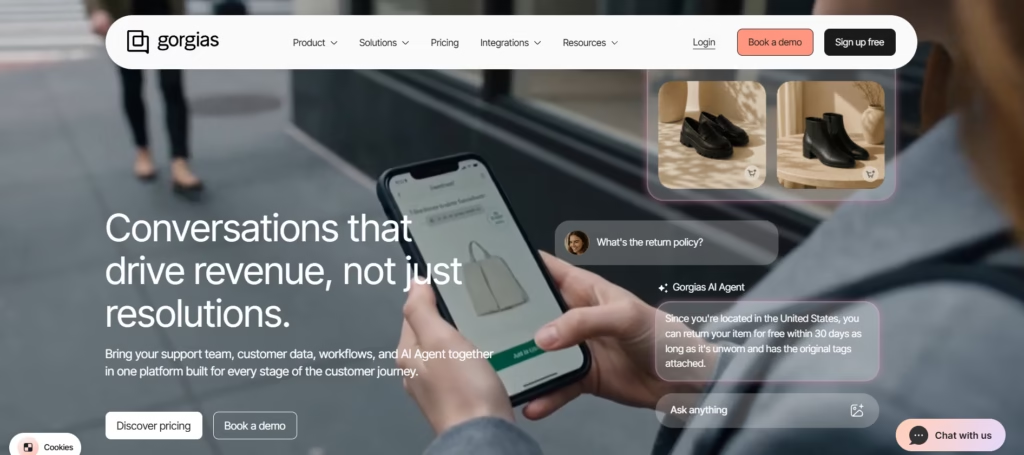
Gorgias AI Agent is designed specifically for ecommerce customer service automation.
It can handle common post-purchase questions and perform actions connected to ecommerce systems. These can include checking orders, changing shipping details, processing suitable requests, and managing other repetitive customer workflows.
This action-oriented approach can reduce the number of ecommerce tickets requiring an agent.
Gorgias also combines AI with its ecommerce help desk. This gives human agents access to customer and order context when a conversation needs escalation.
For high-volume ecommerce brands, automating these requests can reduce First Response Time (FRT), Average Handling Time, and cost per contact.
Key Features
- Ecommerce-focused AI Agent
- Automated customer resolution
- Order-related actions
- Email, chat, and SMS automation
- Multilingual support
- Image understanding
- Custom brand tone
- Ecommerce integrations
- Human escalation
- AI performance reporting
Pricing
AI Agent is generally priced by successfully resolved interactions. Most plans currently charge around $0.90 per AI-resolved interaction with annual billing, while monthly pricing is typically around $1.00. The underlying Gorgias help desk is priced separately according to ticket volume.
Best For
Shopify stores, ecommerce brands, retail CX teams, and businesses with large volumes of repetitive pre- and post-purchase requests.
Consideration
AI Agent charges sit alongside the core help desk cost. Since pricing scales with AI-resolved interactions and help desk ticket volume, fast-growing ecommerce brands should model both costs together.
How AI Chat Systems Reduce Manual Support Workloads
Reliable AI chat systems reduce manual support workloads by automating repetitive conversations and routine support tasks. They can answer common questions, resolve simple requests, triage tickets, summarize conversations, and escalate complex cases.
Modern systems use conversational AI, NLP/NLU, large language models (LLMs), generative AI, and machine learning algorithms. Many also use Retrieval-Augmented Generation (RAG) to provide answers from approved company knowledge.
Here are eight ways AI can reduce manual customer support workload.
1. Automate Repetitive Customer Questions
Support agents often answer the same questions every day.
Customers ask about pricing, refunds, delivery times, account access, subscriptions, and product features.
Conversational AI can handle many of these repetitive inquiries automatically. Natural Language Understanding (NLU) helps the system identify what the customer wants.
RAG can then retrieve relevant information from a centralized knowledge base. This helps the AI provide more accurate and context-aware answers.
For example, a customer can ask, “How long will my refund take?” The AI can retrieve the company’s refund policy and answer instantly.
This reduces repetitive work. It also gives agents more time for complex customer problems.
2. Provide 24/7 Automated Customer Assistance
Customers may need help outside normal business hours.
An AI support agent can stay available 24/7. It does not require customers to wait for the next support shift.
The system can answer FAQs and retrieve account information. It can also guide customers through simple support processes.
This can improve First Response Time (FRT). It can also reduce support queue drop-offs during busy periods.
For global businesses, 24/7 automated customer assistance can reduce the pressure of supporting customers across multiple time zones.
Human agents can start their shifts with fewer routine requests waiting in the queue.
3. Deflect Routine Support Tickets Through Self-Service
Traditional self-service often requires customers to search through several help articles.
AI makes this process conversational.
A customer can simply explain the problem. The AI can use NLP, LLMs, and AI-powered knowledge base integration to find a relevant answer.
For example, a customer might ask how to change a subscription plan. The AI can explain the steps without creating a support ticket.
This is known as self-service deflection.
A higher support ticket deflection rate can reduce pressure on support teams. However, businesses should focus on successful resolutions rather than deflection alone.
Good self-service should solve the customer’s problem.
4. Automate Real-Time Ticket Triage and Intelligent Routing
Manual ticket triage takes valuable agent time.
Someone must read each request. They may also need to categorize, prioritize, tag, and assign it.
AI can automate these steps.
Machine learning algorithms and NLU can identify intent, language, topic, sentiment, and urgency. The system can then route the request to the right queue or agent.
For example, a billing request can go directly to the billing team. A technical API issue can reach a specialist.
AI can also connect with help desk and ticketing systems such as Zendesk, Freshdesk, and Jira.
This creates real-time ticket triage and intelligent routing. It reduces unnecessary ticket transfers and manual sorting.
5. Summarize Customer Conversations Automatically
Long conversations take time to review.
This becomes a bigger problem when a ticket moves between agents or departments.
Automated conversation summarization can turn a long conversation into a short overview. The summary can include the customer’s issue, previous actions, important account details, and unresolved questions.
An agent can quickly understand what happened without reading every message.
This can lower Average Handling Time (AHT). It also makes agent handoffs faster.
Automated chat summarization for support agents is especially useful for contact centers and BPO teams that handle high conversation volumes.
6. Automate Interactive Troubleshooting Workflows
Some customer problems cannot be solved with one answer.
They require several steps.
Agentic AI can guide customers through interactive troubleshooting workflows. It can ask follow-up questions based on previous responses.
The AI can also use REST APIs and webhooks to retrieve information or trigger approved actions in connected systems.
For example, a SaaS customer may report that an integration has stopped working. The AI can identify the integration and check common issues. It can then guide the customer through relevant troubleshooting steps.
If the problem remains unresolved, the AI can escalate it with the troubleshooting history attached.
This prevents human agents from repeating the same diagnostic process.
7. Escalate Complex Conversations to Human Agents
AI should not try to automate every customer conversation.
Some situations need human judgment. These may include sensitive complaints, unusual technical issues, high-value accounts, or complex negotiations.
A reliable system should provide Human-in-the-Loop (HITL) support.
It should recognize when automation is no longer appropriate. It can then follow a contextual escalation path.
The agent should receive the conversation history, customer intent, relevant data, and AI-generated summary.
This creates a seamless chatbot-to-human agent handoff.
The customer does not have to explain everything again. The agent can start working on the actual problem immediately.
8. Reduce Duplicate Work Across Customer Channels
Customers rarely use only one support channel.
A customer may send an email first. They may then open web chat or send a WhatsApp message while waiting.
Disconnected channels can turn one customer problem into several support tickets.
An omnichannel communication engine can connect web chat, WhatsApp, SMS, email, and social media.
It can also connect conversations with a CRM such as Salesforce or HubSpot. This helps maintain customer identity and history across channels.
With multi-channel chat routing and context retention, agents can see what has already happened.
This reduces duplicate replies. It also prevents customers from repeating the same problem.
The business impact can extend beyond workload reduction. Effective AI automation can improve FCR, FRT, AHT, CSAT, ticket deflection, and cost per contact.
The goal is not to replace every human interaction. It is to remove repetitive work first. This helps businesses scale customer support without increasing headcount at the same rate as support volume.
Why Omnichannel AI Reduces Support Workload More Effectively
Customers often move between different support channels. When those channels are disconnected, agents lose context and repeat work.
An omnichannel AI chat platform connects conversations, customer data, and support workflows. This helps reliable AI chat systems reduce manual support workloads more effectively.
- Connect Multiple Channels: Manage web chat, WhatsApp, SMS, email, and social media from one connected system.
- Maintain Customer Context: Preserve conversation history and CRM data when customers switch channels.
- Centralize Conversations: Bring customer interactions into one workspace to reduce tool switching and manual searching.
- Prevent Repetition: Keep previous messages and AI-generated summaries so customers do not need to explain the same issue again.
- Improve AI and Human Routing: Use intelligent ticket triage to automate routine requests and escalate complex cases to the right human agent.
This connected approach reduces duplicate work and unnecessary transfers. It can also improve FRT, FCR, AHT, CSAT, and cost per contact.
How Much Manual Workload Can AI Chat Reduce?
There is no single percentage that applies to every support team.
The impact depends on ticket volume, query complexity, knowledge quality, integrations, and automation coverage. However, real-world results show that reliable AI chat systems can automate a significant share of repetitive support work.
Here are some useful benchmarks:
- HealthPlus used Commplify’s AI scheduling automation to handle 80% of scheduling interactions automatically. The system also reduced call-center workload by 65% and cut average booking time from 4.5 minutes to 45 seconds. HealthPlus achieved a 92% successful booking rate and reduced scheduling costs by 58%. This shows how AI agents and workflow automation can remove repetitive administrative work while improving service speed.
- Dott: Dott increased its automated resolution rate from 32% to 77% with Ada. The company uses 25 API-powered automations for tasks such as refunds, vehicle checks, and trip management. Its CSAT also increased by 17 points.
- Intercom: Fin currently reports an average 76% resolution rate across its customers. Intercom’s own support operation reports that Fin resolves more than 81% of support volume. This helped the company absorb over 300% growth in customer demand without proportional headcount growth.
- Numan: Numan reports a 47% Fin resolution rate. Automated support also saves the company around 19,000 hours of work per year. This is equivalent to the workload of nine full-time agents.
- Freshworks: Freshworks reports up to 70% ticket deflection from Freddy AI Agents. iPostal1 resolves 54% of support queries automatically. Five9 reports deflecting up to 65% of IT requests.
These results show that AI workload reduction is not only about answering FAQs.
| Industry / Support Team | Estimated Automation Potential | Est. Agent Hours Saved / Month | Main Workloads AI Can Reduce |
|---|---|---|---|
| Healthcare (10 agents) | 45–60% | 250–350 hrs | Scheduling, FAQs, reminders, basic patient inquiries |
| Retail / Ecommerce (25 agents) | 50–65% | 700–950 hrs | Order status, returns, shipping, product FAQs |
| B2B SaaS (8 agents) | 35–50% | 150–220 hrs | Account questions, troubleshooting, ticket triage |
| HR / IT Help Desk (Global) | 35–55% | 300–450 hrs | Password issues, access requests, policies, routing |
| Real Estate (4 agents) | 40–55% | 70–110 hrs | Lead qualification, property FAQs, appointment booking |
Note: These figures are illustrative estimates, not universal industry benchmarks. Actual workload reduction depends on support volume, query complexity, knowledge quality, workflow integrations, automation coverage, and human-handoff rules.
Real-World Examples and Benchmarks
These results show how AI automation can reduce manual support work across different industries. Commplify’s case studies cover healthcare, ecommerce, travel, telecommunications, and financial services. The results highlight improvements in AI resolution rates, handling time, support costs, and customer satisfaction.
| Case Study / Industry | AI Automation & Workload Impact | Speed / Cost Impact | Customer / Business Impact |
|---|---|---|---|
| HealthPlus: Healthcare | 61% of calls handled without human intervention | Admin work fell from ~38 to ~16 hours/week per site; 26% lower administrative cost | Patient satisfaction increased from 79% to 88% |
| OmniRetail: Retail & Ecommerce | 64% of calls resolved without human intervention | 29% lower cost per support interaction; answer time fell from 72 to 14 seconds | CSAT increased from 78% to 86% |
| SkyTravel: Travel & Hospitality | 57% of routine booking and support calls handled by AI | 28% lower support operating cost; AHT fell from 9 to 5 minutes | Peak-period customer satisfaction increased from 73% to 84% |
| NetConnect: Telecommunications | 62% of calls handled without a live agent | 31% lower contact center cost; AHT fell from 7 to 3.8 minutes | First-call resolution increased from 66% to 87% |
| GlobalFin Bank: Financial Services | 58% of calls handled without human intervention | 32% lower cost per serviced interaction; answer time fell from 95 to 18 seconds | CSAT increased from 76% to 85% |
How to Choose a Reliable AI Chat System
Choosing an AI chat system is not only about comparing features.
The platform should answer accurately. It should connect with your existing support stack. It should also automate real work without creating extra tasks for agents.
Use these criteria when comparing reliable AI chat systems for reducing manual support workloads:
- Response Accuracy & RAG: Choose a system with strong RAG capabilities. It should ground responses in approved business knowledge.
- Knowledge Base Integration: Make sure it can connect with your FAQs, help center, product documentation, and centralized knowledge base.
- Omnichannel Support: Look for support across web chat, WhatsApp, SMS, email, and social media with context retention.
- CRM & Help Desk Integrations: Check integration with platforms such as Salesforce, HubSpot, Zendesk, Freshdesk, and Jira.
- Workflow Automation: Look for agentic AI, APIs, and webhooks that can complete tasks instead of only answering questions.
- Intelligent Routing & Human Handoff: The AI should route complex requests to the right human agent with full conversation context.
- Analytics & Security: Track FCR, AHT, CSAT, ticket deflection, and automated resolution. Also check data security, privacy, and access controls.
- Scalability & Cost: Compare scalability and cost per automated resolution. The system should support higher volumes without requiring proportional increases in support headcount.
The best AI chat system is not simply the one with the most features. Focus on how much safe and repetitive manual work it can remove. A strong platform should improve customer service while reducing AHT, support queues, and cost per contact.
Reduce Manual Support Workload by Up to 60%
Reducing manual support workload starts with finding the tasks that agents repeat every day.
Common FAQs, ticket routing, appointment scheduling, order updates, and basic troubleshooting are often good places to start. Conversational AI, RAG, and agentic AI can handle many of these tasks while keeping human agents available for complex cases.
This is the approach used by Commplify. Its omnichannel AI connects customer conversations across chat, voice, email, and messaging channels. It also integrates with knowledge bases, CRM systems, APIs, and support workflows.
Commplify’s case studies report AI handling 57% to 64% of selected interactions across several deployments. Actual results vary by business and use case.
The key is not to automate everything. Start with repetitive, high-volume tasks. Measure FCR, AHT, CSAT, and cost per contact. Then expand automation where it consistently improves both agent efficiency and customer experience.
Final Thoughts
Customer support does not become more efficient simply by adding AI. The real value comes from using AI where manual work is repetitive and predictable.
Reliable AI chat systems can answer common questions, automate workflows, route tickets, summarize conversations, and provide 24/7 assistance. This gives human agents more time for complex issues that need judgment and empathy.
The right system should also fit your existing support environment. Look for strong RAG, omnichannel support, CRM and help desk integrations, intelligent routing, context retention, and human handoff.
Start with a few high-volume support tasks. Measure results through FCR, AHT, CSAT, automated resolution, and cost per contact. Then expand automation based on what works.
The goal is not to remove humans from customer support. It is to remove unnecessary manual work so they can focus on conversations where they add the most value.
FAQs
How do AI chat systems reduce customer support workload?
AI chat systems reduce workload by answering repetitive questions, providing self-service, triaging tickets, routing conversations, summarizing histories, automating workflows, and resolving suitable requests without human intervention.
What is the most reliable AI chat system for customer service?
Reliability depends on the use case. Evaluate platforms based on response accuracy, knowledge grounding, RAG, integrations, omnichannel support, workflow automation, human handoff, security, analytics, and automated resolution performance.
What customer support tasks can AI automate?
AI can automate FAQs, order-status questions, account lookups, ticket classification, routing, conversation summaries, troubleshooting, knowledge retrieval, appointment or workflow steps, and other predictable service processes.
Can AI chatbots reduce support tickets?
Yes. AI can prevent routine inquiries from entering human queues by resolving them through conversational self-service. The more useful metric, however, is automated resolution, not ticket deflection alone.
How does AI customer service automation work?
The AI identifies customer intent, retrieves relevant knowledge or customer data, generates an appropriate response, and can trigger workflows through APIs or integrations. Complex or sensitive requests can then be escalated to human agents.
Can AI chat systems work across multiple channels?
Yes. Omnichannel AI systems can support channels such as web chat, WhatsApp, SMS, email, and social messaging. The strongest implementations also preserve relevant customer context between those channels.
How do AI chatbots hand conversations over to human agents?
A well-designed AI system identifies escalation conditions and routes the conversation to the appropriate agent or team. It can pass the conversation history, customer context, detected intent, actions already attempted, and an AI-generated summary so the customer does not need to start again.
This page was last edited on 29 September 2026, at 1:33 am