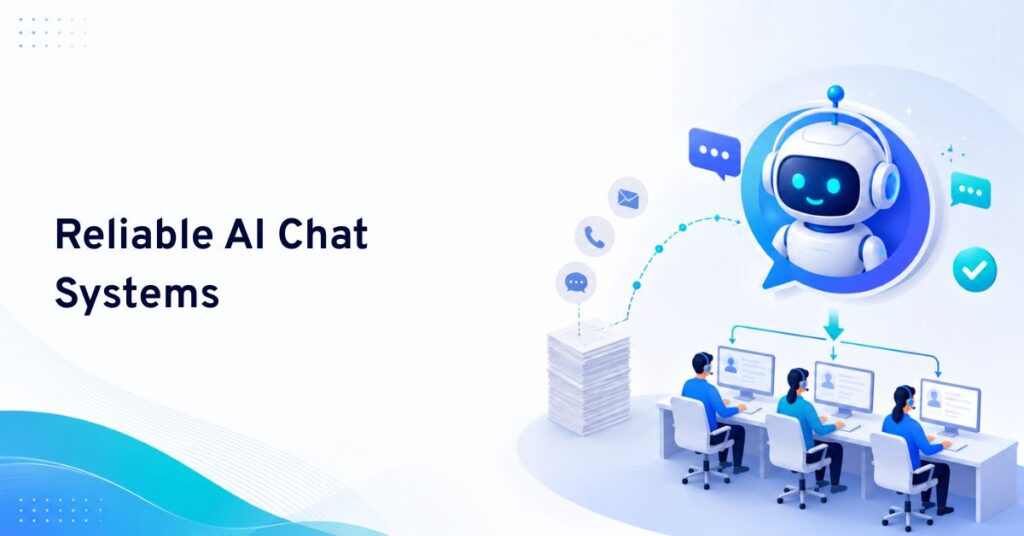
A customer support chatbot agent for websites is an AI-powered assistant that answers questions, resolves requests, and guides users live on your site. Advanced agents now cover chat, voice, SMS, email, and escalate complex issues to humans.
You face rising customer questions and support tickets at all hours. Your team can’t be everywhere at once. Customers expect answers in seconds, not hours or days.
In my experience, the challenge for most support leaders isn’t just volume. It’s keeping answers fast and accurate, no matter the channel—without burning out staff or blowing up costs.
This guide will help you understand, select, and implement a modern customer support chatbot agent for your website and beyond. You’ll see real-world use cases, key benefits, decision points, and practical steps for operational success.
What Is a Customer Support Chatbot Agent for Websites?
A customer support chatbot agent for websites is an automated conversational tool that helps visitors find information, solve common problems, and connect with the right support representative. It appears directly on a website—usually as a chat widget—and communicates with users in real time.
Unlike basic chatbots that only follow predefined scripts, modern AI chatbot agents can understand natural language, identify customer intent, maintain conversational context, and provide personalized answers. They can also integrate with help desks, CRM platforms, knowledge bases, order management systems, and other business tools.
For customers, this means faster assistance without waiting in a support queue. For businesses, it means handling more conversations while reducing repetitive work for human support teams.
How Does a Website Customer Support Chatbot Work?
A website chatbot begins interacting with a visitor when they open the chat widget, select a suggested question, or trigger an automated message. The chatbot analyzes the customer’s request and searches connected resources for the most relevant response.
A typical chatbot support process includes:
- Understanding the customer’s question: The chatbot identifies the visitor’s intent using keywords, conversational context, or natural language processing.
- Finding the appropriate answer: It retrieves information from FAQs, product documentation, support articles, customer records, or connected business systems.
- Completing an action: Advanced chatbot agents can create support tickets, collect contact information, check order details, schedule appointments, or guide users through troubleshooting steps.
- Escalating complex requests: When a question requires human judgment, the chatbot transfers the conversation to a live agent and shares the previous chat history.
This combination of automation and human support creates a faster and more consistent customer service experience.
Key Features of a Customer Support Chatbot Agent
A customer support chatbot agent should do more than answer basic questions. The right features help it understand customer needs, automate routine tasks, connect with business tools, and transfer complex issues to human support agents when necessary.
The effectiveness of a chatbot depends on the features it provides and how well it connects with the existing support workflow.
AI-Powered Conversation
An AI-powered chatbot can understand different question formats instead of relying only on exact keywords. It allows customers to communicate naturally and receive more relevant responses.
24/7 Customer Assistance
A chatbot remains available outside normal business hours. It can answer questions, collect requests, and provide basic troubleshooting support at any time.
Automated Answers to Common Questions
Chatbots can instantly handle repetitive questions related to pricing, shipping, refunds, account access, product availability, and service policies.
Human Agent Handoff
A reliable chatbot should recognize when it cannot solve a problem. It must transfer the customer to an appropriate support agent without forcing them to repeat the entire issue.
Knowledge Base Integration
Connecting the chatbot to an updated knowledge base helps it provide accurate answers based on approved company information.
Multilingual Support
Multilingual capabilities allow businesses to assist customers in different regions without maintaining a separate support team for every language.
Customer Data Collection
Chatbots can collect names, email addresses, order numbers, product preferences, and issue details before a human agent joins the conversation.
CRM and Help Desk Integration
Integration with CRM and ticketing platforms helps businesses record interactions, update customer profiles, assign conversations, and track unresolved issues.
Conversation Analytics
Chatbot analytics reveal common customer questions, unresolved topics, response quality, customer satisfaction, and escalation rates.
Top Customer Support Chatbot Agents for Websites
Choosing the right chatbot depends on your support channels, integrations, business size, and automation needs. Here are five leading options for website customer support.
1. Commplify — Best for Omnichannel Customer Support
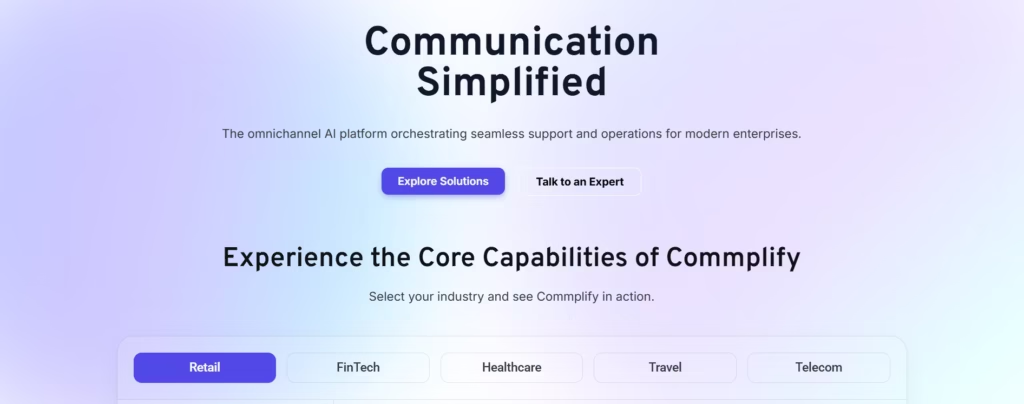
Commplify is an AI-powered omnichannel customer experience platform that connects website chat with voice, email, SMS, WhatsApp, and other communication channels.
Key features include:
- AI-powered website chat
- Intelligent inquiry routing
- Automated support workflows
- Human agent handoff
- Cross-channel conversation context
- Centralized customer communication
Commplify is ideal for businesses that need more than a basic chatbot and want to manage customer conversations across multiple channels from one platform.
2. Intercom Fin — Best for SaaS Businesses
Intercom Fin uses company support content to answer customer questions and transfer unresolved conversations to human agents.
It is best suited for SaaS companies and digital businesses already using Intercom for messaging, onboarding, and customer support.
3. Zendesk AI Agents — Best for Help Desk Automation

Zendesk AI Agents automate customer inquiries using connected knowledge bases, ticketing workflows, and routing tools.
Zendesk is a strong choice for established support teams that already use its help desk and ticket management system.
4. HubSpot Customer Agent — Best for CRM Integration
HubSpot Customer Agent connects AI-powered support with customer information stored in HubSpot CRM.
It is suitable for businesses that want to combine website support, lead qualification, sales, and marketing activities within one ecosystem.
5. Tidio Lyro — Best for Small Businesses
Tidio Lyro provides AI chat, live chat, automated answers, and human agent handoff through an easy-to-use website widget.
It is a practical option for small businesses, startups, and e-commerce websites that need simple chatbot automation.
Quick Comparison
| Platform | Best For |
|---|---|
| Commplify | Omnichannel AI customer support |
| Intercom Fin | SaaS and digital products |
| Zendesk AI Agents | Help desk and ticket automation |
| HubSpot Customer Agent | CRM-connected support |
| Tidio Lyro | Small businesses and e-commerce |
Which Platform Is Best?
Choose Commplify when you need website chat combined with voice, email, messaging, intelligent routing, workflow automation, and human support.
Choose Intercom, Zendesk, HubSpot, or Tidio when your priority is a specific ecosystem, such as SaaS messaging, ticket management, CRM integration, or simple small-business chat support.
Benefits of Using a Customer Support Chatbot on a Website
A customer support chatbot helps businesses provide faster, more consistent, and always-available assistance directly through their websites. By automating common questions and guiding visitors to the right information or human agent, it can improve customer satisfaction while reducing the workload on support teams.
Faster Response Times
Website visitors receive immediate assistance instead of waiting for an email reply or live agent. Faster responses can reduce frustration and improve the overall customer experience.
Reduced Support Workload
A chatbot handles routine and repetitive questions, allowing support agents to focus on technical, sensitive, or high-value conversations.
Lower Customer Service Costs
Automating common support requests helps businesses manage higher conversation volumes without increasing the support team at the same rate.
Improved Lead Generation
A chatbot can engage visitors, ask qualifying questions, recommend relevant services, and collect contact information. This turns the support widget into an additional lead-generation channel.
Consistent Customer Communication
Customers receive standardized answers based on approved information. This reduces the risk of inconsistent policies or outdated responses.
Better Customer Insights
Every chatbot conversation provides useful information about customer expectations, product concerns, buying objections, and recurring service problems.
Increased Customer Satisfaction
Customers value quick, convenient, and accessible support. A properly configured chatbot can improve satisfaction by resolving simple issues immediately and directing complex problems to the right person.
Common Use Cases for Website Support Chatbots
Website support chatbots can handle a wide range of customer interactions, from answering common questions to guiding users through purchases, bookings, account issues, and technical problems. Their use cases vary by industry, but the main goal is to provide faster assistance while reducing repetitive work for human support teams.
Customer support chatbot agents can be used across different industries and website types.
E-commerce Support
An e-commerce chatbot can help customers track orders, understand return policies, find products, check availability, and receive shipping information.
SaaS Customer Service
Software companies can use chatbots to guide users through account setup, feature configuration, password recovery, subscription questions, and basic technical troubleshooting.
Banking and Financial Services
Financial organizations can use secure chatbot agents to answer service-related questions, explain products, collect support requests, and guide users toward verified service channels.
Healthcare and Appointment Support
Healthcare websites can use chatbots to provide general service information, explain appointment procedures, and help visitors schedule or manage consultations. Sensitive or clinical questions should always be directed to qualified professionals.
Travel and Hospitality
Travel businesses can automate answers about reservations, check-in times, cancellation policies, room availability, and destination services.
Education and Online Learning
Educational institutions can use chatbots to answer questions about admissions, course availability, fees, class schedules, and student support services.
Professional Service Websites
Agencies, consultants, and service providers can use chatbots to qualify leads, explain service packages, collect project requirements, and schedule meetings.
AI Chatbot vs. Live Chat Agent
AI chatbots and live chat agents serve different purposes, but they work best together.
A chatbot is ideal for:
- Frequently asked questions
- Basic troubleshooting
- Contact information collection
- Order and account status requests
- Product or service recommendations
- After-hours support
A human agent is more appropriate for:
- Complicated technical problems
- Sensitive customer complaints
- Unusual account situations
- Negotiations or exceptions
- Requests requiring empathy or judgment
The best customer support system uses a chatbot as the first point of contact while allowing customers to reach a human agent whenever necessary.
Rule-Based Chatbot vs. AI Customer Support Agent
A rule-based chatbot follows predefined conversation paths. It asks users to select from available options and responds according to configured rules. This model is suitable for simple and predictable support processes.
An AI customer support agent can interpret natural language and manage a wider range of questions. It can understand variations in customer wording, use conversational context, and generate more flexible responses.
However, AI chatbot agents still require clear instructions, reliable knowledge sources, security controls, and regular performance reviews. Businesses should not allow a chatbot to provide unverified answers simply because it uses artificial intelligence.
How to Choose the Best Customer Support Chatbot Agent for Your Website
Selecting the right chatbot requires more than comparing the number of features. Businesses should evaluate how well the solution supports their customers, team, website, and existing technology.
Define Your Main Support Goals
Determine whether the chatbot will answer FAQs, reduce ticket volume, generate leads, provide technical guidance, or support customers across the entire journey.
Review Integration Options
The chatbot should connect with the tools your team already uses, such as CRM software, help desk platforms, email systems, order databases, calendars, and knowledge bases.
Evaluate AI Accuracy
Test whether the chatbot understands real customer questions and provides answers based on approved business information. It should also admit when it does not have enough information.
Check Human Handoff Capabilities
Customers should be able to reach a human representative easily. Review how conversations are routed, whether chat history is preserved, and how agents receive notifications.
Consider Customization
The chatbot’s appearance, language, greeting, tone, and conversation flow should match the website and brand identity.
Review Security and Privacy
Confirm how the platform stores customer data, manages user permissions, protects sensitive information, and complies with relevant privacy requirements.
Examine Reporting Features
Look for reports covering conversation volume, resolution rate, escalation rate, customer satisfaction, response accuracy, and common support topics.
Test Scalability
Choose a solution that can manage increasing website traffic, additional support channels, new languages, and growing knowledge resources.
How to Implement a Customer Support Chatbot on Your Website
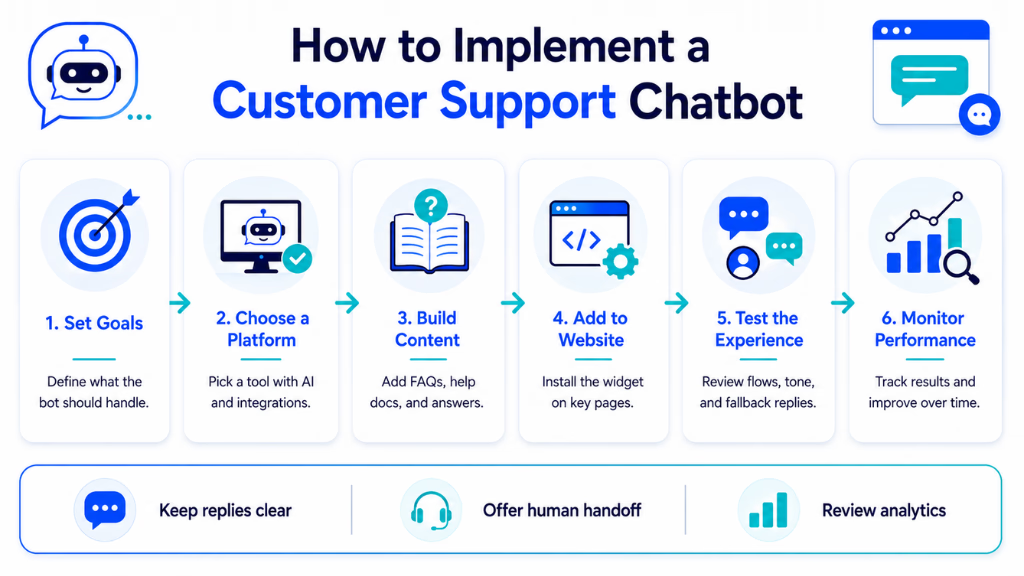
Implementing a customer support chatbot requires clear goals, reliable support content, the right integrations, and careful testing. A structured setup process helps ensure the chatbot answers accurately, supports customer needs, and transfers complex issues to human agents smoothly.
Step 1: Identify Repetitive Customer Questions
Review previous support tickets, emails, live chats, and search queries. Create a list of the questions customers ask most frequently.
Step 2: Organize Your Support Content
Update FAQs, help articles, policy pages, product documentation, and troubleshooting guides. The chatbot’s answers will only be as reliable as the information connected to it.
Step 3: Design Conversation Flows
Create clear paths for common tasks such as checking an order, requesting a refund, scheduling a demo, or contacting a human agent.
Step 4: Connect Business Systems
Integrate the chatbot with relevant platforms so it can access approved information and complete useful actions.
Step 5: Configure Escalation Rules
Define when the chatbot should transfer conversations. Escalation may depend on specific keywords, customer sentiment, account type, failed answers, or the complexity of the issue.
Step 6: Add the Chatbot to the Website
Install the chatbot using a plugin, script, tag manager, or native website integration. Place the widget where it is visible but does not interrupt the browsing experience.
Step 7: Test Realistic Customer Questions
Test correct spelling, spelling mistakes, short questions, detailed explanations, and unusual wording. Confirm that the chatbot responds accurately and escalates appropriately.
Step 8: Monitor and Improve Performance
Review unsuccessful conversations regularly. Add missing information, improve unclear responses, update outdated content, and refine escalation rules.
Best Practices for Website Customer Support Chatbots
A chatbot should make customer support easier rather than creating another barrier.
Start with a clear greeting that explains what the chatbot can help with. Keep responses focused and use buttons or suggested actions where they make the conversation easier. Avoid presenting customers with long blocks of information when a short answer and a link would be more useful.
The chatbot should never pretend to be a human agent. Customers should understand when they are interacting with automation and should have a visible option to request human assistance.
Businesses should also monitor chatbot answers instead of treating implementation as a one-time task. Products, policies, prices, and support procedures change over time, so connected knowledge sources must remain updated.
Most importantly, avoid automating every conversation. Automation should handle predictable requests while human agents manage situations that require empathy, flexibility, or specialized knowledge.
Important Metrics for Measuring Chatbot Performance
Businesses can evaluate a customer support chatbot using several performance indicators:
- Resolution rate: The percentage of conversations completed without human assistance.
- Escalation rate: The percentage of conversations transferred to support representatives.
- First-response time: How quickly the chatbot replies to a customer.
- Customer satisfaction score: Feedback collected after chatbot conversations.
- Fallback rate: How often the chatbot fails to understand or answer a question.
- Conversation completion rate: The percentage of users who complete the intended task.
- Ticket reduction: The decrease in routine support tickets after implementation.
- Lead conversion rate: The percentage of chatbot interactions that generate qualified inquiries or sales opportunities.
These metrics should be reviewed together. A high automation rate is not valuable when customers receive inaccurate answers or cannot reach a human agent.
Challenges of Using Customer Support Chatbots
Website chatbots can create problems when they are poorly configured. Common challenges include inaccurate responses, limited understanding, outdated knowledge, confusing conversation flows, and difficult human handoffs.
Customers may also become frustrated when the chatbot repeatedly asks the same question or prevents them from contacting a support representative.
Businesses can reduce these risks by using verified content, setting clear limitations, monitoring conversations, protecting customer data, and creating simple escalation options.
Conclusion
Choosing the right customer support chatbot agent for your website is now a strategic decision for growing businesses. The real opportunity is automating the routine, freeing human experts for higher-value work, and unifying every customer touchpoint.
From my experience, the best results come when you go beyond just web chat—bringing in true omnichannel, deep workflow automation, and tight analytics. Solutions like Commplify make this possible, keeping AI in the loop without losing the human touch.
The future of support will be even more personalized, predictive, and conversational. Start mapping your journey now, and you’ll be ready for both current demands and tomorrow’s CX expectations.
FAQs
What is a customer support chatbot agent for a website?
A customer support chatbot agent for a website is an AI assistant that answers questions, helps customers, and handles routine support tasks live on your website.
How does a website chatbot agent work?
It uses AI to understand questions, pull answers from a knowledge base, and respond instantly. It can also escalate complex issues to human agents when needed.
Can chatbot agents handle sensitive or complex customer inquiries?
Yes, advanced chatbot agents can recognize sensitive issues and transfer those conversations to qualified human agents for safe handling.
What are the main benefits of using an AI chatbot agent for support?
Main benefits include faster response times, 24/7 support, lower costs, higher CSAT, and the ability to free up staff for complex work.
Do I need technical skills to set up a website chatbot agent?
Most modern chatbot agents provide no-code builders, so non-technical staff can configure, customize, and deploy bots with little IT involvement.
How do chatbots enable 24/7 coverage on my website?
They automatically respond to customer questions at any hour, without requiring live agents to be always online.
Can I use a chatbot agent across channels like WhatsApp, SMS, or voice?
Yes, many platforms now let you deploy AI agents across web chat, WhatsApp, SMS, voice, and email within one system.
How is escalation to a human agent managed?
Bots use workflow rules to identify complex cases, then route those chats or calls to human agents with full context carried over.
What security and compliance factors should I consider?
Look for data encryption, audit logging, access controls, and compliance with industry standards like GDPR or HIPAA, depending on your business.
How can I measure the effectiveness of a customer support chatbot agent?
Track metrics such as CSAT, response time, first-contact resolution, escalation rate, and sentiment using platform analytics.
Which industries gain the most from deploying chatbot agents?
Industries like healthcare, B2B SaaS, ecommerce, finance, real estate, and logistics see high ROI from chatbot agents.
How does a chatbot maintain my brand voice?
You can configure the agent’s tone, language, and responses to match your brand guidelines during setup.
Is there a free trial or demo available for leading chatbot agents?
Most vendors offer demos or free trials to test capabilities and fit before full deployment.
This page was last edited on 22 July 2026, at 3:07 am