Quick Answer
AI agents reduce response times in customer service by instantly answering routine questions, detecting intent, retrieving accurate knowledge, automating workflows, and routing complex issues to human agents, cutting first reply, queue, handling, and resolution times.
Leaders in customer experience know the pressure of rising customer expectations. Customers want answers now, on any channel, any time of day. Slow responses damage CSAT, cost loyalty, and leave teams buried in tickets.
The real pain isn’t just speed. It’s manual triage, fragmented channels, slow handoffs, and outdated knowledge. Every delay risks lost revenue and trust. I see many teams focus only on faster replies, missing the deeper workflow fixes.
This article details how AI agents reduce response times in customer service, not just chatbots, remove the hidden delays at every step. If you run support operations, contact centers, or digital CX teams, you’ll learn how AI agents reduce response times across channels, the steps to get started, and what metrics actually prove success.
Why AI Agents Reducing Response Times in Customer Service Matters
AI agents in customer service are advanced systems that can understand intent, access accurate knowledge, automate actions, route cases, and escalate with context across channels like voice, chat, SMS, email, and WhatsApp.
By 2028, AI-powered customer service is expected to manage 85% of customer interactions without human agents, according to industry analyst forecasts.
In my experience, speed alone is not enough. Customers remember how quickly you responded and how well you solved the problem. AI agents help both by shrinking wait times and improving the quality of every interaction. Used well, they keep your team focused on what humans do best resolving complex, sensitive, or high-value cases.
How to Reduce Response Times in Customer Service with AI Agents
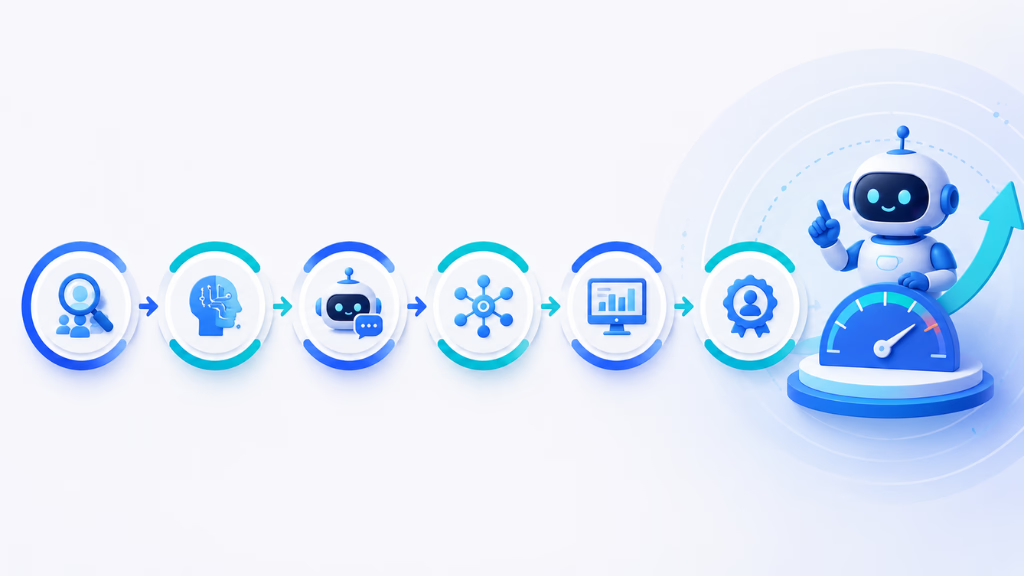
This step-by-step guide will help you use AI agents to cut response delays at every stage of your support process. The right approach fixes structural bottlenecks, not just surface-level speed.
What You’ll Need
- List of all current support channels (voice, chat, SMS, email, WhatsApp)
- Baseline data: response times, CSAT, backlog size
- Complete, organized knowledge base (FAQs, policies, guides)
- Defined escalation rules for humans
- Priority use cases identified
- Mapping of CRM/helpdesk/workflow systems
- Stakeholder alignment on scope and timelines
Step 1: Know Which Response Times AI Agents Can Reduce
Start by understanding the five key time metrics AI can improve. Each is affected by a different AI function. Here’s how it breaks down:
| First response time | Time to first acknowledgment or answer | Instant auto-replies, greetings, FAQs |
| Average response time | Delay between all customer and company messages | 24/7 support, auto-replies, deflection |
| Queue time | Time each ticket waits before attention | Automated triage, routing, prioritization |
| Average handle time | Active time spent resolving a case | Summaries, suggestions, knowledge recall |
| Resolution time | End-to-end time to solve the issue | Workflow actions, automation, follow-ups |
Recognize which of these are your biggest problems. That becomes your starting point.
First response time
This is how long customers wait for the first sign of life. AI agents can greet, acknowledge, and answer many queries instantly.
Average response time
AI keeps conversations moving, replying to each message, even when agents are busy or after hours.
Queue time
AI triage ensures high-priority cases rise to the top and repetitive work never crowds the queue.
Average handle time
AI suggests answers, guides agents, and fills in case details, cutting active work per ticket.
Resolution time
With automation, updates, and smart workflows, AI closes tickets faster, even after a human handoff.
Step 2: Map the Real Causes of Slow Customer Service Response
From what I have seen, most delays come from six true blockers. You must find and fix these at the root.
- Channel silos (each tool is isolated)
- Manual triage and assignment
- Repetitive, high-volume questions
- Scattered, outdated knowledge
- Weak escalation and routing logic
- After-hours and peak-period coverage gaps
Honest mapping of your current workflow reveals the real fixable spots.
Step 3: Use AI Agents for Instant First Replies
AI agents are always on. They can:
- Send acknowledgments and set expectations right away.
- Answer simple FAQs instantly, like business hours, order status, or refund policies.
- Give 24/7 support, even when your human team sleeps.
- Catch missed inbound calls, then trigger SMS or chat follow-ups to close the loop.
In my POV, customers care less about immediate solutions than about feeling seen and informed within seconds.
Step 4: Have AI Agents Classify Intent, Urgency, and Sentiment
An AI agent equipped for real business can detect the following:
- What the customer is trying to do (intent). For example, billing vs. technical issue.
- How urgent or risky the situation is. For example, a furious VIP demanding action.
- When the customer needs human attention, not automation.
This lets you prioritize, tag, and route faster. It keeps urgent, sensitive, or high-impact cases from getting stuck.
Step 5: Connect AI Agents to Proper Customer Service Knowledge
Fast, relevant answers depend on findable, current knowledge. AI agents need:
- Secure access to FAQs, troubleshooting guides, product docs, and policies.
- Semantic search to understand questions phrased in many ways.
- Confidence-based answers. If not sure, the AI asks for more detail or escalates; it never guesses.
- Feedback loops to spot gaps and update knowledge over time.
“In my experience, poor documentation is the #1 source of slow and wrong AI answers. Tighten this first.”
Step 6: Automate Repetitive Workflows to Accelerate Resolution
AI agents can do more than just answer; they should act.
Common workflows AI can automate:
- Gather customer info up front (name, account number, issue)
- Check order or appointment status
- Send reminders, confirmations, or notifications
- Reset passwords
- Open and tag tickets with full context
- Update CRM or helpdesk records
- Trigger department routing
- Send post-resolution surveys
This removes many minutes from each resolution.
Step 7: Reduce Response Times Omnichannel like Voice, Chat, SMS, Email, WhatsApp
Multi-channel fragmentation is a silent killer of response time.
- Inbound calls: AI answers, collects reason, offers info, triggers SMS if missed
- Web chat: AI replies to FAQs, qualifies leads, guides self-service
- Email: AI classifies, drafts, and routes emails, and flags urgent issues
- SMS: AI sends quick status checks, reminders, updates
- WhatsApp: AI handles repetitive queries, qualifying and escalating as needed
A unified conversation inbox (like the one in Commplify) means every message, from any channel, stays visible with the customer history intact. Agents waste less time switching tools or asking the customer to repeat themselves.
Step 8: Design Human Handoff to Keep Both Speed and Humanity
AI agents must know when to stop. The best escalations:
- Trigger when confidence is low, sentiment is negative, the case is complex, or the customer asks for a human.
- Pass along all context: summary, intent, sentiment, and already gathered details.
- Give agents suggested next steps, reply drafts, and knowledge matches.
- Avoid making the customer repeat their story or wait again.
A bad handoff wipes out all the speed you’ve gained.
Step 9: Measure AI Agent Impact on Response Times, Don’t Guess
What gets measured gets managed. Go beyond just “Was it faster?” and track:
- First response time
- Average response time
- Queue time
- Average handle time
- Time to resolution
- Missed-call recovery
- Abandonment rate
- AI resolution rate
- Ticket deflection rate
- Escalation rate
- CSAT, NPS, effort score
- SLA compliance
- Agent productivity
Remember: Speed and quality both matter. Fast wrong answers hurt trust. Cross-check response time gains with CSAT, reopen rate, complaint volume, and effort score.
Step 10: Avoid Frequent Mistakes that Limit AI Impact
From hundreds of team reviews, these mistakes keep coming up:
- Launching AI without cleaning knowledge first
- Deploying one generic AI agent for all channels or needs
- Automating only chat, leaving phone/email as slow as before
- Not designing thoughtful escalation rules
- Over-automating sensitive, risky, or emotional issues
- Only measuring speed, not CSAT or accuracy
- Skipping buy-in from frontline agents
- Leaving performance unmonitored
Fix these early to actually move your metrics.
Key Factors and Uncommon Pitfalls
Reducing response time is tempting, but business leaders should balance speed with quality. The mistake I see often is focusing on replies rather than full issue resolution. Other key factors:
- AI only moves as fast as your knowledge and integrations allow.
- Over-relying on automation may frustrate customers needing empathy.
- Omnichannel coverage closes more gaps than chat-only tools.
Common pitfalls include:
- Automating before fixing documentation
- Ignoring voice and email support
- Lacking escalation guardrails
- Not tracking post-automation reopen rates
How Commplify Can Solve These Problems
If you are seeking a single solution to unite your support channels, AI, and workflows, this is where platforms like Commplify make a real difference. In my experience, having a unified conversation inbox saves teams hours otherwise spent searching, tagging, and switching between tools.
Commplify AI agents can be tuned per channel, department, or use case, drawing from connected knowledge and routing rules. Their workflow automation lets you send updates, book meetings, or update records without slow manual steps. The omnichannel inbox keeps context when customers switch from phone to SMS or email.
Analytics let you see not just how fast but how well support is improving. For high-volume operations, contact centers, or any team tired of repeating work, these capabilities directly reduce response times across the board.
Conclusion
AI agents reduce response times in customer service by removing bottlenecks at every stage, from instant replies and intent detection to knowledge retrieval, workflow automation, and context-rich human handoff. The biggest wins happen when you address structural issues, not just plug in another chatbot.
Visible improvements come from integrating AI with every channel: voice, chat, SMS, email, WhatsApp. By connecting knowledge, workflows, and escalation logic, you unlock both faster responses and better outcomes for customers. Platforms like Commplify’s unified inbox, omnichannel AI agents, and analytics provide the glue for this transformation.
If your team struggles with slow responses, scattered systems, or repetitive tasks, AI agents, when implemented right, make a measurable impact. The future of CX is responsive, smart, and human-centered, with AI as a true partner in the loop.
FAQs
How do AI agents reduce customer service response times?
AI agents answer inquiries instantly, detect intent, retrieve knowledge, automate workflows, and escalate complex issues, cutting waiting, handling, and resolution time across channels like chat, voice, SMS, email, and WhatsApp.
Can AI agents reduce first response time to seconds?
Yes. AI agents can provide instant acknowledgements or answers for supported use cases and channels, often replying within seconds. True speed depends on channel configuration and the quality of the provided knowledge.
Do AI agents replace human customer service agents?
No. AI agents automate routine, first-layer tasks but escalate complex, sensitive, or high-value cases to human agents, who remain essential for nuanced or emotional service.
What customer service tasks should AI agents handle first?
Start with FAQs, order status, appointment scheduling, password resets, intake collection, ticket routing, missed-call follow-up, and basic troubleshooting; these bring the biggest speed improvements.
How do AI agents know when to escalate to a human?
AI agents escalate based on low answer confidence, negative sentiment, complex or sensitive topics, VIP customers, repeated failed responses, or whenever customers request human help.
Can AI agents work across phone, chat, email, SMS, and WhatsApp?
Yes. Modern AI agents support all major channels when deployed on platforms with omnichannel capability. The greatest response-time gains occur when all channels feed into one conversation view.
What metrics prove AI agents are improving response times?
Measures include first response time, average response time, queue time, time to resolution, AI resolution rate, ticket deflection, escalation rate, SLA compliance, CSAT, and reopen rate.
What are the risks of using AI agents in customer service?
Risks include incorrect answers, poor escalation, outdated knowledge, over-automation, compliance exposure, customer frustration, lack of monitoring, and missing human empathy where needed.
How long does it take to implement AI agents for customer service?
Basic deployments start in weeks. Omnichannel AI with workflows and integrations often requires a phased rollout over several months, depending on your systems and operational scope.
What data does an AI customer service agent need?
AI agents need structured FAQs, up-to-date knowledge articles, product documentation, policies, historical tickets, CRM data, customer profiles, clear escalation rules, and workflow permissions.
This page was last edited on 20 June 2026, at 2:43 am