Automation improves customer experience metrics by reducing response times, enabling 24-7 support, raising first-contact resolution, increasing CSAT and NPS, and streamlining workflows—resulting in higher retention, reduced costs, and measurable CX gains.
Every CX leader I know is feeling the heat. Expectations keep rising, but budgets and teams rarely do. Leaders need hard proof that their CX investments work—especially when it comes to response times, satisfaction, and retention.
Manual processes are slow, error-prone, and tough to scale. Fragmented channels make matters worse. The right kind of automation can flip this script—if leaders approach it with care, focus, and clear metrics.
This guide will show you exactly how automation improves customer experience metrics. You’ll see real scenarios, learn the metrics that matter, and understand pitfalls to watch for—so you can drive value, not just chase the latest tech trend.
Why Customer Experience Metrics Matter in the Age of Automation
Metrics like CSAT, NPS, first-contact resolution (FCR), average handle time (AHT), retention, and churn rate are the pulse of any service operation. They tell you if your efforts are truly meeting customer needs—or just creating more noise.
In my experience, modern CX isn’t about sheer ticket volume. It’s about business outcomes: loyalty, repeat business, and cost control through smarter, faster support. Automation only matters if it moves these needles in a way you can measure and act on.
Executives want numbers. Boards want trends. And front-line managers need to know if new tools are actually making a difference. This is why every automation initiative should be measured against agreed CX outcomes from day one.
What Is Customer Experience Automation?
Customer experience automation means using AI-driven technology to handle, route, and resolve customer interactions without repeated human effort. Unlike marketing automation, it’s built for real-time service and support rather than campaigns or outbound communication.
At its core, automation includes:
- AI-powered agents (bots, virtual agents, voice assistants)
- Workflow automation for repetitive tasks
- Omnichannel engagement (covering voice, chat, SMS, email, WhatsApp)
- Intelligent self-service and context-aware routing
You’ll also see robotic process automation (RPA), orchestration platforms, and analytics-driven triggers. The goal is simple: let technology do the heavy lifting, while real people handle what machines can’t.
How Automation Improves Customer Experience Metrics
Effective automation doesn’t just save money—it reliably moves the metrics CX teams care about, across every channel. I have seen the biggest gains when unified, AI-first tools are applied with strategy and clear goals. Here’s how that plays out.
Reducing Response Time and Increasing Availability
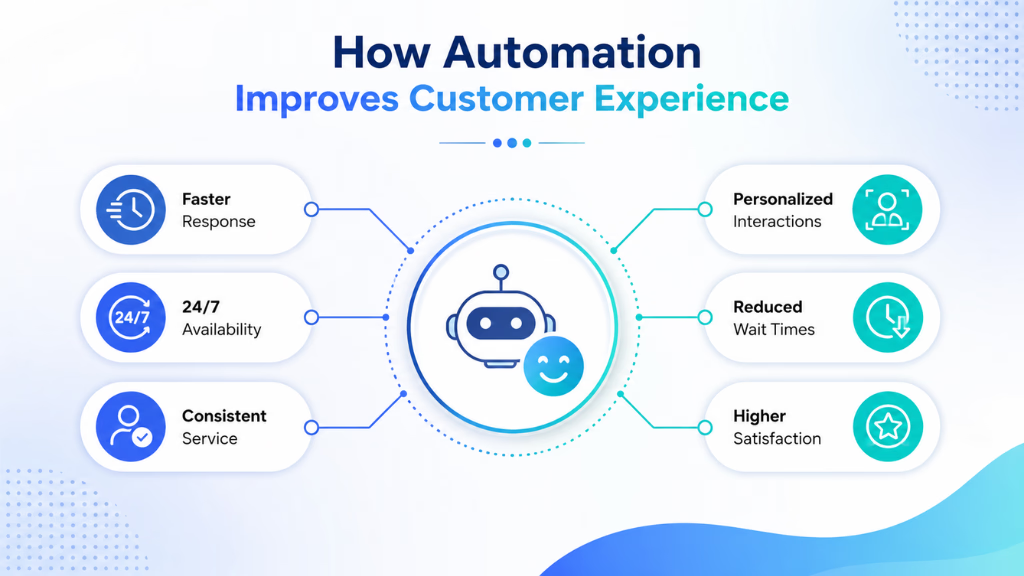
Speed is still the number one driver of customer happiness. Automated systems handle initial queries instantly, triage issues, and provide answers 24-7—even on channels like WhatsApp or SMS. No more waiting for office hours or a free human agent.
That isn’t just a customer win. Faster replies mean more conversations closed per hour, lower abandonment, and fewer costly follow-ups. In practical terms, I’ve seen clients cut average response time from hours to under a minute using the right automation layer.
Raising First-Contact Resolution (FCR) Rates
Most unhappy customers reach out again and again to get the help they need. Automation fixes this by:
- Recognizing intent on the first interaction (through AI agents)
- Routing to the right agent or department based on context
- Keeping a full interaction thread, so they never repeat themselves
In my POV, unified tools that capture conversation history—regardless of channel—give teams the power to solve the issue the first time. Fewer touchpoints mean happier customers and lower cost per case.
Boosting Satisfaction (CSAT) and Net Promoter Score (NPS)
Automation frees support agents to do what bots can’t: human touch, complex empathy, and intelligent problem-solving. At the same time, customers experience less friction with consistent, relevant responses.
AI agents can personalize every greeting, recognize returning customers, and share only the most useful knowledge. When executed well, I’ve seen NPS scores rise 10-20 points after the shift to intelligent automation—especially when feedback is collected directly after every interaction.
Lowering Average Handle Time (AHT) and Operational Cost
When automation is applied to repetitive queries (like “Where is my order?”), human agents spend more time where they add value. This drives down the average handle time per ticket and lets teams scale support with fewer hires.
A real-world example: I’ve watched teams using workflow automation decrease AHT by up to 40 percent, with fewer errors and up to 25 percent lower operational costs.
Improving Retention, Reducing Churn
Follow-ups often slip through the cracks in manual setups. Automated reminders, proactive outreach, and timely escalation can stop churn before it starts.
In financial services, I have seen workflow triggers flaging at-risk customers for personal outreach, which led to measurable retention lifts. It’s about reacting to signals as soon as they appear.
Omnichannel Impact: Unified Automation Multiplies Gains
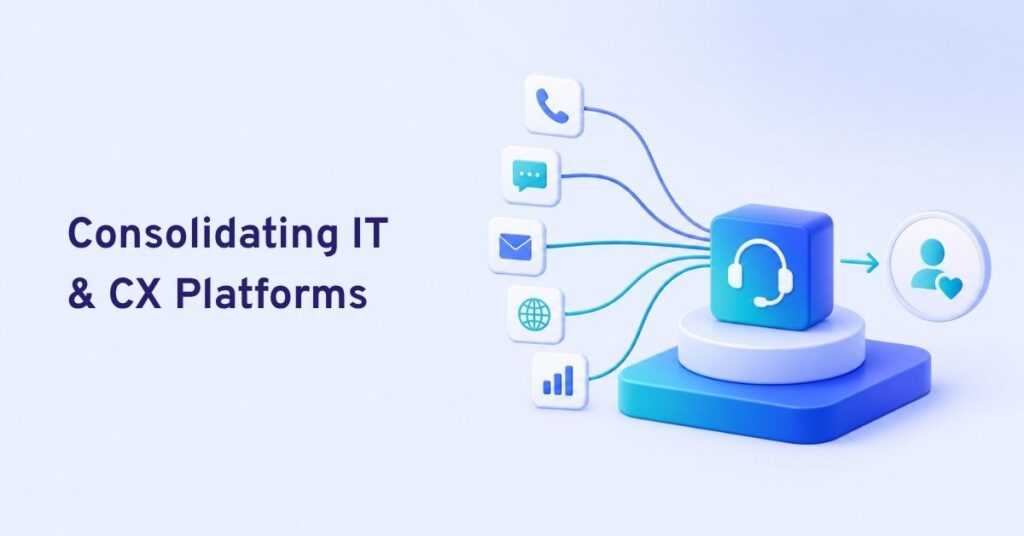
Most organizations still run channel-specific tools in silos. They lose data, context, and the ability to see “the whole journey.” True omnichannel automation—where voice, chat, SMS, email, and WhatsApp all feed into one AI nervous system—compounds the gains.
This is where many teams struggle. A better approach is to adopt platforms that centralize metrics and automation across every touchpoint. Coordinated insights drive higher FCR, lower response times, and more consistent CSAT—no matter where customers reach out.
Real-World Use Cases and Industry Frameworks
Understanding real-world applications and proven industry frameworks helps businesses turn customer experience strategies into measurable results. By exploring practical examples across different industries, you can identify the best approaches, technologies, and workflows to improve customer satisfaction, streamline support operations, and build long-term customer loyalty.
| Industry | Inquiry Type | Automation Used | Metrics Improved |
|---|---|---|---|
| Healthcare | Appointment requests | AI chat + voice agents; triage | Response time, CSAT |
| SaaS | Demo scheduling, onboarding | Automated workflows, chatbots | FCR, NPS |
| E-commerce | Order status, returns | Self-service portal, messaging | AHT, CSAT, retention |
| BPO/Contact Ctr | High-volume support tickets | Unified AI inbox, routing | FCR, handle time |
| Financial | Onboarding, compliance | Knowledge bots, triggers | FCR, CSAT, compliance |
| Field Services | Dispatch updates | SMS alerts, call follow-ups | Retention, churn |
Before automation, support teams are stuck with:
- Manual triage
- Repeated data collection
- Lost context across touchpoints
After automation, workflows look like:
- Instant recognition and routing
- Unified view of customer history
- AI handles first layer, humans step in when needed
Last year, when our support team automated inbound routing and CSAT follow-up, we saw a 30 percent spike in first-contact resolution and cut average handle time by half.
Key Considerations, Challenges, and CX Automation Pitfalls
Automation can hurt more than help if done without planning. Leaders should watch for:
- Over-automation that frustrates customers or blocks human help
- Poor journey mapping that creates dead ends or missed handoffs
- Data silos from disconnected channels or tools
- Not enough training on when and how to step in
Other pitfalls I’ve seen include ignoring regulatory requirements (like consent on automated voice calls) and chasing every new trend rather than focusing on core KPIs.
A few practical rules:
- Map every automated flow against business metrics
- Always include human fallback for complex or sensitive cases
- Keep measurement and feedback loops tight and visible
Unifying Automation and Analytics to Prove Metric Improvements
No automation project is complete without tight analytics and reporting. What you can’t measure, you can’t improve—or defend in board meetings.
Modern CX platforms offer:
- Dashboards tracking cases handled by AI vs. human
- CSAT, NPS, FCR, and sentiment analytics by channel
- Time breakdowns: response, resolution, escalation
- Attribution for metric changes to specific workflow automations
In my experience, baselining before rollout is essential. Then, track improvements over time. Use analytics to drill into what’s working and where to optimize. Reporting should not just track success but also highlight exceptions and areas for retraining.
How Commplify Enables Measurable CX Metric Improvement
When organizations need unified automation across every voice and messaging channel, I have found the best results with platforms that bring AI agents, workflows, and analytics together.
With Commplify, a single AI-powered inbox handles voice, chat, SMS, email, and WhatsApp in one place. This unified approach means:
- Response times drop because routing is instant and context is never lost
- First-contact resolution rises due to intelligent, context-aware assignment
- CSAT and NPS are tracked and improved with real-time feedback collection
- Operational managers can see, at a glance, whether AI or humans are driving each metric shift
Teams can track their progress from mostly manual support to high-automation, measuring the actual impact on each key metric—channel by channel—using workflow analytics and dashboards. That’s how data-driven organizations avoid the usual pitfalls and make every automation investment count.
Conclusion
Automation in customer experience is not about replacing people—it’s about giving teams the power to deliver better outcomes at scale. When applied with care and measured against real business goals, automation raises satisfaction, retention, and efficiency while containing costs.
The right platform, like Commplify, unifies every touchpoint so improvements are not just possible but provable. Leaders should start by auditing current metrics, piloting automation where impact will be clearest, and using analytics to continually optimize.
Customers will expect faster, smarter, more personal experiences across every channel. The future belongs to organizations that unify, measure, and deepen their CX with intelligent automation.
FAQs
What are the main customer experience metrics that automation can improve?
Response time, first-contact resolution (FCR), CSAT, NPS, average handle time (AHT), retention, and churn rate.
How does automation reduce average response time in support?
Automation triages and replies instantly to new tickets, even outside business hours, slashing response times from hours to seconds.
How can automated workflows increase first-contact resolution rates?
They route each inquiry to the right team, retain full context, and let AI answer common questions, reducing repeat contacts.
What role do AI chatbots play in customer satisfaction (CSAT)?
AI chatbots offer fast, consistent responses and support 24-7, raising CSAT by lowering wait times and friction.
Can automation help improve customer retention and loyalty metrics?
Yes, by enabling proactive outreach, instant follow-ups, and early detection of dissatisfaction, automation raises retention and loyalty scores.
What are the risks or challenges of automating customer experience processes?
Risks include over-automation, poor fallback to humans, data silos, regulatory gaps, and process misalignment with customer journeys.
How do you measure the ROI of automation for CX improvement?
Compare key metrics (CSAT, NPS, FCR, AHT, costs) before and after automation rollout, using dashboards to track changes and attribute gains.
What types of automation are most effective for omnichannel CX?
AI agents that work across all channels, workflow automation for repetitive tasks, and analytics-driven triggers have the most impact.
How does automation enable proactive customer engagement?
Automation triggers timely follow-ups, reminders, and outreach based on customer history and signals, reducing churn and missed opportunities.
Is customer experience automation suitable for all industries?
Most industries benefit, especially those with high interaction volume. Needs and compliance vary, so customization and governance are key.
This page was last edited on 24 July 2026, at 2:48 am