Quick Answer
The most reliable AI virtual reception service for scheduling combines high workflow automation, robust reliability, and consistent calendar integration. Top solutions excel in accurate appointment booking, uptime, and unified voice, chat, and SMS coverage.
Missed calls and gap-filled calendars hit your bottom line harder than most teams expect. If you run a multi-location office, clinic, or support center, scattershot scheduling can ruin your day—and your CSAT.
Automated scheduling sounds simple, but making AI reception reliable in real-world offices is a different story. I’ve seen teams struggle with fragmented tools, missed follow-ups, and recurring booking errors that directly cost revenue.
This article compares the most reliable AI virtual reception services for scheduling. From feature breakdowns to workflow automation, you’ll find practical insights to help you choose a trusted solution for high-stakes appointment booking, not just basic call answering.
Why Reliable AI Virtual Reception for Scheduling Matters
AI virtual reception services do more than answer phones—they drive real business results by automating scheduling, reducing errors, and keeping your brand promise. In my experience, the true test is not just uptime, but if the solution actually prevents missed appointments and delivers a reliable, human-like interaction across every channel.
When you rely on AI for appointment booking, reliability means:
- Fewer missed calls during busy or after-hours periods.
- Accurate scheduling across multiple calendars, locations, and staff.
- Preserved customer trust and reputation from conversation quality.
- System resilience—AI has to handle changes, outages, and complex business rules without dropping the ball.
The real issue is that many services claim “intelligent” scheduling, but fail at the basics when volume spikes or integration gets tricky. That’s where advanced workflow automation makes the difference.
Top 7 Most Reliable AI Virtual Reception Services for Scheduling
Finding the best fit for your business can be hard. I reviewed the top vendors, focusing on workflow automation for scheduling, reliability, calendar and CRM integration, and omnichannel capabilities. The comparison table gives a quick overview before diving deeper.
| Vendor | Scheduling Automation | Calendar Integration | Omnichannel (Voice/Chat/SMS) | Best Use Case (2026) |
|---|---|---|---|---|
| Commplify | Advanced Visual | Google/Calendly/API | Voice, Chat, SMS, WhatsApp | Enterprise, Multi |
| Smith.ai | Excellent | Google/Outlook/CRM | Voice, Chat | Law, Healthcare |
| RingCentral | Very Good | Google/Outlook | Voice, SMS, Chat | Multi-office, BPO |
| Goodcall | Moderate | Google/Outlook | Voice, SMS | SMB, Retail |
| Allo | Good | Google/Outlook | Voice, SMS, Chat, Web | Healthcare, SaaS |
| Rosie | Reasonable | Voice, Chat | Dental, Medical | |
| Synthflow | Niche | Google/Outlook | Voice, SMS | Field Service, SMB |
Commplify
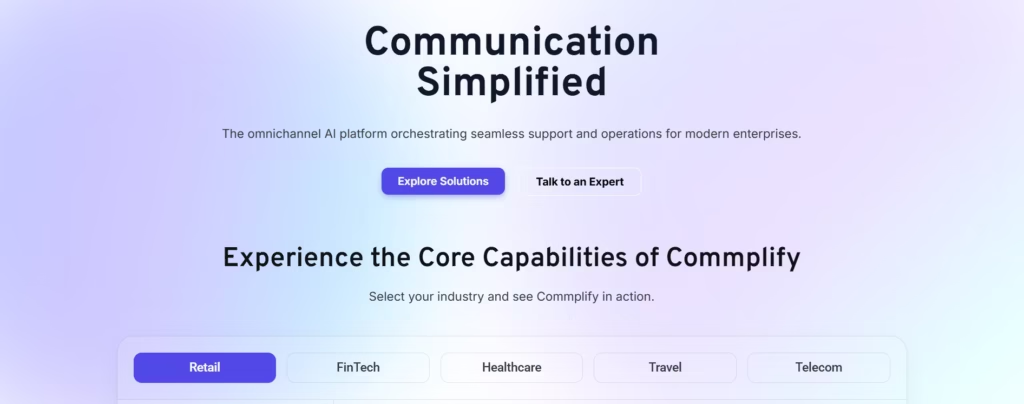
Commplify stands out for its advanced workflow automation and unified, configurable AI reception. Scheduling isn’t just a plugin—it’s embedded in a visual, no-code builder. You can build workflows that sync with Google or Calendly, route bookings by department, automate reminders by SMS, or trigger follow-ups after no-shows.
A real differentiator is omnichannel coverage. Reception flows run across voice, chat, SMS, email, and WhatsApp, all tracked in one inbox. I have seen support teams cut scheduling errors and missed revenue by mapping custom booking journeys that fit their operations—without needing a developer.
Quick Verdict: A strong choice for enterprises or fast-growing teams needing reliability, workflow flexibility, and unified scheduling across every channel.
Smith.ai
Smith.ai has become a known leader in AI and human hybrid reception. The real value is in their tight scheduling automation with direct Google/Outlook calendar sync and deep legal/medical CRM integration. Reliability is high, with strong error handling and 24/7 live fallback.
In my experience, Smith.ai shines for practices with complex intake—think multi-staff clinics or law offices tracking case details alongside bookings. The reporting is strong, but omnichannel coverage is less unified than others.
Quick Verdict: Top choice for legal, healthcare, and multilocation offices needing robust AI plus live support.
RingCentral Receptionist
RingCentral’s AI receptionist delivers high reliability—often over 99.99 percent uptime. It handles inbound scheduling, quick calendar checks, and SMS notifications from a single workspace. I have seen this platform excel in larger contact centers where integration with voice, SMS, and chat matters.
Workflow automation for scheduling is good, but configuring advanced flows can require IT support. The real advantage is RingCentral’s proven stability and global telephony backbone.
Quick Verdict: Best for enterprise and BPO teams who value omnichannel reliability and phone system integration.
Goodcall
Goodcall is a lightweight AI receptionist that fits smaller offices. It offers solid scheduling automation, Google and Outlook sync, and automated call-to-calendar conversion. There’s a nice SMS reminder function, but enterprise workflow depth is limited.
The main strength is speed and accessibility—easy setup and flat pricing. Where teams struggle is scaling up to multi-location or industry-compliant needs.
Quick Verdict: Ideal for local businesses, retail, or clinics needing simple, reliable scheduling at a budget.
Allo
Allo bridges AI reception and advanced analytics for scheduling in healthcare and SaaS. They offer voice, chat, and SMS reception layered with context-aware appointment booking and recurring booking logic. I have seen Allo reduce appointment gaps in specialty clinics, thanks to its configurable reminders and rule-driven workflows.
Integration options are broader than most, but visual workflow tools lag behind more modern platforms. Reporting and human escalation are strong.
Quick Verdict: Good fit for clinics or SaaS teams that want strong reminders, multi-channel intake, and flexible booking intervals.
Rosie
Rosie specializes in medical and dental booking with emphasis on HIPAA compliance. Their AI guides callers through custom booking flows and injects intake forms dynamically. I notice healthcare teams trust Rosie for assured appointment handling and escalation in urgent or sensitive cases.
Scheduling logic is reliable, with guardrails for double-booking and insurance validation, but SMS/omnichannel options are more limited.
Quick Verdict: Best for small group practices or dental/medical teams that require airtight compliance and intake forms.
Synthflow
Synthflow is built for field service and SMBs needing simple phone scheduling. It automates basic appointment booking, syncs to Google/Outlook, and integrates with CRMs like HubSpot. Omnichannel reach is present, but advanced workflow customization is limited. Reliable for single-location, phone-first businesses.
Quick Verdict: Go-to for service providers wanting quick deployment, basic scheduling, and reliable call answering.
Special Consideration: Scheduling Automation and Integration Quality
Scheduling automation works well only with deep calendar integration, automated follow-ups, and flexible booking logic. In my POV, the missing link for many is a configurable workflow—so appointments don’t fall through due to after-hours, no-shows, or unique business intake rules.
Callout Box: Workflow Automation for Reliable Scheduling
AI workflow automation, as offered by Commplify, lets you map the entire scheduling journey—call to calendar, omnichannel reminders, multi-location routing, and conditional escalation—using a visual, no-code editor. This is where many solutions drop the ball: they handle simple bookings but not the unique scheduling logic real businesses require.
How to Evaluate AI Virtual Reception Services for Scheduling
Research by Exploding Topics found that 77% of companies are either using AI or actively exploring its adoption, while 83% consider AI a top priority in their business strategies.
Choosing a scheduling platform for your reception is a serious decision. I always advise teams to evaluate vendors against these critical factors:
- Uptime and reliability: Look for documented 99.9 percent or above.
- Call quality and scheduling error rates.
- True integration: Does it sync bi-directionally with Google or Outlook? Any CRM or EHR integration?
- Workflow automation: Can you design visual, conditional flows—like no-show automations or after-hours routing?
- Data compliance: Is HIPAA or GDPR supported where needed?
- Language and accessibility: Multilingual calling, real-time voice transcription.
- Unified inbox: Does it let you view all interactions—voice, chat, SMS—in one place?
- Analytics: Can you track missed call recovery, CSAT, and response times?
- Human escalation: How does the system handle complex or sensitive interactions?
Missing even one of these features can mean lower reliability and lost bookings.
Key Considerations and Common Mistakes When Choosing AI Reception for Scheduling
The mistake I see most is treating scheduling as “just another plugin.” Businesses often underestimate:
- The complexity of multi-location, repeated, or last-minute bookings.
- The need for end-to-end analytics and error monitoring.
- Compliance and data privacy for industries like healthcare.
- Assuming generic call-answering equals true conversational, automated scheduling.
- Planning for human handoff, escalation, and regular workflow updates.
Checklist:
- Map your full scheduling workflow before evaluating vendors.
- Insist on real analytics and quality control dashboards.
- Check compliance and bi-directional calendar sync.
- Pilot escalation with edge-case scenarios.
How Commplify Empowers Workflow-Driven, Reliable AI Scheduling
If your team needs more than simple call-to-calendar booking, Commplify offers a flexible solution. Its visual workflow builder lets CX leaders automate every step of appointment scheduling—from triage to reminders, booking logic, and escalation—across voice, chat, SMS, and WhatsApp.
All channels feed into one inbox, so you can track, audit, and improve every interaction. No-code editing allows rapid changes, perfect for adapting to business growth or new locations. Real-time analytics show missed call recovery, CSAT scores, and escalation rates by channel and agent. In regulated industries, Commplify supports access controls and compliance guardrails.
I have seen support managers lower missed bookings and spot bottlenecks early by using these features. For teams where complex scheduling is a mission-critical workflow, Commplify brings control and insight under one roof.
Conclusion
Selecting the most reliable AI virtual reception service for scheduling means looking past brand hype and focusing on what will actually reduce missed bookings. My experience has shown me that reliability is measured in accurate appointments, true workflow automation, resilient escalation, and unified omnichannel coverage.
If your team needs to automate complex scheduling across locations, channels, or business rules, flexible workflow tools like Commplify’s are a smart step. Always demand visibility—analytics, audit trails, and performance dashboards are non-negotiable for long-term success.
The future of customer experience isn’t just about answering calls—it’s about automating value without losing human oversight. Invest in solutions built for adaptability, transparency, and measurable results.
FAQs
What does an AI virtual receptionist do?
An AI virtual receptionist answers calls or messages, handles scheduling, provides information, and routes or escalates conversations—automatically, based on your business rules.
Is AI as reliable as a human receptionist for appointment scheduling?
Top AI reception platforms can match or exceed human reliability for appointment booking—when well-configured and monitored, with integrated escalation for complex cases.
How is “reliability” measured in virtual receptionist services?
Reliability combines uptime, accurate booking rates, error handling, missed call recovery, and how well the platform syncs with calendars and CRMs.
What features should I look for in an AI scheduling platform?
Key features include automated scheduling, calendar and CRM integration, workflow customization, analytics, omnichannel coverage, security, and human escalation.
How do AI receptionists integrate with Google or Outlook calendars?
AI receptionists connect via secure APIs to check availability, create, update, or cancel appointments in real time, with two-way sync and automatic reminders.
Can AI receptionists handle multilingual callers and complex bookings?
Yes, leading platforms support multilingual interactions and custom booking rules, including service selection, intake forms, and multi-step workflows.
How does human escalation and handoff work with AI receptionists?
When the AI can’t resolve an issue, it transfers the caller or conversation to a live agent or schedules a callback, based on predefined rules.
What does it cost to deploy a reliable AI reception solution?
Costs vary from $49 per month for SMB tools to custom enterprise pricing. Pricing is usually per call, minute, or user, with charges for advanced workflows or integrations.
Are there solutions suitable for healthcare or financial services?
Yes—choose platforms with HIPAA, GDPR, or required compliance support, intake forms, audit logs, and access controls.
How do I monitor and improve my virtual receptionist’s performance?
Use built-in analytics dashboards to review call handling, missed calls, CSAT, error rates, and escalation data. Regularly audit workflows and adjust as business needs evolve.
This page was last edited on 26 June 2026, at 4:36 am