The best private AI platform Zanus AI alternatives include Commplify, Nutanix, Red Hat OpenShift AI, and PrivateGPT. These platforms offer different strengths in omnichannel automation, secure AI deployment, data privacy, and enterprise workflows.
Your sales team is missing follow-ups. Support agents are switching between tools. And your IT team is worried about where sensitive customer data ends up. AI was supposed to make work easier, right?
The risks are real. According to IBM’s 2026 Cost of a Data Breach Report, the average global data breach cost reached $4.99 million. This makes data security a serious concern when choosing enterprise AI tools.
That’s why businesses are exploring private AI platforms like Zanus AI alternatives that offer better control, smoother automation, and more connected workflows.
But which platform actually fits your business?
We’ve compared the 10 best private AI platforms that are Zanus AI alternatives, covering their features, pricing, security, and ideal use cases. Whether you need private AI infrastructure, smarter sales automation, or omnichannel customer support, this guide will help you find the right fit.
10 Best Private AI Platform Zanus AI Alternatives
Finding the right AI platform is not just about choosing the most advanced technology. It is about finding a solution that meets your business needs, protects sensitive data, and works with your existing systems.
Some businesses need private AI infrastructure to run large language models (LLMs) securely. Others need AI voice agents, CRM automation, or tools to manage customer conversations across multiple channels.
That is why the best private AI platform Zanus AI alternatives serve different purposes. Some focus on data privacy and self-hosted deployment. Others help sales, customer support, and operations teams automate daily tasks.
Below, we explore 10 AI platforms based on their capabilities, use cases, pricing, and limitations.
1. Commplify: Best for Omnichannel AI
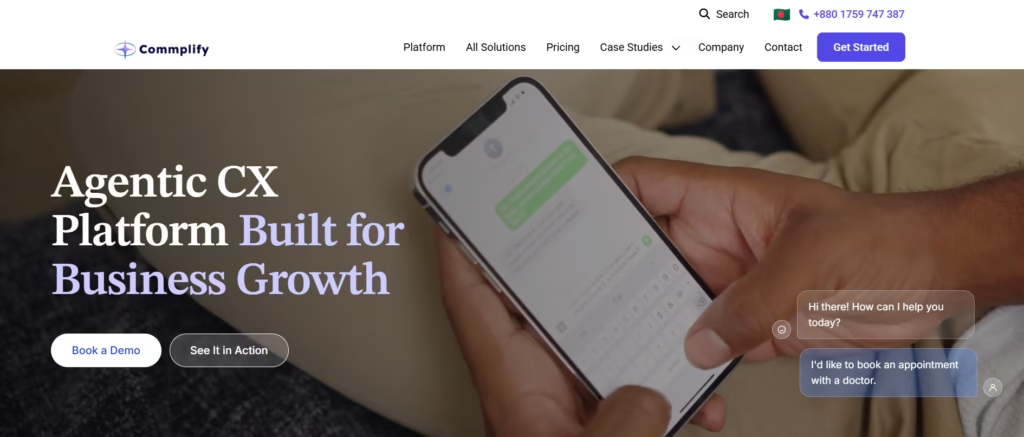
Commplify is an AI-powered customer experience platform built to automate conversations across voice, chat, email, and messaging channels. It helps businesses deliver faster responses without managing separate AI tools for every customer interaction.
The platform combines conversational AI, voice intelligence, customer context, and workflow automation. Its AI agents can answer customer questions, handle repetitive requests, and transfer complex conversations to human agents. These handoffs include relevant conversation context.
For example, a contact center can use Commplify to handle incoming calls and website inquiries. AI can resolve common issues, summarize interactions, and update connected CRM records. Human agents can focus on conversations that need personal attention.
Commplify also offers enterprise deployment options. These include cloud and on-premises deployment, data residency, audit options, and customized AI workflows. This makes it relevant to businesses seeking greater control over customer data.
Key Features
- Omnichannel AI engagement: Manage supported voice, chat, email, and messaging interactions through a connected customer experience platform.
- AI voice agents: Automate customer calls using speech recognition, natural language processing (NLP), and conversational AI.
- Intelligent human handoff: Transfer complex issues to agents with relevant customer context.
- AI conversation analytics: Track sentiment, conversation quality, performance, and customer interactions.
- CRM integration: Synchronize customer information, conversation summaries, and workflow updates.
- Enterprise AI governance: Access custom workflows, deployment options, and data residency controls based on enterprise requirements.
Best For
Contact centers, BPOs, customer support teams, sales and SDR teams, and enterprises needing omnichannel AI customer engagement.
Pricing
Commplify offers usage-based and outcome-based pricing.
- From $0.30 per successful resolution.
- From $0.05 per chat conversation.
- From $0.10 per minute for web-based AI voice calls.
- Custom enterprise pricing for advanced workflows, governance, and deployment options.
Additional charges may apply for phone numbers, messaging providers, premium AI services, and custom integrations.
Why Choose Commplify?
Commplify is a powerful Zanus AI alternative for omnichannel customer engagement. It unifies AI voice agents, customer support, lead qualification, and workflow automation. With flexible deployment, secure integrations, and intelligent automation, businesses can streamline operations and scale customer experiences.
2. Nutanix: Best for Private AI Infrastructure
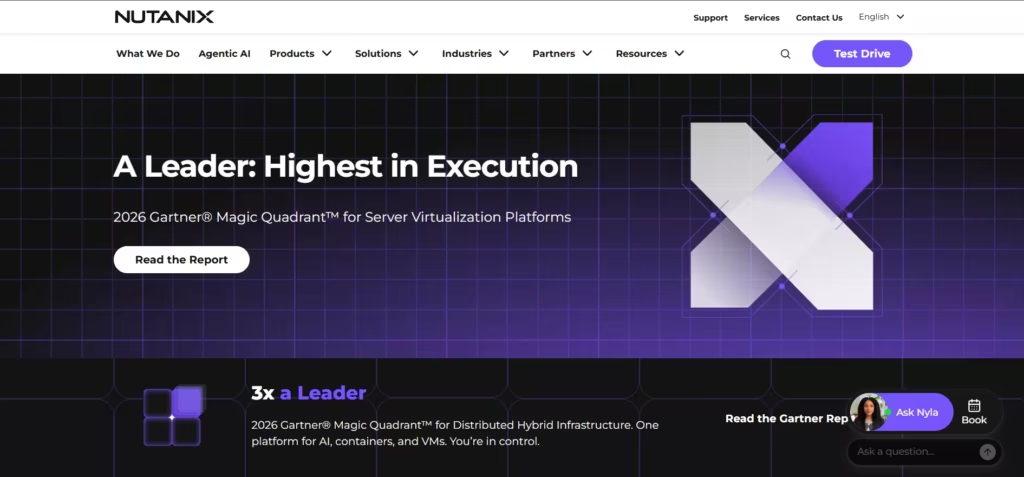
Nutanix Enterprise AI helps organizations deploy, manage, and govern AI models across private and hybrid environments. It is suitable for enterprises that need greater control over AI infrastructure, sensitive information, and model access.
Instead of relying entirely on third-party AI applications, IT teams can operate AI workloads within approved infrastructure. Nutanix supports model deployment, inference endpoints, API management, and resource monitoring.
The platform also supports models from providers such as NVIDIA NIM and Hugging Face. Its management tools help enterprises control model access and monitor resource consumption.
For example, a financial institution can use Nutanix to deploy an internal AI assistant for employees. The system can process approved company information within a controlled environment. This reduces dependence on unmanaged external AI services.
Key Features
- Private AI deployment: Run enterprise AI workloads in supported on-premises and cloud environments.
- LLM model management: Deploy and manage compatible large language models.
- AI inference APIs: Provide controlled endpoints for AI applications.
- Role-based access control: Manage permissions for users and AI resources.
- GPU monitoring: Track infrastructure usage and model performance.
- AI governance: Monitor model access, activity, and resource consumption.
Best For
Large enterprises, IT infrastructure teams, financial institutions, healthcare organizations, and businesses requiring controlled AI deployment.
Pricing
Nutanix offers enterprise licensing rather than a standard public per-user price. Nutanix Enterprise AI licensing can be based on aggregate GPU memory or virtual CPU capacity. Infrastructure and supporting services may add costs.
Considerations
Nutanix requires infrastructure planning and technical expertise. It focuses on AI infrastructure rather than ready-made sales or customer support automation. Businesses may need additional applications to build customer-facing AI workflows.
3. Red Hat OpenShift AI: Best for Hybrid AI Deployment
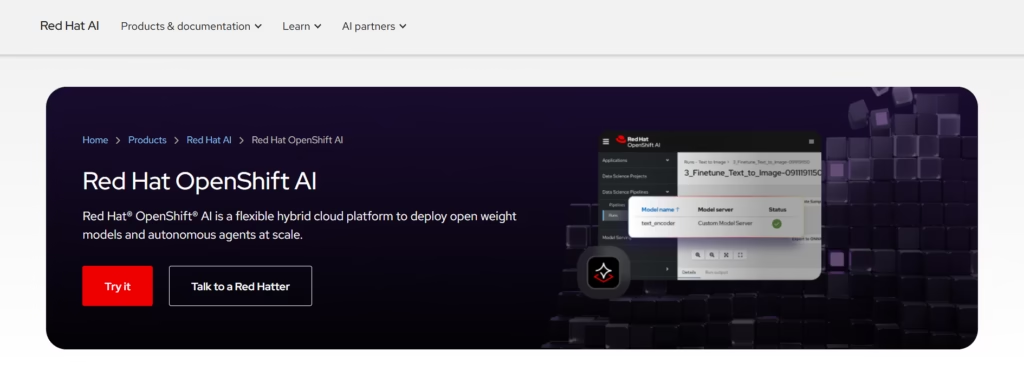
Red Hat OpenShift AI is an enterprise platform for developing, deploying, and managing AI models. It helps data scientists and developers move AI applications from experimentation to production.
The platform runs on Red Hat OpenShift and uses Kubernetes-based infrastructure. This allows organizations to manage AI workloads across supported cloud, hybrid, and on-premises environments.
OpenShift AI supports machine learning operations (MLOps), model serving, development environments, and AI lifecycle management. It also offers capabilities for governing access to shared LLM services.
For example, an insurance company can develop a fraud detection model using internal transaction data. Its development team can test the model and deploy it through managed infrastructure. Operations teams can then monitor its performance and resource usage.
Key Features
- Hybrid AI deployment: Manage AI workloads across supported cloud and on-premises environments.
- MLOps pipelines: Support model development, testing, and deployment workflows.
- Model serving: Deploy machine learning models through managed inference services.
- Kubernetes integration: Manage containerized AI workloads through OpenShift.
- LLM access governance: Control model API access, token limits, and usage.
- Model lifecycle management: Support ongoing model development and operational monitoring.
Best For
Enterprise developers, data scientists, MLOps teams, and organizations building custom AI applications.
Pricing
Red Hat OpenShift AI uses an enterprise subscription model. Costs depend on the selected deployment, infrastructure, and licensing requirements. Contact Red Hat for a quote.
Considerations
OpenShift AI requires development and infrastructure expertise. It is not a ready-to-use CRM, AI call center, or marketing automation platform. Teams may need to build additional applications for specific business processes.
4. monday AI Work Platform: Best for Workflow Automation
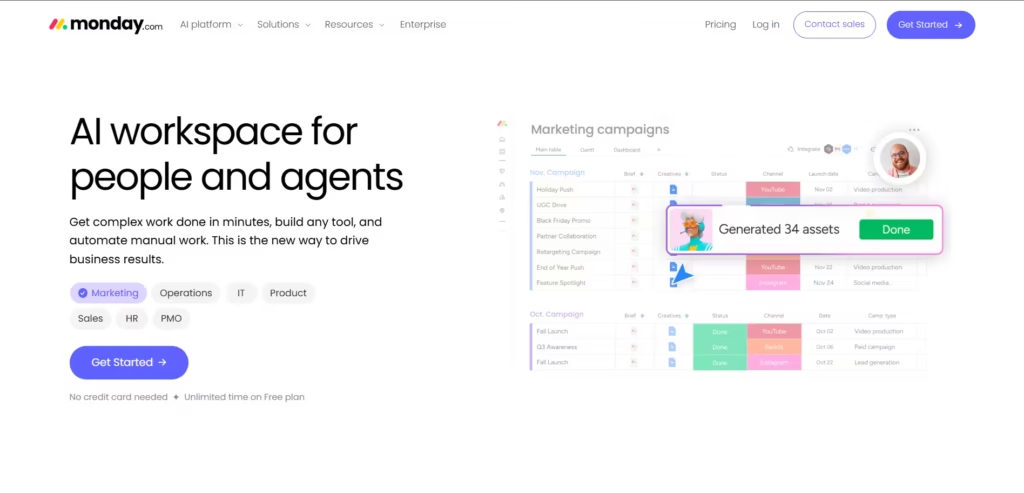
monday AI Work Platform helps teams manage projects, automate workflows, and organize daily operations. It combines visual work management with AI capabilities to reduce repetitive administrative work.
Teams can create task boards, automate updates, and organize information in one workspace. AI features can help summarize content, process information, and support workflow actions.
For example, a marketing agency can manage several client campaigns through monday.com. Team members can track content approvals, assign tasks, and automate status updates. AI assistance can reduce the time spent on routine work.
The platform uses AI credits to manage supported AI activities. This separates AI consumption from user seats under its newer pricing model.
Key Features
- AI-powered workflow automation: Automate supported actions and repetitive processes.
- AI content assistance: Generate or summarize information inside workflows.
- Project management: Organize tasks, deadlines, responsibilities, and progress.
- Custom dashboards: Monitor projects and team performance.
- Team collaboration: Keep updates, files, and discussions connected to work.
- Business integrations: Connect supported external tools and applications.
Best For
Marketing agencies, operations managers, project teams, and businesses that want to simplify internal workflows.
Pricing
monday AI Work Platform offers a Free plan and paid Basic, Standard, Pro, and Enterprise tiers. Its AI Work Platform pricing model includes user seats and AI credits. Minimum monthly credit allowances or purchases depend on the selected plan.
Considerations
monday.com primarily serves internal work management needs. It is not a private LLM hosting platform. Businesses requiring fully offline AI or specialized voice automation will need other solutions.
5. ClickUp: Best for AI Task Management
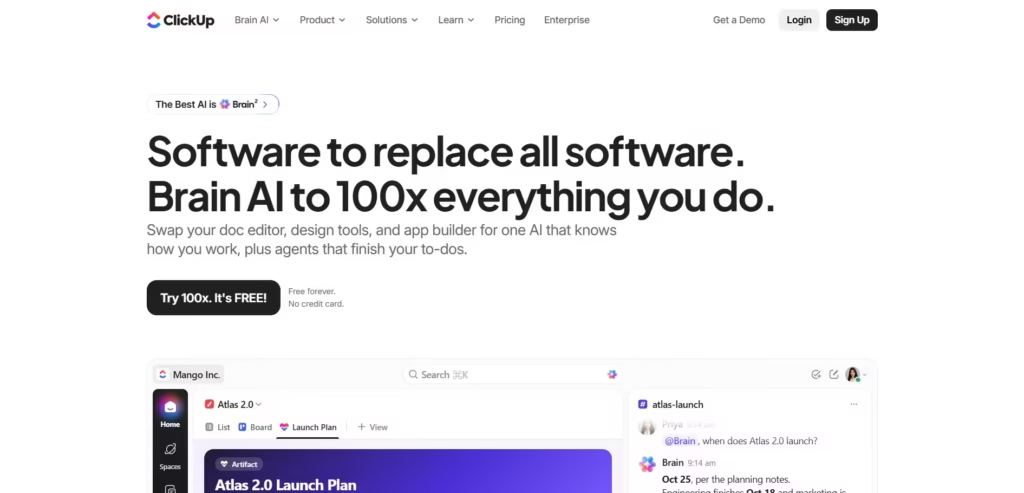
ClickUp combines task management, documentation, collaboration, and AI assistance in one workspace. It helps teams reduce manual updates and find project information faster.
Its ClickUp Brain capabilities support AI writing, task summaries, project updates, and workspace search. ClickUp also offers AI agents and automation features for more advanced workflows.
For example, an AI automation agency may manage multiple client projects at the same time. ClickUp can organize deliverables, technical documents, and deadlines. AI assistance can summarize project progress and help employees find important information.
This makes ClickUp useful for businesses that need stronger internal coordination rather than private AI infrastructure.
Key Features
- ClickUp Brain: Generate summaries, draft content, and answer questions about workspace information.
- AI task assistance: Support task creation, prioritization, and updates.
- AI agents: Automate supported activities using agent-based workflows.
- Enterprise search: Find information across connected workplace resources.
- Project dashboards: Monitor task progress and team performance.
- Workflow automation: Reduce repetitive project administration.
Best For
Project managers, AI automation agencies, software development teams, startups, and remote teams.
Pricing
ClickUp offers a Free Forever plan and paid AI options. Its published annual-billing prices include Brain AI at $9 per user/month and Everything AI at $28 per user/month. Additional usage credits and add-ons may apply.
Considerations
ClickUp focuses on productivity and work management. It does not provide a complete private AI infrastructure solution. Some advanced features require paid subscriptions or additional AI credits.
6. HubSpot Marketing Hub: Best for AI Marketing Automation
HubSpot Marketing Hub helps businesses generate leads, manage campaigns, and automate customer engagement. It combines marketing tools with HubSpot’s CRM and AI capabilities.
Marketing teams can create email campaigns, segment contacts, and build automated lead nurturing workflows. HubSpot also provides AI-assisted content creation and tools for analyzing campaign performance.
For example, a B2B company can use HubSpot to follow up with people who download a product guide. The system can send relevant emails based on customer activity. Sales teams can then identify engaged prospects through shared CRM information.
This makes HubSpot Marketing Hub a useful alternative for businesses that prioritize AI-powered marketing operations over private AI model hosting.
Key Features
- AI marketing assistance: Generate and refine campaign content using HubSpot’s AI tools.
- Marketing automation: Create email sequences and automated customer journeys.
- Lead management: Capture, organize, segment, and score leads using available CRM capabilities.
- Email marketing: Build personalized campaigns and monitor engagement.
- Campaign analytics: Measure campaign performance, conversions, and marketing results.
- CRM integration: Connect marketing information with sales and customer records.
Best For
B2B marketing teams, demand generation specialists, SaaS companies, and organizations focused on lead nurturing and marketing automation.
Pricing
HubSpot Marketing Hub offers several pricing tiers.
- Free: $0/month for eligible basic tools.
- Starter: Standard pricing from $20 per seat/month, with promotional discounts sometimes available.
- Professional: From $800/month with annual commitment.
- Enterprise: From $3,600/month.
Professional and Enterprise plans also have onboarding fees. Additional marketing contacts and AI usage may affect costs.
Considerations
HubSpot Marketing Hub is a cloud-based marketing platform. It does not provide fully self-hosted LLM infrastructure. Advanced automation and reporting features may require expensive subscription tiers.
7. HubSpot Sales Hub: Best for AI Sales Automation
HubSpot Sales Hub helps sales teams manage prospects, automate follow-ups, and track opportunities. It brings sales activities and customer information into one CRM-connected workspace.
The platform includes tools for email sequences, pipeline management, meeting scheduling, and sales reporting. HubSpot’s AI features can also assist with prospecting and deal-related activities.
For example, an SDR team can organize leads from website forms and marketing campaigns. Representatives can create follow-up sequences, track engagement, and identify opportunities that need attention.
Sales managers can use shared dashboards to monitor pipeline activity and team performance. This reduces the need to collect sales updates manually.
Key Features
- AI sales assistance: Support prospect research, outreach, and deal-related tasks.
- Sales automation: Automate follow-up sequences and repetitive CRM activities.
- CRM management: Store contact details, deal history, and customer interactions.
- Pipeline tracking: Monitor opportunities through different sales stages.
- Meeting scheduling: Allow prospects to book meetings through connected calendars.
- Sales analytics: Track deal activity, forecasts, and team performance.
Best For
SDR teams, B2B sales representatives, account executives, sales managers, and revenue operations teams.
Pricing
HubSpot Sales Hub offers the following plans:
- Free: $0/month.
- Starter: Standard pricing from $20 per seat/month, with promotional offers available.
- Professional: From $90 per seat/month with annual commitment.
- Enterprise: From $150 per seat/month.
Professional and Enterprise plans include additional onboarding charges. Certain AI agents also use HubSpot Credits.
Considerations
HubSpot Sales Hub focuses on CRM-based sales automation. It is not a dedicated private AI infrastructure platform. Businesses requiring AI voice calling, advanced contact center automation, or on-premises deployment may need additional tools.
8. Asana: Best for AI Project Management
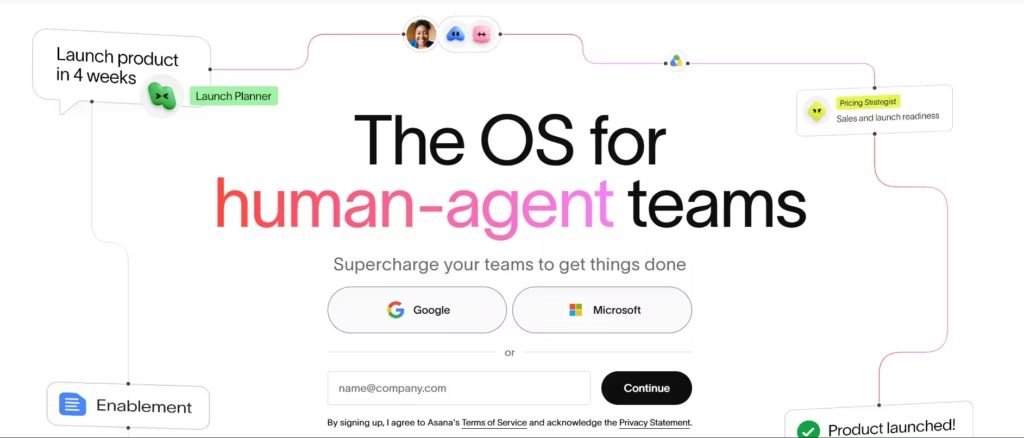
Asana helps teams manage projects, automate routine tasks, and coordinate work across departments. It combines project tracking with AI-powered workflow capabilities.
Asana allows employees to organize assignments, deadlines, dependencies, and project updates. Its AI features help teams generate insights, manage tasks, and automate selected workflows.
The platform also offers AI Studio for creating AI-assisted workflows. Teams can use these capabilities to reduce manual coordination and improve visibility into ongoing projects.
For example, an enterprise may be implementing a new customer service system. The project involves IT, customer support, compliance, and training teams. Asana can track responsibilities and deadlines across these departments.
Managers can review project progress without asking every employee for individual updates.
Key Features
- AI Studio: Build AI-assisted workflows for supported business processes.
- AI Teammates: Assist with work coordination and selected project activities.
- Project management: Organize tasks, timelines, milestones, and dependencies.
- Workflow automation: Automate assignments, notifications, and status changes.
- Portfolio management: Monitor multiple projects from a central workspace.
- Reporting dashboards: Track progress, workload, and project performance.
Best For
Enterprise operations teams, project managers, agencies, and businesses managing complex cross-functional projects.
Pricing
Asana offers a free Personal plan and paid subscriptions.
- Starter: From $10.99 per user/month, billed annually.
- Advanced: From $24.99 per user/month, billed annually.
- Enterprise and Enterprise+: Custom pricing.
AI usage allowances depend on the plan. Additional AI requests may be charged separately.
Considerations
Asana focuses on internal project management and collaboration. It does not offer dedicated private AI hosting or omnichannel customer engagement. Larger teams may also face higher subscription and AI usage costs.
9. AI Phone 360: Best for AI Call Automation
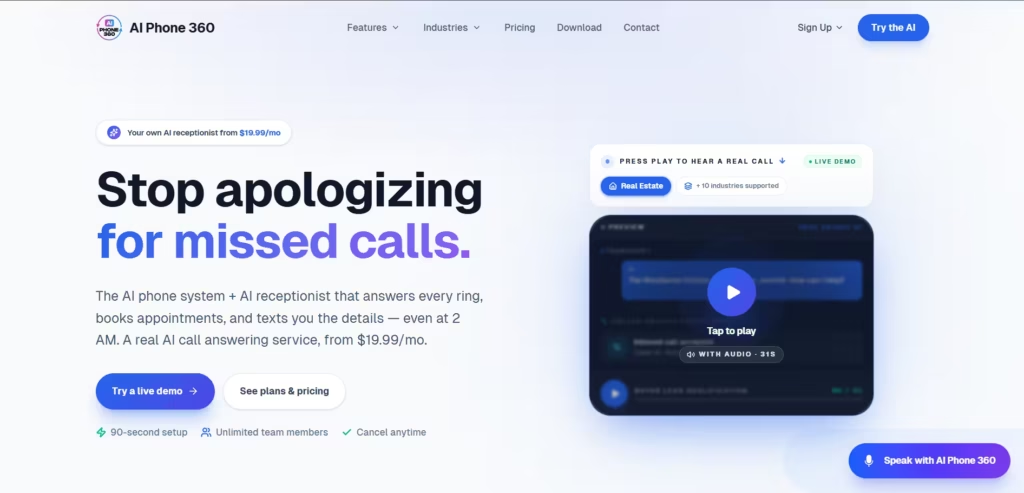
AI Phone 360 is an AI-powered phone system designed to help businesses answer calls, qualify inquiries, and manage appointments. It is especially useful for businesses that frequently miss calls outside normal working hours.
The platform uses an AI receptionist to answer incoming calls and provide responses based on business information. It can collect caller details, handle common questions, and send conversation summaries.
AI Phone 360 also supports call transfers, text messaging, recordings, and CRM-related functions.
For example, a dental clinic can use an AI receptionist to answer appointment inquiries after business hours. The system can collect relevant information and assist with scheduling. Urgent or complex calls can be transferred according to configured rules.
This allows smaller teams to handle routine inquiries without hiring additional staff for every shift.
Key Features
- 24/7 AI receptionist: Answer incoming business calls outside normal working hours.
- AI lead qualification: Collect caller information and identify relevant inquiries.
- Appointment booking: Assist callers with scheduling and appointment requests.
- Custom knowledge base: Provide answers based on approved business information.
- Call transcription: Record and summarize supported phone conversations.
- Call routing and handoff: Transfer calls to staff when required.
- CRM and API access: Connect calling activities with supported business workflows.
Best For
Small businesses, service providers, real estate agencies, clinics, appointment-based businesses, and teams handling high volumes of inbound calls.
Pricing
AI Phone 360 offers subscription-based pricing with usage charges.
- Basic: $19.99/month, plus $0.35 per AI calling minute.
- Pro: $59.99/month, including 75 AI minutes, then $0.25/minute.
- Enterprise: $199.99/month, including 300 AI minutes, then $0.18/minute.
Additional phone number and processing fees may apply.
Considerations
AI Phone 360 primarily focuses on phone answering and receptionist workflows. It is not a complete private AI infrastructure platform. Businesses needing extensive omnichannel contact center operations should compare its capabilities with dedicated customer experience platforms.
10. PrivateGPT: Best for Offline AI Processing
PrivateGPT is an open-source solution for building AI applications that process information within controlled environments. It is relevant to organizations that want to work with sensitive documents without depending entirely on cloud-hosted AI services.
PrivateGPT supports retrieval-augmented generation (RAG). This approach allows an AI application to retrieve relevant information from documents before generating a response.
For example, a legal firm can build an internal AI assistant using confidential contracts and policy documents. Employees can ask questions about these files and retrieve relevant information.
With a fully local model and supporting components, the system can operate without sending document content to external AI services.
PrivateGPT’s current open-source architecture provides an API layer for connecting local or compatible inference servers. It includes capabilities for document ingestion, retrieval, tools, and AI application development.
Key Features
- Local AI processing: Build AI applications that run within controlled infrastructure.
- Offline AI capabilities: Operate without external connectivity when configured with local components.
- Retrieval-augmented generation: Retrieve relevant information from private documents.
- Document ingestion: Process and index documents for AI-powered information retrieval.
- LLM integration: Connect compatible language models and inference servers.
- API support: Build custom AI assistants and applications.
- Open-source customization: Adapt the software to specific development requirements.
Best For
Developers, technical teams, legal firms, research organizations, and enterprises exploring private document intelligence.
Pricing
PrivateGPT is open-source software. There is no standard per-user subscription fee for the open-source project. However, organizations must account for hardware, storage, engineering, deployment, and maintenance costs.
Considerations
PrivateGPT requires technical knowledge to configure and maintain. It is not a complete enterprise AI platform with built-in sales or contact center automation. Organizations may also need additional security controls, monitoring, and user management.
How We Evaluated the Top Zanus AI Alternatives
Choosing the right enterprise AI platform takes more than comparing features. A platform may promise strong security and automation but struggle with real business workflows.
To evaluate the best private AI platform Zanus AI alternatives, we developed a five-part assessment framework. It focuses on the needs of sales teams, contact centers, enterprise IT teams, and AI developers.
Our evaluation framework uses 100 possible points across five areas.
| Evaluation Criteria | Weight |
|---|---|
| Data Privacy and Deployment | 25% |
| AI and Omnichannel Capabilities | 25% |
| Security and Compliance | 20% |
| Integration and Ease of Use | 15% |
| Pricing, Scalability, and Support | 15% |
1. Data Privacy and Deployment (25%)
We prioritize data control because enterprises often process sensitive customer information. Our checklist covers five deployment factors: on-premises hosting, self-hosted infrastructure, hybrid cloud, local LLM support, and air-gapped operation.
We also check data sovereignty, encryption, and external API dependencies. These factors help identify platforms suitable for private AI deployment.
2. AI Features and Omnichannel Capabilities (25%)
We focus on practical AI performance rather than the number of advertised features.
Our proposed hands-on test includes 50 sample customer interactions across sales, support, and lead qualification scenarios. Key measurements include response accuracy, multi-turn conversation handling, AI voice latency, and successful human-agent escalation.
We also assess inbound and outbound calling, live chat, SMS, messaging integrations, and retrieval-augmented generation (RAG).
3. Security and Compliance (20%)
We assess five essential security areas: encryption at rest, role-based access control (RBAC), audit logging, data retention, and compliance documentation.
We also examine vendor evidence for GDPR, HIPAA, and SOC 2 Type II requirements. A vendor’s security claims do not automatically establish regulatory compliance.
4. Integration and Ease of Use (15%)
We examine how smoothly each platform works with existing business systems.
Our proposed integration test covers five common workflows, including CRM synchronization, lead routing, customer support handoff, API connectivity, and automated follow-ups.
We also evaluate setup complexity, technical requirements, and the effort needed to maintain each integration.
5. Pricing, Scalability, and Support (15%)
We compare total cost of ownership (TCO), not just advertised subscription prices.
Our cost model covers 12 months and includes software licensing, AI usage, infrastructure, integration, and maintenance expenses.
We also examine usage limits, token-based billing, enterprise SLAs, and the platform’s ability to support growing workloads.
Our Evaluation Approach: This framework helps compare platforms based on business value rather than marketing claims. It also distinguishes private AI infrastructure from cloud-based automation tools. Final vendor scores should be assigned only after completing the tests and verifying the supporting evidence.
“In our internal evaluation of 10 AI platforms, 3 solutions met all five security requirements, including data encryption, role-based access control, audit logging, data retention controls, and compliance documentation. Meanwhile, 4 platforms supported our required omnichannel workflows, including voice, live chat, CRM integration, and human-agent escalation.”
Why Are Businesses Looking for Zanus AI Alternatives?
Businesses exploring Zanus AI alternatives often want more than basic AI features. They need stronger data privacy, flexible deployment, lower operating costs, and better workflow automation.
The challenge is finding one platform that meets both technical and business needs. For example, an enterprise may need secure local AI processing. Meanwhile, its sales team may need automated calling and CRM integration.
Here are five key reasons businesses compare Zanus AI with other enterprise AI solutions.
1. Greater Control Over Data Privacy and Security
Sending sensitive customer data to external AI services can raise privacy and compliance concerns. Healthcare providers, financial institutions, and BPO companies often need tighter control over how AI processes information.
Businesses may prefer on-premises AI or self-hosted infrastructure to maintain data sovereignty. Some also require local large language models (LLMs), encryption at rest, and role-based access control (RBAC).
For highly restricted environments, an air-gapped private AI server can operate without external network access. However, companies still need proper security controls and regular maintenance.
Platforms such as Nutanix and PrivateGPT are worth evaluating for controlled AI deployment. Organizations should also verify GDPR, HIPAA, and SOC 2 Type II requirements before making a decision.
2. Demand for Omnichannel AI Customer Engagement
Customers rarely communicate through just one channel. They may start with live chat, follow up through SMS, and later call customer support.
Disconnected systems make these interactions difficult to manage. Agents may lose conversation history or ask customers to repeat information.
An omnichannel AI platform can help connect these interactions. Businesses often look for AI voice agents, virtual receptionists, messaging webhooks, and inbound and outbound telephony integration.
For example, a contact center can use conversational AI to answer common questions. A multi-turn conversation engine can maintain context across follow-up questions. Complex issues can then move to a human agent through an escalation workflow.
This makes platforms such as Commplify relevant for businesses seeking AI-powered customer engagement and call center automation.
3. Need for Better AI Integration and Workflow Automation
Many businesses already use several AI applications. Their teams may rely on ChatGPT, Claude, Microsoft Copilot, or Notion AI for daily tasks.
However, using multiple tools does not automatically create connected workflows.
Sales teams may still transfer lead information manually. Support agents may switch between CRM software and messaging tools. Project managers may spend hours updating tasks.
This is why businesses explore solutions such as HubSpot Sales Hub, HubSpot Marketing Hub, monday AI Work Platform, ClickUp, and Asana.
These platforms support different automation needs. CRM integrations, APIs, and workflow automation can help reduce duplicate work and improve information sharing.
4. Lower AI Costs and More Predictable Pricing
AI costs can increase as businesses add users, conversations, and automated workflows.
Some platforms charge per user. Others use per-token, per-query, or call-minute billing. Self-hosted AI may avoid external model API charges but still requires enterprise hardware, dedicated GPUs, and maintenance.
Businesses therefore compare total cost of ownership (TCO) rather than subscription fees alone.
For example, a contact center should calculate its cost per resolved inquiry. A sales team should measure its cost per qualified lead.
Companies should also review enterprise service-level agreements (SLAs), usage limits, and additional integration charges. This helps them choose a solution that remains affordable as demand grows.
5. More Flexibility for Private AI Deployment and Customization
Every enterprise has different AI requirements. Some need a secure local knowledge base assistant. Others want a private voice AI receptionist or custom AI workflows.
A fixed deployment model may not meet these needs.
Businesses may look for hybrid cloud deployment, local LLMs, or an on-premises conversational AI platform. Developers may also need retrieval-augmented generation (RAG), custom APIs, and control over model selection.
For example, a healthcare organization may want an internal AI assistant that retrieves information from approved documents. A customer service provider may prefer a voice AI agent with human escalation.
Platforms such as Red Hat OpenShift AI, Nutanix, and PrivateGPT address different parts of these requirements.
The right Zanus AI alternative should match the organization’s infrastructure, data protection needs, and automation goals.
How Much Do Private AI Platforms Cost Compared to Zanus AI?
The cost of private AI platforms like Zanus AI alternatives depends on deployment, AI usage, and business needs. Zanus AI’s archived pricing lists plans starting at approximately $409/month, while other platforms use per-user, usage-based, or custom enterprise pricing.
| Platform | Starting Pricing |
|---|---|
| Zanus AI | ~$409/month (archived pricing) |
| Commplify | $0.30/resolution or $0.05/chat |
| Nutanix | Custom enterprise pricing |
| Red Hat OpenShift AI | Custom subscription |
| monday AI Work Platform | Tiered per-user pricing |
| ClickUp | From $7/user/month |
| HubSpot Marketing Hub | Professional from $800/month |
| HubSpot Sales Hub | Professional from $90/seat/month |
| Asana | From $10.99/user/month |
| AI Phone 360 | Subscription + usage charges |
| PrivateGPT | Free, open-source software |
Note: Prices are indicative and may change. Enterprise deployment and additional AI features may cost extra.
How to Choose the Right Zanus AI Alternative for Your Enterprise
Choosing the best private AI platform depends on your business needs, security requirements, and budget. Consider these key factors before making a decision.
- Identify Your Business Needs: Define whether you need AI call center automation, lead qualification, customer support, or workflow management. For example, Commplify focuses on omnichannel AI, while HubSpot Sales Hub supports sales automation.
- Check Deployment Flexibility: Look for on-premises AI, self-hosted infrastructure, or hybrid cloud deployment. If data sovereignty is a priority, consider local LLMs, air-gapped networks, and offline AI processing.
- Evaluate Security and Compliance: Check for encryption at rest, role-based access control (RBAC), audit logs, and data retention policies. Verify the vendor’s SOC 2 Type II documentation and support for HIPAA or GDPR requirements.
- Assess AI Features and Integrations: Prioritize CRM integration, APIs, and workflow automation. For customer engagement, look for voice AI agents, inbound and outbound telephony, live chat, SMS, and human-agent escalation. For internal knowledge management, consider retrieval-augmented generation (RAG).
- Compare Pricing and Total Cost: Review per-user, per-token, and usage-based pricing. Calculate the total cost of ownership (TCO), including dedicated GPUs, hosting, integrations, maintenance, and support.
- Test Performance and Scalability: Run a pilot using real business scenarios. Measure response accuracy, AI voice latency, conversation completion rates, and system reliability. Also review enterprise SLAs and technical support.
The right Zanus AI alternative should protect sensitive data, integrate with existing systems, and deliver measurable results without unnecessary costs.
Your Next Step Toward Omnichannel AI Starts Here
Still managing customer calls, live chat, and sales follow-ups across disconnected tools? It’s time to bring everything together.
Among the private AI platforms, like Zanus AI alternatives, Commplify offers an omnichannel AI solution for smarter customer engagement. It helps businesses automate inbound and outbound calls, qualify leads, and manage customer interactions across multiple channels.
With AI voice agents, conversational AI, CRM integrations, and intelligent human-agent handoffs, your team can reduce repetitive work and focus on high-value conversations.
Final Thoughts
Finding the right private AI platform is not just about comparing features or pricing. It is about choosing a solution that protects your data, simplifies workflows, and delivers measurable business results.
Platforms like Nutanix, Red Hat OpenShift AI, and PrivateGPT are worth considering for private AI deployment and infrastructure control. Meanwhile, HubSpot, ClickUp, monday.com, and Asana focus on improving sales, marketing, and team productivity.
But if your priority is omnichannel customer engagement, Commplify offers a different approach. It helps businesses automate customer conversations, qualify leads, and improve support experiences across multiple channels.
Before making a decision, evaluate each platform’s security, integrations, scalability, and total cost of ownership. The best choice should solve your current challenges and support future growth.
Ready to simplify customer engagement with AI? Explore Commplify’s omnichannel AI solutions and discover how smarter automation can help your business grow.
Frequently Asked Questions (FAQs)
What are the best Zanus AI alternatives in 2026?
The best Zanus AI alternatives to evaluate in 2026 include Commplify, Nutanix, Red Hat OpenShift AI, monday AI Work Platform, ClickUp, HubSpot Marketing Hub, HubSpot Sales Hub, Asana, AI Phone 360, and PrivateGPT. The right choice depends on your AI use case, deployment requirements, and budget.
Is there a free or open-source alternative to Zanus AI?
Yes. PrivateGPT is an open-source option for building private document-based AI applications. It supports local document processing and retrieval-augmented generation (RAG). However, hosting, hardware, customization, and maintenance can still create costs.
Which Zanus AI alternatives support on-premises deployment?
Nutanix Enterprise AI and Red Hat OpenShift AI support enterprise AI workloads in on-premises and hybrid environments. PrivateGPT can also be deployed locally or on self-managed infrastructure. These options are particularly relevant for organizations requiring greater control over AI workloads and sensitive data.
Can private AI platforms run completely offline?
Yes. Some private AI platforms can operate without internet access when all required components run locally. PrivateGPT, for example, supports offline document processing and question answering with appropriate local models and configurations. External API integrations or cloud-hosted models may still require connectivity.
What is the difference between Zanus AI and ChatGPT Enterprise?
ChatGPT Enterprise is an enterprise AI assistant offering organizational administration, security controls, and access to OpenAI models. A meaningful comparison with Zanus AI requires verifying Zanus AI’s current capabilities, deployment architecture, data handling, and intended use cases. ChatGPT Enterprise should not automatically be treated as an on-premises or offline AI solution.
Which Zanus AI alternative is best for omnichannel customer service?
Commplify is a relevant option for businesses evaluating omnichannel AI customer engagement, including voice intelligence and support automation. The best fit depends on supported communication channels, CRM integrations, conversation continuity, security controls, and human-agent handoff capabilities.
Can a private AI platform automate inbound and outbound calls?
Yes. A private or enterprise AI system can support inbound and outbound calling when integrated with conversational AI, speech-to-text (STT), text-to-speech (TTS), and telephony services. Businesses should verify whether the chosen platform supports their required deployment model, calling workflows, and applicable consent regulations.
Are self-hosted AI platforms more secure than cloud-based AI?
Not necessarily. Self-hosted AI platforms provide greater infrastructure control, but security depends on proper configuration, encryption, identity management, monitoring, and maintenance. Cloud AI platforms can also offer strong enterprise security controls. The better choice depends on your risk profile, technical resources, and compliance requirements.
How much does a private enterprise AI platform cost?
Private enterprise AI costs vary based on infrastructure, licensing, model usage, integrations, and support. Open-source solutions may have no software licensing fee but require hardware and engineering resources. Commercial enterprise platforms may use subscription, capacity-based, or custom pricing models. Always compare total cost of ownership.
Can private AI platforms meet HIPAA and GDPR requirements?
Private AI platforms can support HIPAA and GDPR compliance when appropriate technical, contractual, and organizational safeguards are implemented. However, private hosting does not automatically establish compliance. Organizations must evaluate data processing agreements, access controls, audit logs, retention policies, and applicable regulatory obligations.
This page was last edited on 15 October 2026, at 6:08 am