Quick Answer
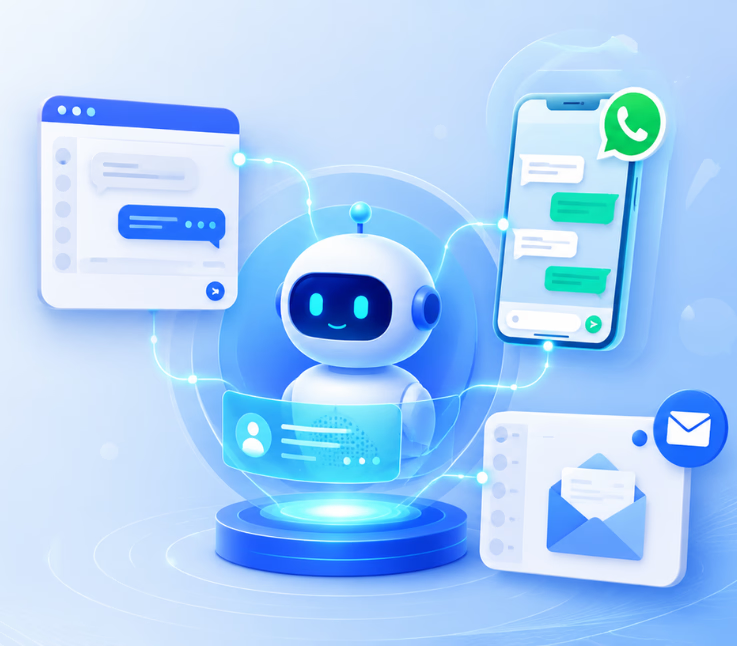
Omnichannel AI support platforms let one AI agent manage conversations across website chat, WhatsApp, and email, keeping context as customers switch channels. This approach reduces confusion, speeds up support, and raises customer satisfaction.
Support is no longer tied to a single channel. Customers expect answers instantly, whether they reach out by chat, WhatsApp, or email. But when businesses use separate bots or teams for each channel, service breaks down.
In my experience, the real issue is context loss. Agents reopen old tickets, miss key details, or struggle to connect the dots across platforms. This leads to delays, repeat questions, and drained teams.
This guide explores how omnichannel AI support platforms—with a single agent model—actually fix those pain points. You’ll learn what unified conversation management looks like, how it improves both customer and agent experience, and what to watch for when choosing a platform.
Why Omnichannel AI Support with a Single Agent Matters
Omnichannel AI support combines all digital support channels—website chat, WhatsApp, and email—into one unified workspace powered by a single AI agent. This approach removes information silos, preserves customer context across touchpoints, and provides a consistent experience.
From a business perspective, I have seen this reduce agent burnout and lower operational costs. Context switching drops, customers avoid repeating themselves, and CX leaders get a clearer view of every journey. Fragmented support leads to data loss, slower response, and missed opportunities. With omnichannel AI support, you finally see one customer, not three unrelated contacts.
Best Omnichannel AI Support Platforms for a Single Agent Across Website Chat, WhatsApp, and Email
Customers no longer contact businesses through only one channel. One person may start a conversation on website chat, follow up through WhatsApp, and later send details by email. If your support system treats those conversations separately, your team loses context, response time increases, and customers are forced to repeat themselves.
That is why modern businesses need omnichannel AI support platforms that can manage website chat, WhatsApp, email, voice, SMS, and other channels from one connected system. The goal is not just to answer faster. The goal is to create one AI-powered support layer where every customer conversation stays connected, searchable, and ready for human handoff when needed.
Below are the best platforms to consider if you want a single AI agent across website chat, WhatsApp, and email.
1. Commplify — Best Overall Omnichannel AI Support Platform
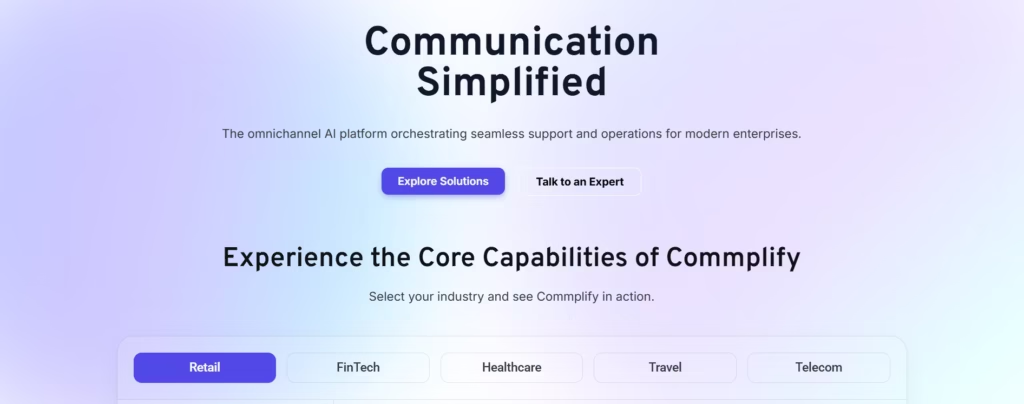
Commplify is the best choice for businesses that want to unify customer conversations across multiple channels without forcing agents to jump between separate tools. It is built as an omnichannel AI CX platform that connects customer interactions, detects intent, routes conversations intelligently, and supports human fallback when needed. Commplify’s platform page lists key channels such as web, WhatsApp, email, and SMS, making it a strong fit for businesses that want one AI support system across digital touchpoints.
The biggest advantage of Commplify is its unified orchestration layer. Instead of treating website chat, WhatsApp, and email as separate support queues, Commplify helps businesses manage them as part of one customer journey. This is especially useful for companies that receive sales questions, support requests, appointment inquiries, follow-ups, and customer complaints from different channels every day.
Commplify is also a strong option for teams that want AI plus human support together. The AI agent can handle common questions, detect customer intent, route conversations to the right team, and preserve context before escalation. This means human agents do not have to restart the conversation from zero.
Best for: Businesses, agencies, BPOs, dealerships, healthcare teams, service providers, and CX teams that need one AI-powered support platform across website chat, WhatsApp, email, SMS, and voice.
Key strengths:
- Unified AI inbox for multichannel conversations
- Website chat, WhatsApp, email, SMS, and voice support
- AI intent detection and smart routing
- Human handoff with customer context
- Workflow automation for support and sales teams
- Useful for both customer support and lead management
Commplify is ideal if your business wants to move from disconnected support channels to a single AI-powered customer experience system.
2. Intercom — Best for AI-First Customer Messaging
Intercom is one of the most recognized AI customer service platforms for digital-first support teams. It brings conversations from email, chat, phone, WhatsApp, and social apps into one inbox, helping agents work from a central place while customers receive a more consistent experience.
Intercom is especially useful for SaaS companies, online businesses, and support teams that rely heavily on live chat and automated customer communication. Its AI agent, help desk, inbox, and automation tools make it a strong platform for teams that want to reduce repetitive support work.
However, Intercom may be more suitable for companies that already operate in a software-driven support environment. Businesses looking for a broader omnichannel CX layer across voice, SMS, WhatsApp, email, and industry-specific workflows may prefer a platform like Commplify.
Best for: SaaS companies, digital products, and customer support teams focused on AI chat, help desk, and customer messaging.
3. Zendesk — Best for Scalable Help Desk and Ticketing
Zendesk is a popular AI-powered service platform for companies that need strong ticketing, knowledge base, automation, and customer service management. Its WhatsApp integration allows businesses to connect WhatsApp to Zendesk, manage conversations in one place, and support customers at scale.
Zendesk is a good fit for larger support teams that already use structured ticketing workflows. It can help companies organize support requests, assign tickets, track performance, and automate repetitive tasks.
The main consideration is that Zendesk can feel more ticket-centric than conversation-centric. If your business wants a highly unified AI agent across live conversations, WhatsApp, email, voice, and customer journey automation, compare Zendesk carefully with newer AI-native omnichannel platforms.
Best for: Mid-size and enterprise support teams that need scalable ticketing, help desk automation, and multichannel support.
4. Freshdesk — Best for Easy-to-Use Customer Support Operations
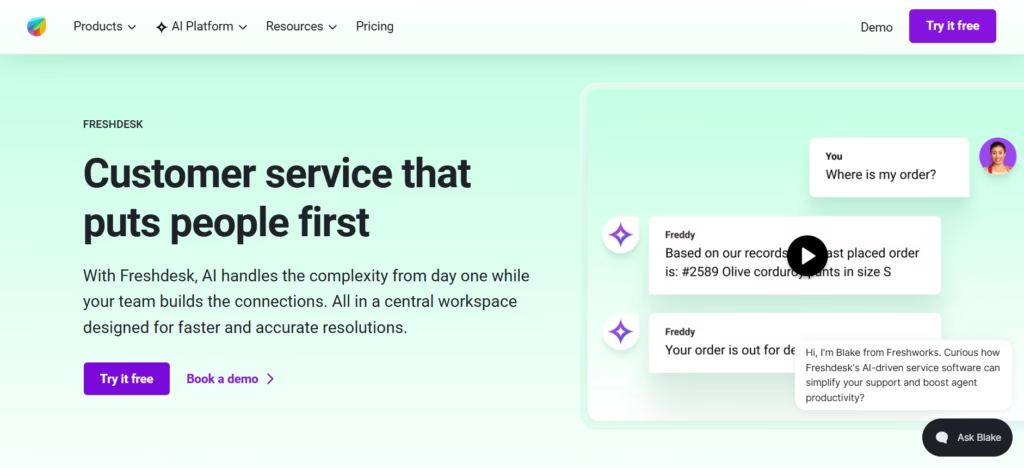
Freshdesk is an AI-powered customer service platform designed to help teams manage support more efficiently. Freshworks positions Freshdesk as a modern customer service solution built to improve agent productivity and deliver better customer experiences.
Freshdesk is a good choice for businesses that want a familiar help desk system with ticketing, automation, reporting, and AI assistance. It works well for teams moving from email-based support to a more structured customer service platform.
For businesses that need deep omnichannel AI orchestration across website chat, WhatsApp, email, SMS, and voice from one intelligence layer, Freshdesk may require additional configuration or product bundling depending on the use case.
Best for: Small to mid-sized businesses that want user-friendly ticketing, automation, and AI-assisted support.
5. Crisp — Best for Shared Inbox and SMB Messaging
Crisp is a strong option for small and growing businesses that want to manage live chat, email, WhatsApp, and other messaging channels from one shared inbox. Crisp describes its shared inbox as a way to manage group emails and channels such as WhatsApp from one place.
Crisp is especially useful for startups, ecommerce brands, and SMBs that want a simple customer messaging system without too much complexity. It can help teams centralize conversations, collaborate internally, and respond faster.
However, companies with more advanced AI routing, voice workflows, enterprise integrations, and multi-location CX requirements may need a more robust omnichannel AI platform.
Best for: Startups and SMBs that need a simple shared inbox for website chat, email, and WhatsApp conversations.
6. Zoho Desk — Best for Businesses Already Using Zoho
Zoho Desk is a unified help desk platform built for AI-human collaboration. It is useful for businesses already using Zoho CRM, Zoho SalesIQ, or other Zoho tools because customer data and support workflows can work together more naturally.
Zoho Desk also offers omnichannel customer service capabilities, including email ticketing and support channel management. Its omnichannel support page highlights email-to-ticket workflows, contextual responses, collaboration, and automation.
Zoho Desk is a practical choice for companies that want affordable customer support software within the Zoho ecosystem. But if your main priority is an AI-native single agent across website chat, WhatsApp, email, SMS, and voice, compare its AI and channel orchestration capabilities closely before choosing.
Best for: Businesses already using Zoho products that want connected support, CRM, and help desk workflows.
7. HubSpot Service Hub — Best for CRM-Connected Support
HubSpot Service Hub is a good option for businesses that want customer support connected closely with marketing, sales, and CRM data. HubSpot states that Service Hub supports messaging channels such as email, live chat, WhatsApp, and more through its help desk and app ecosystem.
This makes HubSpot useful for teams that want support conversations connected to the customer lifecycle. Sales, marketing, and service teams can view customer history, manage tickets, and use CRM data to personalize responses.
The main limitation is that HubSpot may not be the best fit for businesses looking only for a dedicated omnichannel AI support platform. It works best when support is part of a broader CRM and revenue operations strategy.
Best for: Businesses that want support, CRM, sales, and marketing data connected in one platform.
Quick Comparison of Omnichannel AI Support Platforms
Before choosing an omnichannel AI support platform, compare how each solution handles customer conversations across website chat, WhatsApp, email, SMS, voice, and other digital channels.
The right platform should not only support multiple channels but also keep every interaction connected under one customer profile, so your team can respond faster with full context.
| Platform | Best For | Key Channels | Main Strength |
|---|---|---|---|
| Commplify | AI-native omnichannel CX | Website chat, WhatsApp, email, SMS, voice | Unified AI orchestration and human handoff |
| Intercom | SaaS and digital support | Chat, email, phone, WhatsApp, social | AI customer messaging and inbox |
| Zendesk | Enterprise help desk | Email, WhatsApp, messaging, chat, voice | Scalable ticketing and automation |
| Freshdesk | Easy support operations | Email, chat, phone, social, messaging | Simple help desk and AI productivity |
| Crisp | SMB shared inbox | Live chat, email, WhatsApp, messaging | Affordable multichannel inbox |
| Zoho Desk | Zoho ecosystem users | Email, chat, phone, social, WhatsApp | CRM-connected help desk workflows |
| HubSpot Service Hub | CRM-led support | Email, live chat, WhatsApp, apps | Support connected with sales and marketing |
What to Look for in an Omnichannel AI Support Platform
Choosing the right omnichannel AI support platform is not just about the number of channels it supports. A platform may say it supports website chat, WhatsApp, and email, but the real question is whether those channels work together under one customer profile.
Look for a platform that can:
- Unify website chat, WhatsApp, email, SMS, and voice conversations
- Keep customer history connected across every channel
- Use AI to detect intent and prioritize urgent issues
- Automate repetitive questions and support workflows
- Escalate complex cases to human agents with full context
- Integrate with CRM, help desk, calendar, and business tools
- Provide analytics for response time, resolution rate, CSAT, and agent performance
The best platform should help your business reduce channel switching, prevent missed conversations, and give every agent the full customer story.
How Omnichannel AI Support Platforms Work: One Agent, Every Channel
Bringing true omnichannel AI support to life relies on unified conversation management and robust session/context management. In my POV, the technical architecture—and how it handles cross-channel context—is where most teams either succeed or struggle.
Architecture Overview—From Siloed Bots to a Unified AI Agent
Traditional setups use separate bots or agents for each channel—website chat, WhatsApp, or email. This creates disconnected experiences. Omnichannel platforms instead use a shared AI agent. All messages, regardless of entry point, are routed into one system.
This single agent approach means every interaction stays linked, no matter where the customer reaches out next. Channel adapters (like WhatsApp API, email connector, web chat SDK) feed conversations into the unified engine. The AI agent applies the same knowledge, workflows, and logic everywhere, so replies stay consistent and context-aware.
Preserving Context and Session State Across Channels
The main technical challenge, in my experience, is maintaining conversation context as customers move between channels. It’s common for teams to lose track of a customer who starts on website chat, then emails in later.
A better approach is to use customer identity mapping—reference IDs, phone numbers, or emails—to tie all conversations together. When a customer re-engages on WhatsApp after an email exchange, the platform merges session history, retrieving past details. Session management middleware ensures no message is lost, and the agent always “remembers” who the customer is and what was discussed.
Unified Inbox and Conversation Management for CX Teams
With everything unified, support teams access one inbox for all channels. I have seen this transform agent productivity. Teams view the complete conversation lifecycle, from first contact to resolution, across every platform. Tagging, routing, and assigning tickets become straightforward, and AI-to-human handoff logic is consistent.
Consider this support journey: A customer starts on website chat, gets a follow-up on WhatsApp, then shares documents by email. For the agent, it’s just one thread—no toggling between tools or missing history.
Workflow Automation and AI-Driven Routing
True omnichannel support is more than message management—it automates the next steps. For example, when a voice call goes unanswered, the platform automatically follows up with a WhatsApp message or email. Or, the agent triggers a workflow to route high-priority inquiries—regardless of channel—to a specialist or team lead.
Smart assignment ensures every inquiry goes to the right place, whether handled by the AI agent or escalated to a human. I have seen missed inquiries drop significantly once workflows are set up across channels.
Analytics and Performance Tracking in Omnichannel AI Platforms
An often overlooked part of omnichannel AI support is analytics. Unified dashboards help measure what matters: CSAT scores, first response/resolution times, channel effectiveness, and escalation rates. The insights I value most are channel breakdowns and conversation outcome data. These show where the AI excels, where human support steps in, and how customer journeys actually unfold.
Deep performance tracking helps teams refine workflows and prove ROI on support automation.
Key Factors for Evaluating Omnichannel AI Support Solutions
- True single-agent capability, not just a multichannel dashboard
- Strength of context/session management—the platform should merge and remember conversations across channels
- Breadth of channel adapters (web chat, WhatsApp, email, voice, SMS)
- Deep integration with existing tools (CRM, ticketing, knowledge bases, LLMs)
- Compliance, privacy, and workspace isolation—especially in regulated sectors
- Scalability and ease of deployment for different team sizes and structures
Look for:
- Unique conversation IDs across every channel
- Consistent AI logic and workflow automation in all channels
- User-friendly agent interface and robust analytics
- Support for both automated AI and human agent handoff
How Commplify Approaches Omnichannel AI Support
When operations or CX leaders need to cut through support silos, Commplify takes a practical, unified approach. The platform routes all conversations—across website chat, WhatsApp, email, SMS, and voice—into a single conversation inbox. Every interaction is anchored by a persistent reference ID, so context flows with the customer, not the channel.
In my experience, this architecture lets teams automate workflows that link missed calls to WhatsApp or email follow-up, track CSAT or resolution time across the whole journey, and escalate to human support instantly. For regulated industries or teams with complex structure, Commplify’s isolation of workspaces and access controls protects data and ensures compliance—without adding operational complexity.
Conclusion
Omnichannel AI support platforms with a single agent model change the way businesses handle digital customer service. By bringing all channels into one workspace, with full session and context management, teams move from reactive to proactive support.
The key business benefit: customers stop repeating themselves, agents work smarter, and leadership gets clear, actionable insights. Commplify exemplifies these capabilities, making it easier to connect website chat, WhatsApp, email, and more.
As AI-driven CX evolves, the expectation for connected, human-centric journeys will only grow. The right unified platform is the foundation for delivering on that promise—no matter how or where the customer starts the conversation.
FAQs
What is an omnichannel AI support platform?
An omnichannel AI support platform manages customer conversations across multiple channels—like website chat, WhatsApp, and email—using a single AI agent that preserves context and streamlines support operations.
How does a single AI agent manage website chat, WhatsApp, and email together?
A single AI agent integrates with all supported channels, routing conversations into one system. It preserves session history and identity, letting the agent respond with full context, no matter the channel.
What are the main benefits of omnichannel AI support versus multichannel bots?
Omnichannel AI support provides unified context, reduces repetitive tasks, improves customer satisfaction, and lets agents see every interaction as one thread, unlike multichannel bots that create fragmented experiences.
How is customer context preserved across different digital channels?
Context is kept through customer identity mapping and merged session history. The platform tracks a unique identifier for each customer, so all interactions are linked, no matter the channel.
Which platforms offer unified AI agents for website, WhatsApp, and email support?
Some leading platforms include Commplify, Intercom, Zendesk, Kustomer, and Freshdesk, but not all provide true single-agent, cross-channel context management.
How does omnichannel AI support improve customer satisfaction and agent efficiency?
It reduces repeat questions, speeds up resolution, and ensures agents always have the needed context. This leads to faster answers and more consistent support.
What features should I look for in an omnichannel AI platform?
Look for single-agent capability, cross-channel context management, unified inbox, robust workflow automation, analytics, and compliance features.
What does unified conversation management mean?
Unified conversation management means all interactions across channels are tracked as one ongoing conversation, with full access to history, context, and status.
How can businesses ensure compliance and privacy when using omnichannel AI support?
Choose platforms with strong access controls, workspace-level data isolation, full audit trails, and compliance certifications specific to your industry.
What analytics are available in omnichannel AI support platforms?
You get dashboards for CSAT, response and resolution times, volume by channel, AI-to-human split, escalation rates, sentiment tracking, and more, all unified.
This page was last edited on 3 July 2026, at 2:40 am