An AI virtual agent for technical support demo request helps CX leaders see how automation resolves tech issues, manages multi-channel workflows, integrates with systems, and impacts support metrics. A good demo uses real scenarios, not synthetic ones.
Ticket backlogs, slow resolutions, and repetitive requests drain even the best technical support teams. For CX leaders and support managers, the shift to AI virtual agents is not a theoretical trend—it is a make-or-break decision.
I have seen teams struggle with surface-level demos that gloss over workflow details, integration, and measurable impact. The real issue is that a generic demo will not answer whether this tech fits your real operations.
This guide will show you what a good technical support AI agent demo actually looks like, how to prepare, what questions to ask, and how to evaluate the right fit for your business.
What Is an AI Virtual Agent for Technical Support?
An AI virtual agent is an intelligent conversational assistant that uses technologies such as Natural Language Processing (NLP), machine learning, and Large Language Models (LLMs) to resolve technical support inquiries automatically.
Unlike traditional chatbots that rely on rigid decision trees, modern AI virtual agents understand context, maintain conversations, retrieve information from knowledge bases, and escalate complex issues when human intervention is required.
They can assist customers through:
- Website live chat
- Voice AI phone support
- SMS
- Facebook Messenger
- Mobile applications
- Microsoft Teams or Slack
- Customer portals
Instead of waiting in support queues, users receive instant troubleshooting assistance at any time of day.
What Happens During an AI Virtual Agent Demo?
A professional demo should go beyond product slides and show the AI solving real technical problems.
1. Live Technical Support Simulation
The presenter typically demonstrates how the AI handles common support requests such as:
- Password reset
- Login failures
- Account recovery
- Software installation
- Device configuration
- Error code troubleshooting
- API authentication issues
- Network connectivity problems
- Subscription management
- System status inquiries
This allows you to evaluate response accuracy and conversational quality.
2. Natural Language Understanding
A quality AI virtual agent should understand different ways customers ask the same question.
For example:
“I can’t log in.”
“My account won’t open.”
“Password isn’t working.”
“Getting authentication failed.”
The AI should recognize that these represent similar problems and guide users toward the appropriate solution.
3. Knowledge Base Integration
During the demo, ask how the AI retrieves information from:
- Internal documentation
- Help center articles
- Product manuals
- FAQs
- SOPs
- API documentation
- Troubleshooting guides
- CRM knowledge repositories
A strong AI platform should provide accurate answers using your organization’s existing documentation rather than generic responses.
4. Automated Troubleshooting
One of the most valuable demo sections is watching the AI walk users through technical troubleshooting.
Examples include:
- Restarting services
- Checking system requirements
- Running diagnostics
- Clearing cache
- Updating software
- Resetting credentials
- Verifying account permissions
- Collecting error logs
Rather than immediately escalating every issue, the AI attempts to resolve problems independently.
5. Smart Ticket Creation
If the issue cannot be resolved automatically, the AI should demonstrate intelligent escalation.
The demo should show how it:
- Collects customer information
- Records device details
- Captures screenshots or attachments
- Identifies the issue category
- Assigns ticket priority
- Creates support tickets automatically
- Routes requests to the correct department
This significantly reduces manual work for support teams.
6. Human Agent Handoff
No AI solves every problem.
An effective demonstration should illustrate how conversations transition smoothly to human agents while preserving:
- Conversation history
- Customer information
- Diagnostic steps completed
- System logs
- Previous troubleshooting attempts
Support representatives can continue helping customers without asking them to repeat information.
Key Features to Evaluate During a Demo
When requesting an AI virtual agent demo, pay attention to these capabilities.
| Feature | Why It Matters |
|---|---|
| Natural language understanding | Handles conversational customer requests naturally |
| Multi-channel support | Works across chat, voice, email, and messaging platforms |
| Knowledge base search | Provides accurate technical answers instantly |
| Voice AI support | Automates inbound technical support calls |
| CRM integration | Accesses customer history during conversations |
| Ticket automation | Creates and updates support tickets automatically |
| Live agent transfer | Escalates complex cases seamlessly |
| Analytics dashboard | Tracks resolution rates and customer satisfaction |
| Workflow automation | Executes predefined technical processes |
| Multi-language support | Serves global customer bases effectively |
Benefits of Requesting an AI Technical Support Demo
A personalized demo helps organizations determine whether the solution aligns with their operational needs before investing.
Some of the biggest benefits include:
Understand Real-World Performance
Rather than relying on marketing claims, you can observe how the AI performs using realistic technical support scenarios.
Validate Integration Capabilities
The demo shows whether the platform integrates with tools you already use, including:
- CRM software
- Helpdesk platforms
- Ticketing systems
- Knowledge bases
- Authentication providers
- Cloud services
- Communication platforms
Estimate ROI
A live demonstration helps estimate potential improvements such as:
- Reduced ticket handling costs
- Faster response times
- Higher first-contact resolution
- Lower support workload
- Increased customer satisfaction
- Improved operational efficiency
Identify Customization Options
Every organization has unique support workflows.
During the demo, evaluate whether the AI can be customized for:
- Industry terminology
- Internal processes
- Security policies
- Escalation workflows
- Compliance requirements
- Custom APIs
- Branded customer experiences
Questions to Ask During an AI Virtual Agent Demo
To make the most of your demo request, ask questions such as:
- How does the AI handle complex technical troubleshooting?
- Can it integrate with our CRM and helpdesk software?
- Which LLM or AI models power the virtual agent?
- How is customer data protected?
- Does it support voice and chat simultaneously?
- Can we upload our own knowledge base?
- How does human escalation work?
- What analytics and reporting features are included?
- How long does deployment typically take?
- Can workflows be customized without extensive development?
These questions provide a clearer picture of the platform’s real capabilities.
Best AI Virtual Agent for Technical Support Demo Request
If you’re evaluating AI-powered technical support solutions, these platforms are worth considering.
1. Commplify AI
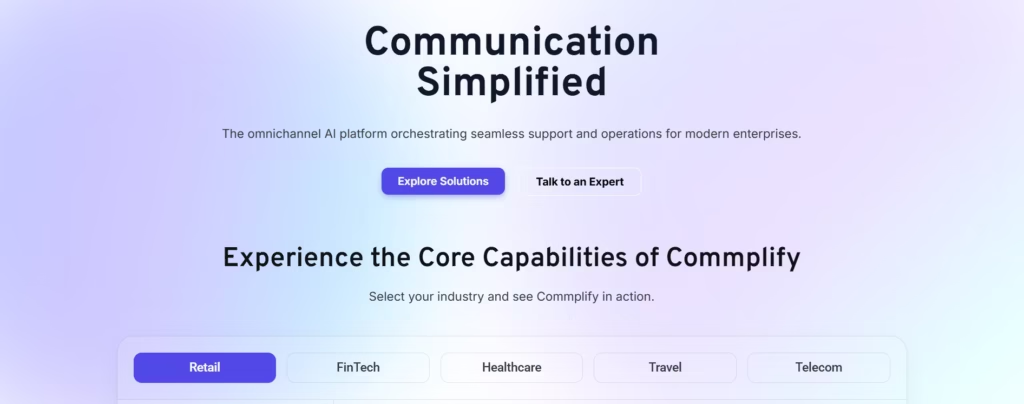
Commplify AI is a comprehensive omnichannel AI customer experience platform designed to automate technical support, customer service, and voice interactions across multiple channels.
Its AI virtual agents can:
- Deliver 24/7 automated technical support
- Handle both voice and chat conversations
- Integrate with CRM, helpdesk, and enterprise systems
- Automate ticket creation and routing
- Access knowledge bases for accurate responses
- Escalate complex issues to live agents
- Support multilingual customer interactions
- Provide detailed analytics and conversation insights
Organizations can request a personalized demo tailored to their specific technical support workflows, allowing teams to see real-world automation scenarios before deployment.
2. Intercom Fin AI
Intercom Fin AI uses generative AI to automate customer support conversations while leveraging existing help center content to resolve technical questions with minimal human intervention.
3. Zendesk AI
Zendesk AI enhances customer support operations with automated ticket routing, AI-generated responses, workflow automation, and intelligent agent assistance for technical support teams.
4. Salesforce Agentforce
Salesforce Agentforce enables AI-powered service automation within the Salesforce ecosystem, helping organizations streamline customer support, case management, and technical troubleshooting.
5. Freshworks Freddy AI
Freshworks Freddy AI combines conversational AI with customer service automation, offering intelligent ticket management, workflow automation, and self-service capabilities for technical support operations.
How to Prepare Before Requesting a Demo
To receive the most relevant demonstration, prepare information about your current support environment.
Share details such as:
- Average monthly support ticket volume
- Primary customer communication channels
- Existing CRM and helpdesk software
- Common technical issues customers report
- Desired automation goals
- Compliance or security requirements
- Languages your support team serves
- Key performance metrics you want to improve
Providing this context enables the vendor to tailor the demo to your organization’s specific needs.
Final Thoughts
An AI virtual agent for technical support demo request is the best way to evaluate whether an AI-powered support solution can meet your organization’s operational requirements. A comprehensive demo should showcase real-world troubleshooting, knowledge base integration, intelligent ticket automation, seamless human handoff, and omnichannel support.
For businesses looking to modernize technical support, platforms like Commplify AI demonstrate how conversational AI can automate repetitive tasks, reduce response times, improve first-contact resolution, and deliver exceptional customer experiences across voice, chat, email, and messaging channels. By requesting a tailored demo, decision-makers can assess performance in realistic scenarios and make informed technology investments that drive long-term support efficiency.
FAQs
What is an AI virtual agent for technical support?
An AI virtual agent for technical support is a configurable program that automates handling technical queries, completes routine tickets, and escalates complex cases to humans across channels like chat, voice, SMS, email, and WhatsApp.
How does an AI virtual agent differ from a chatbot in technical support?
A technical support AI agent handles complex, multi-turn workflows, access knowledge bases, triggers automation, and performs escalations, while chatbots usually answer FAQs or provide scripted responses.
What does a technical support AI agent demo show?
A demo shows the agent resolving typical support tickets, integrating with ticketing systems, escalating cases to humans, pulling technical documentation, and displaying analytics like ticket deflection or CSAT.
How do AI virtual agents handle Tier 1 vs Tier 2 tickets?
AI agents resolve routine Tier 1 issues autonomously and escalate more complex Tier 2 cases to human experts, sending the full conversation context along with the escalation.
Can an AI agent resolve technical support issues or only suggest documentation?
AI agents can both resolve certain issues directly (like password resets) and provide precise technical documentation, escalating cases only when they exceed automation boundaries.
What integrations are supported (ticketing, CRM, ITSM)?
Most modern AI virtual agents integrate with systems like Zendesk, Freshdesk, Jira, ServiceNow, Salesforce, and HubSpot, exchanging ticket data, customer profiles, and workflow triggers.
How long does it take to implement AI agents for technical support?
Depending on system complexity, deployment can range from a few weeks for standard integrations and knowledge setup to several months for deep customization or legacy workflows.
What is the ROI of deploying an AI virtual agent for technical support?
ROI is measured in reduced ticket volume, faster first response, higher CSAT, cost savings from automation, and lower human workload, all trackable through platform analytics.
How does the agent handle edge cases or escalate to human agents?
When an issue falls outside predefined flows, the agent transfers the conversation—with full history and context—to a human agent for resolution.
Are AI virtual agents secure and compliant with data privacy standards?
Yes, reputable platforms follow security best practices, offer role-based access, data encryption, audit trails, and comply with industry regulations such as GDPR.
How can I request a demo for an AI technical support virtual agent?
Visit the vendor’s website, look for the demo request form, and share your use cases or workflows you want to see demonstrated in detail.
What preparation is needed for a successful demo or pilot?
Bring typical support tickets, describe your channels and tools, list escalation criteria, and clarify integration or reporting needs. Share problem examples, not only happy paths.
What questions should I ask a vendor during a technical support AI demo?
Ask about integration depth, how the agent accesses knowledge, handles handoffs, logs tickets, exports analytics, ensures security, and adapts to your workflows.
How to evaluate success post-demo?
Track metrics such as ticket deflection rate, first response time, CSAT, escalation quality, integration accuracy, and user feedback to judge platform fit.
This page was last edited on 29 July 2026, at 1:49 am