The best software for calendar booking integration is Calendly, SimplyBook.me, Square Appointments, Acuity Scheduling, Setmore, Google Calendar (with APIs), and Commplify. They automate appointments, sync across channels, reduce errors, and fit varied business and industry needs.
The race to capture every opportunity means every missed or mishandled appointment costs real revenue. Many CX and operations leaders know the pain of double bookings, scattered schedules, and frustrated customers.
I’ve seen support teams break down under manual calendar juggling, especially when customers book across different channels like SMS, chat, or WhatsApp. The right booking integration changes the story: less admin, fewer no-shows, and happier clients.
This guide gives you an honest comparison of the best software for calendar booking integration tools, their strengths, best-fit use cases, and key things every serious business or support team should ask before making a decision.
Why the Best Software for Calendar Booking Integration Matters
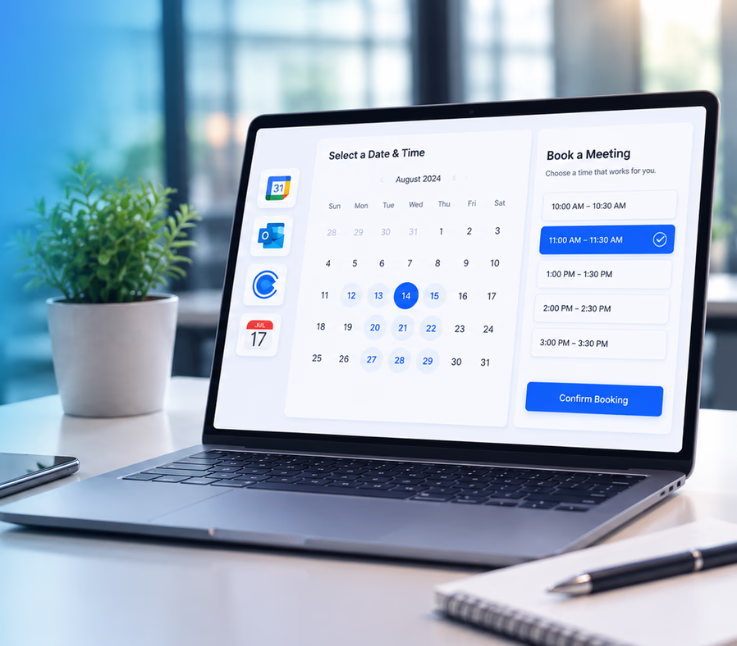
Calendar booking integration means connecting scheduling tools to business systems and customer channels, creating automated, accurate booking flows. It is not only about syncing an appointment to Google Calendar. Real integration brings bookings, reminders, updates, and customer conversations together across web, SMS, chat, WhatsApp, and more.
In my experience, a weak booking process bleeds resources. You find teams chasing emails or stuck on the phone re-confirming meetings. Manual methods create double bookings and missed chances to follow up. When the calendar is fragmented, customers experience delays and confusion, while staff spend too much time fixing mistakes. Good integration unifies schedules, automates reminders, and keeps every touchpoint updated — all driving stronger customer experience and better use of your team’s time.
7 Best Software for Calendar Booking Integration
The right calendar integration platform streamlines how appointments flow across tools and channels. I’ve judged the top seven by real criteria: integration, automation, channel support, analytics, scalability, and fit for large teams.
| Software | Key Features | Supported Channels | Best For | Automation Strength |
|---|---|---|---|---|
| Calendly | Easy setup, team features | Web, Email, CRM, Calendar | B2B, Sales, Startups | Workflow routing, smart links |
| SimplyBook.me | Custom modules, payment, API | Web, SMS, Apps, Website | Healthcare, Retail, SMB | Reminders, vertical logic |
| Square | Booking, payments, staff mgmt | Web, SMS, POS, Social | Retail, Field, Beauty | Integrated reminders, pay |
| Acuity Scheduling | Advanced workflow, integrations | Web, Calendar, CRM, Payment | Services, Agencies, Legal | Triggers, CRM sync |
| Setmore | Multi-user, SMS, free tier | Web, Mobile, Email, SMS | Small teams, Startups | Alerts, simple automation |
| Google Calendar+ | API, Zapier, custom builds | Anything via API integration | IT, Custom Workflows | Your rules, deep API access |
| Commplify | Omnichannel, workflow, AI agent | Voice, Chat, SMS, WhatsApp | Omnichannel CX, BPOs, Ops | Triggered workflow automation |
Now, let’s break down each tool in practical detail.
Commplify (Omnichannel Automation & AI Booking Agent)
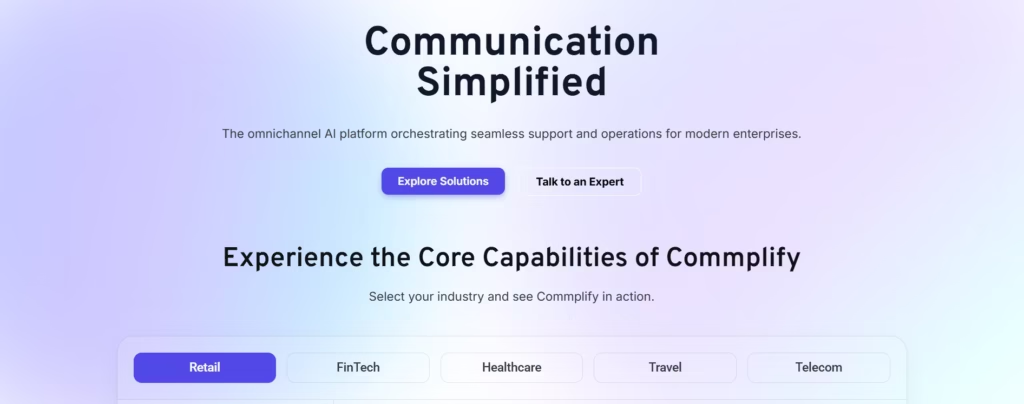
Commplify stands apart by unifying appointment workflows across voice, chat, SMS, email, and WhatsApp — all routed into a single inbox. In my experience, this solves the pain of scattered booking messages and lost rescheduling opportunities.
With Commplify, workflow automation can trigger booking flows for any missed call, chat, or message. For example, a missed inbound call instantly sends an SMS or chat invite to reschedule, keeping the whole conversation — and schedule — in one place. The omnichannel AI agent can handle first-layer appointments or escalate to a real person if needed.
Advanced features include booking analytics across all channels, unified calendar sync, and automated reminders. Human handoff is always built in, so your team never loses control.
Quick Verdict: Ideal for large CX, BPO, or enterprise teams aiming for true omnichannel booking and workflow-driven automation.
Calendly
Calendly makes scheduling simple for businesses that need quick, reliable appointments or meetings. Its integration with Google Calendar, Outlook, and CRMs means bookings and reminders stay in sync. The team’s feature lets large groups manage collective availability and round-robin routing.
Calendly is strongest where most teams struggle: removing back-and-forth for scheduling, sending confirmation emails, and handling time zone conflicts. Admin controls, automated reminders, and the ability to send booking links by email or embed them on your website stand out.
Calendly can feel limited for advanced workflow automation or deep omnichannel needs — SMS/WhatsApp support is basic and not native.
Quick Verdict: The best pick for B2B, sales, or small-to-midsize teams who want calendar integration without added complexity.
SimplyBook.me
SimplyBook.me goes beyond basic scheduling with modules for payments, promotions, and industry-specific logic. It offers unique customization, letting you build booking flows tailored for healthcare, retail, or field services. SMS reminders, online payments, and the ability to add intake forms are included.
What I like: You can extend it with plugins (like HIPAA compliance), so it adapts to strict vertical needs. Automated reminders, reviews, and marketing tools help avoid no-shows and keep clients looped in.
Cons: Heavy customization and module choices can make initial setup a bit overwhelming. Some workflows require extra time to configure for larger teams.
Quick Verdict: Best for businesses needing industry-ready modules or more than just a simple booking link.
Square Appointments
Square Appointments combines booking with payments, staff scheduling, reminders, and retail tools. It is built for businesses running on Square — in my experience, this is a win for field service, salons, home care, or local retail with integrated point-of-sale needs.
What stands out is the payment integration. Customers can book, pay deposits, and get notifications all through a single flow. Staff see their next shifts and appointments in the same dashboard. Square adds social booking (via Instagram/Facebook) and automated SMS confirmations.
This tool is only ideal if you already use or want to use Square for payments. Broader calendar integrations are limited compared to workflow platforms.
Quick Verdict: Best for appointment-based retail, field teams, and businesses needing booking plus payment in one system.
Acuity Scheduling
Acuity Scheduling is designed for advanced workflow automation and deep integration with CRMs, payment processors, and email marketing. In my experience, Acuity shines with features like automated intake forms, advanced triggers, and notifications. The automation options stand out: you can trigger reminders, follow-ups, or even push booking data directly to your CRM in real time.
Team scheduling, group classes, and multi-location support are robust. Acuity allows HIPAA compliance (for healthcare) and customizable booking forms.
The learning curve is higher. Some users report setup is not as smooth as more basic tools, and the cost rises with advanced feature use.
Quick Verdict: Best for service-based businesses, agencies, and those needing high-level workflow and integration.
Setmore
Setmore is a practical choice for small teams or startups looking to automate basic bookings. It includes a free tier, SMS reminders, and multi-channel scheduling. The platform is simple to set up, with web and mobile app access.
Its biggest appeal is the low entry cost and straightforward workflow for booking, confirming, and sending reminders. SMS support is built-in, but deeper workflow or CRM automation is limited.
It does have fewer customization options and integrations than more advanced tools. Appointment analytics and reporting are basic.
Quick Verdict: Best easy-start option for small operations wanting simple bookings and reminders.
Google Calendar + Integrations (API Use)
Google Calendar by itself is not a booking tool, but it becomes powerful when extended via API, webhooks, or tools like Zapier. You can connect it to almost any scheduling, CRM, or messaging platform to automate bookings, send reminders, and sync events two ways.
In my POV, this approach works best for IT-savvy teams or businesses who must mold scheduling into complex workflows. You can integrate with chatbots, IVR systems, mobile apps, or custom reporting.
Building and maintaining integrations requires technical skill. There is no front-end booking UI or notifications without adding more tools.
Quick Verdict: Best for teams needing maximum flexibility, or those with custom platforms and developer resources.
Key Features and Considerations When Comparing Calendar Booking Software
- Multi-calendar, two-way syncing (Google, Outlook, iCal, etc.)
- Booking through web, chat, SMS, WhatsApp, email, and even voice
- Automated reminders, confirmations, and follow-ups by trigger
- Security and compliance (PHI, GDPR, PCI), especially for regulated industries
- Built-in or strong integrations for payment, CRM, video calls, and marketing
- Reporting and analytics to track booking efficiency or agent productivity
- Support for multi-location, team schedules, and role-based controls
- Ability to customize for your workflows and industry needs
Cutting corners on any of these will cause problems at scale.
Common Mistakes and Challenges with Calendar Booking Integration
- Ignoring channel coverage: Underestimating complexity of bookings arriving by SMS, WhatsApp, chat, or phone, not just web.
- Skipping workflow automation: Relying on manual reminders or basic calendar widgets, losing chances to rescue missed appointments.
- Lack of integration: Not connecting booking data with CRM or communication tools, creating data silos.
- Limited analytics: Not measuring booking performance, no-show trends, or agent response times.
- Overlooking security: Not checking for HIPAA, GDPR, or industry compliance.
These gaps reduce conversion, increase no-show risk, and frustrate both staff and customers.
Advanced Booking Automation with Workflow Platforms
Many legacy booking tools cannot handle workflow triggers, cross-channel reminders, or AI-driven booking. In my experience, advanced platforms make all the difference:
They allow you to set a trigger (like a missed call, form submission, or chat intent) that runs workflow actions automatically, such as:
- Sending a reschedule SMS after a missed call.
- Creating a calendar event from any channel request.
- Booking appointments via AI agent in chat, phone, WhatsApp, or email.
- Handing appointments off to a human agent or escalating complex cases.
- Logging every action for audit and analytics.
With Commplify, for example, you can activate an AI agent to handle first-layer bookings, send reminders, capture intent, route cases, and keep a complete trail — while reducing workload for support teams.
A better approach is to map booking workflows based on where customer conversations actually happen, not just website traffic. This enables true omnichannel CX, less admin drag, and higher show rates — exactly what high-performing teams need.
Conclusion
Choosing the best calendar booking integration is about more than syncing a few meetings. It is about creating consistent customer experiences, reducing missed connections, and scaling with your business’s complexity.
In my POV, a platform like Commplify makes advanced workflow automation and omnichannel booking practical for even large or multi-location teams. When booking flows connect with every channel, backed by smart automation, you reclaim staff time, improve rescheduling, and capture opportunities you used to lose.
My advice: Audit your pain points, require deep integration, and run real-world trials with tools before you commit. The booking solution that works when you are small may not scale for tomorrow.
The future of CX lies with platforms that bring intelligence, automation, and omnichannel service together — making calendar chaos a thing of the past.
FAQs
What is calendar booking integration and why does it matter for businesses?
It connects scheduling tools with business apps and channels, automating appointments and reminders. This cuts errors, saves time, and improves the overall customer experience.
Which appointment scheduling software integrates with Google Calendar and Outlook?
Most top tools, including Calendly, Acuity Scheduling, SimplyBook.me, Setmore, and Commplify, integrate with Google Calendar and Outlook.
How do I automate appointment reminders and confirmations?
Use booking platforms with trigger-based workflows that send automated reminders or confirmation emails and SMS when an appointment is created or changed.
What should I consider for multi-location or team bookings?
Look for software with team scheduling, multi-user controls, location-based calendars, and analytics that track agent performance and resource use.
How secure are online booking platforms?
Security varies. Choose platforms that offer encryption, access controls, audit logs, and compliance certifications like HIPAA or GDPR, especially for sensitive data.
Can I handle bookings across SMS, WhatsApp, and chat channels?
Yes, with platforms like Commplify that support omnichannel automation, you can manage bookings across SMS, WhatsApp, chat, email, and voice from one inbox.
What are the main pros and cons of top calendar booking software?
Pros include reduced admin work, automated reminders, multi-channel bookings, and better reporting. Cons are setup complexity, limited advanced automation in some tools, and varying integration depth.
How do AI agents improve booking workflows?
AI agents handle first-layer booking requests, collect info, send reminders, and escalate complex cases to humans — reducing manual effort and missed opportunities.
This page was last edited on 4 August 2026, at 5:54 am