Quick Answer
Organizations scale CX operations with automation by combining unified omnichannel inboxes, AI-powered agents, automated workflows, and analytics. This approach boosts efficiency, keeps quality high, and helps teams serve more customers without losing the personal touch.
Customer expectations for support are higher than ever. Teams handle rising inquiries across voice, chat, email, and messaging channels daily. The pressure to do more with less is real—manual support just cannot keep up.
I have seen support leaders struggle with channel overload, inconsistent answers, and costly handoffs. The real issue is, as complexity grows, quality risks slipping. But scaling does not mean sacrificing the customer experience when automation is done right.
This guide shares proven strategies, technologies, and practical steps that allow scaling organizations to automate CX operations—without losing control or connection. Expect hard-won insights, operational frameworks, and actionable next steps.
Why Automating CX Operations Matters for Scaling Organizations
Scaling CX is not just about adding new channels or more agents. It is about orchestrating smarter, more consistent customer experiences across every interaction point.
Automation solves three big pain points I have seen over and over:
- Channel sprawl leads to missed or delayed responses.
- Agents drown in repetitive work, driving up costs and burnout.
- Quality drops when knowledge is scattered and processes are ad hoc.
The core idea: use automation to unify, route, and handle interactions in ways human-only support cannot. The best results come when organizations blend automation and human support, cutting routine strain while making meaningful work easier for frontline teams.
How Organizations Use Automation to Scale CX Operations
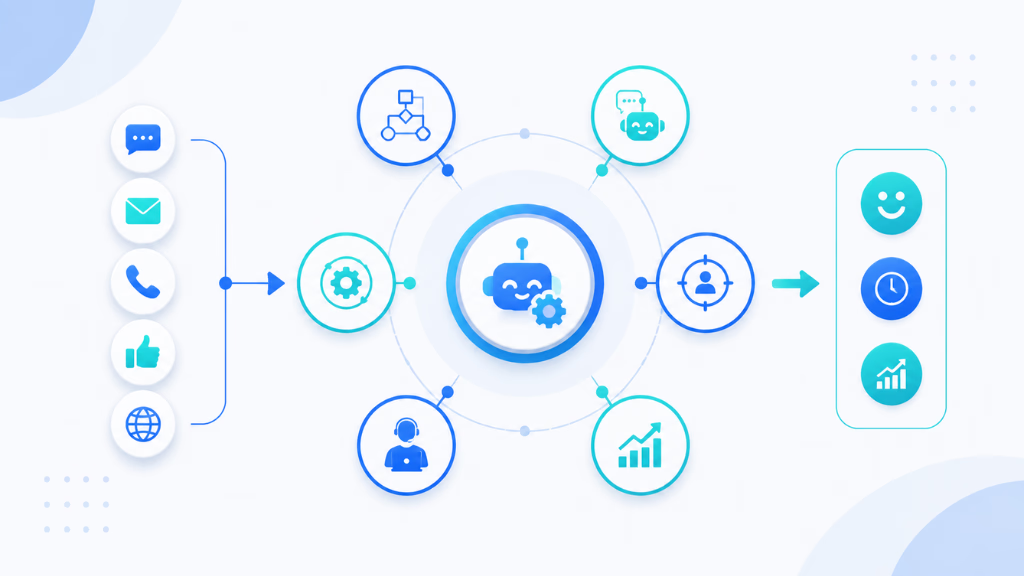
Scaling customer experience (CX) is no longer about hiring more agents—it’s about building intelligent, automated systems that can handle increasing customer demand without sacrificing quality. Organizations use automation to streamline workflows, reduce response times, and ensure consistent service across every channel.
Below are the core strategies and steps businesses follow to scale CX operations effectively using automation.
1. Map and Standardize Customer Journeys
The first step is understanding how customers actually move through your support ecosystem.
Organizations typically:
- Identify key touchpoints (chat, email, phone, social, in-app support)
- Map common customer journeys (onboarding, complaints, billing, returns)
- Detect repetitive queries and high-friction steps
Once mapped, companies standardize these journeys so automation can be applied consistently across channels. Without this foundation, automation becomes fragmented and ineffective.
2. Implement Omnichannel Automation Systems
Modern CX automation platforms rely on unifying communication channels into a single system.
This includes:
- Integrating chatbots, email automation, and voice bots
- Connecting CRM platforms with support tools
- Ensuring customer context follows them across channels
With omnichannel automation in place, customers don’t need to repeat information, and agents get a complete view of each interaction instantly.
3. Deploy AI-Powered Self-Service Tools
A major scaling strategy is enabling customers to resolve issues without human intervention.
Organizations use:
- AI chatbots for instant answers
- Knowledge bases with intelligent search
- Automated troubleshooting workflows
- Interactive FAQs and guided support flows
These tools significantly reduce ticket volume while improving resolution speed.
4. Automate Ticket Routing and Workflow Management
Once customer requests enter the system, automation ensures they reach the right place quickly.
Key processes include:
- AI-based intent detection
- Smart routing to the correct department or agent
- Priority tagging based on urgency or customer tier
- Automated escalation rules for unresolved issues
This reduces delays and improves first-contact resolution rates.
5. Use Data-Driven Personalization
Scaling CX is not just about speed—it’s about relevance.
Automation enables:
- Personalized responses based on customer history
- Predictive support (solving issues before they occur)
- Behavioral triggers (e.g., abandoned cart follow-ups or renewal reminders)
By using real-time data, organizations create more meaningful and proactive experiences.
6. Integrate Human + AI Hybrid Support
Even the most advanced systems require human oversight.
Successful organizations:
- Assign AI to handle repetitive tasks
- Escalate complex issues to human agents
- Provide agents with AI-generated suggestions
- Use copilots to speed up response drafting
This hybrid model ensures efficiency without losing empathy or accuracy.
7. Continuously Optimize Using CX Analytics
Automation systems improve over time through constant monitoring.
Companies track:
- Response time and resolution time
- Customer satisfaction (CSAT) scores
- Automation success rate
- Drop-off points in customer journeys
These insights are used to refine workflows, retrain models, and improve automation accuracy.
Core Components of Modern CX Automation
Modern CX automation blends several elements to deliver efficient and high-quality support. Here is how these components work together in practice.
Omnichannel Support: Breaking Down Channel Silos
Many teams start with siloed support tools—live chat here, calls there, and emails in yet another place. The mistake I see often is agents losing track of context, leading to slow or conflicting answers.
An omnichannel approach unifies every message—chat, SMS, voice, email, WhatsApp—into one inbox. This gives agents and AI a complete customer view. The result is faster responses, fewer errors, and customers never needing to repeat themselves.
AI-Powered Agents: From FAQs to Complex Intent Handling
AI agents are no longer just for simple FAQs. Used right, they triage incoming requests, understand complex intent, handle routine tasks, and escalate sensitive cases.
Last year, when our support team configured AI agents by department and channel, we saw improved first-response rates and reduced repetitive workload. The key is in thoughtful configuration: define agent persona, tone, and escalation logic based on real customer journeys.
Intelligent Workflow Automation: Triggers, Routing, and Escalation
Workflow automation ties the operation together. Simple triggers—like missed calls or specific keywords—can route queries, escalate urgent issues, or kick off follow-ups.
I have seen mature CX teams set up workflow automation that recognizes when a chat should become a live call, or when an AI agent should notify a human agent based on detected intent or sentiment. This removes manual triage, speeds service, and cuts bottlenecks.
Knowledge Intelligence: Accurate and Up-to-Date at Every Touchpoint
Automation only works when knowledge is consistent. In my POV, centralizing and updating FAQs, policies, and documentation ensures humans and AI give correct, up-to-date answers—avoiding regulatory risk and customer frustration.
Knowledge intelligence systems also use smart search to deliver the right information at the right time, improving accuracy and first-contact resolution.
Unified Analytics: Closing the Loop for Measurement and Improvement
Without measurement, scaling is guesswork. Unified analytics connects every channel, agent, and automation workflow—so teams track response times, CSAT, escalation rates, and AI vs. human handoff effectiveness.
I have seen this clarity help leaders identify process gaps and target improvements that move the needle.
Stepwise Framework for Scaling CX with Automation
Organizations get the best results when they scale CX automation in logical, manageable phases. Here’s an actionable roadmap:
Start with a Unified Inbox
Begin by centralizing all communication streams into a single inbox. This step alone can reduce dropped messages and help agents collaborate across channels. Support teams get real-time visibility and customers get consistent updates.
Configure AI Agents by Journey and Compliance Needs
Design AI agents for unique customer journeys—such as new customer onboarding, appointment handling, or product troubleshooting. Configure persona, tone, and handoff rules per department. For compliance-heavy industries, build in guardrails and clear escalation paths.
Orchestrate Workflow Automation
Use workflow automation to handle common triggers (missed calls, high-value leads), automate follow-ups, and escalate as needed. Visual workflow builders simplify process design and let you scale new automations quickly.
Leverage Knowledge Bases and Smart Search
Feed AI agents with well-maintained, searchable knowledge bases. Smart search helps agents and bots pull up the most relevant, approved information for each query.
Monitor Impact and Iterate Using Actionable Analytics
Track key metrics—CSAT, response time, resolution rate—across all channels and workflows. Use analytics dashboards to spot areas for improvement and run regular reviews. Adjust automations based on real-world data.
Industry-Specific Use Cases and Automation Patterns
Different industries face unique CX automation challenges, but core patterns hold true:
- Healthcare: Appointment triage, patient FAQs, and escalation to clinical staff for sensitive cases.
- SaaS: Automated lead qualification, onboarding guides, retention triggers, and support ticket deflection.
- Retail: Real-time order updates, return workflows, proactive delivery notifications.
- Real Estate: Inquiry qualification, viewing scheduling, property info follow-up.
- Field Services: Dispatch routing, appointment reminders, customer surveys.
The mistake I see often is copying patterns blindly between industries. Customization is key.
Automation and the Human Touch: Finding the Right Balance
Automation is best when it makes space for human expertise where it matters most. In my experience:
- Escalation paths must be planned in advance.
- Hybrid AI-human models improve both efficiency and trust.
- Guardrails and compliance controls reduce risk, especially in sensitive fields like healthcare.
- Automate the routine—but let skilled agents handle nuance and complex needs.
A better approach is to pilot human-AI handoff flows, collect agent and customer feedback, and refine over time.
Key Factors for Success and Common Pitfalls in Scaling CX Automation
Getting CX automation right hinges on several factors. In my work with enterprise teams, progress was fastest when leaders set a clear vision and chose platforms capable of true omnichannel integration. Cross-team collaboration and phased rollouts kept momentum high, while frequent measurement drove improvement.
Common mistakes I have seen:
- Deploying disconnected tools, creating new silos.
- Over-automating at the expense of empathy.
- Neglecting analytics and customer insights.
- Underestimating the change management needed for long-term buy-in.
Key points to remember:
- Secure leadership support early.
- Start with pilot programs.
- Engage frontline teams with proper training.
- Keep customer experience—not just cost savings—as the north star.
How a Unified Inbox Accelerates Scalable CX Automation
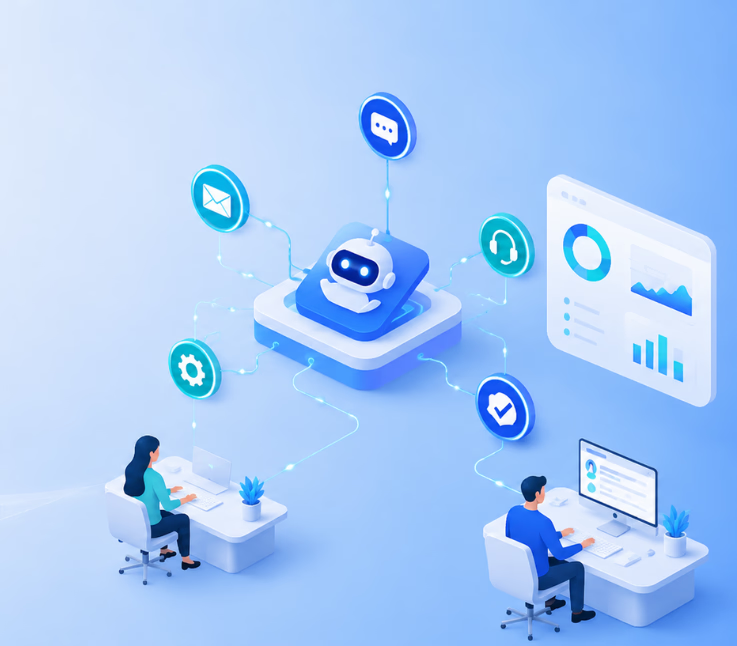
Every CX leader I know who has dealt with channel overload wishes they had unified their support inbox sooner. A unified communication inbox integrates voice, chat, SMS, email, and WhatsApp into a single platform. This removes channel silos and provides one source of truth for every customer conversation.
With platforms like Commplify, organizations can centralize all incoming interactions regardless of the channel. They can then assign configurable AI agents to each channel or department, automate workflows for routine triggers, and manage escalation policies—all from one workspace. This enables faster responses, standardizes processes, and ensures no customer is ever left waiting for an answer.
Having everything in one place also powers analytics, helping teams track automation success, spot trends, and drive targeted improvements. In my POV, this unified approach is often the key to scaling CX with quality and confidence.
Conclusion
Automation is now essential for organizations committed to scaling their customer experience operations. The right approach brings together unified inboxes, configurable AI agents, workflow automation, and actionable analytics to improve service, reduce manual work, and cut operational risks.
In my experience, those who invest in integrated platforms enjoy faster results, clearer insight, and better customer outcomes. Commplify stands out because it makes omnichannel automation accessible and manageable, without losing sight of the human element.
The business case for CX automation is clear—scale without compromise. As customer expectations grow and channels multiply, the future belongs to organizations who blend smart automation with skilled human support.
AI-driven platforms will keep learning and improving. But the real winners will be the teams who use these tools to serve both their customers and their employees better, every day.
FAQs
What is customer experience automation, and how does it differ from marketing automation or CRM?
Customer experience automation automates customer support and service workflows across channels, focusing on efficient, consistent interactions. Marketing automation targets campaign delivery, while CRM manages customer data and sales relationships.
How can automation improve customer service operations in large organizations?
Automation reduces manual handling of routine queries, centralizes conversations, improves response times, and boosts consistency—helping large organizations serve more customers at a higher quality while controlling costs.
What are the biggest benefits of automating CX operations?
Automating CX increases efficiency, reduces errors, provides consistent responses, enables 24/7 support, improves agent job satisfaction, and supports better data and analytics for continuous improvement.
Which customer service processes are best suited for automation?
High-volume, repetitive tasks like FAQs, appointment booking, order status, lead qualification, and basic troubleshooting are ideal for automation, freeing human agents to focus on complex or sensitive cases.
How do organizations implement automation in CX at scale?
Organizations implement automation in phases: unifying communication channels, configuring AI agents, automating workflows, enhancing knowledge bases, and tracking impact through analytics for continuous improvement.
What are the main challenges or risks of CX automation?
Key risks include over-automation, disconnected tools, poor escalation design, compliance gaps, and reduced customer trust if automation cannot handle empathy or complex requests.
How is the success of automated CX operations measured?
Success is measured using metrics like CSAT, response time, first-contact resolution, escalation rates, and automation coverage, all tracked by unified analytics dashboards.
What are some examples of automation use cases in different industries?
Examples: Healthcare automates triage and appointment booking, SaaS automates lead qualification and onboarding, retail automates order updates and returns, real estate automates property inquiries.
How do you balance automation and human support in customer experience?
Balance is achieved by assigning routine queries to automation, designing clear escalation paths, and allowing skilled agents to handle complex or sensitive interactions.
What tools or platforms help organizations achieve scalable CX automation?
Organizations use platforms that unify multiple channels, automate workflows, and support configurable AI agents—such as Commplify and other omnichannel automation platforms.
How does omnichannel automation work in practice?
Omnichannel automation combines all customer channels into one system, allowing AI and agents to manage, track, and respond to interactions consistently and efficiently using unified workflows.
What is the return on investment (ROI) for automating CX operations?
Organizations see ROI through reduced manual workload, faster response times, improved CSAT, increased agent productivity, and cost savings from handling more inquiries without expanding staff.
This page was last edited on 25 June 2026, at 2:20 am