Quick Answer
The most efficient call summary system for AI reception uses AI voice intelligence and workflow automation to transcribe, summarize, and route calls across all channels. This reduces after-call work, improves compliance, and saves up to 60% of manual documentation time.
Manual note-taking at the front desk is a drain on valuable time and leaves too much room for error. Many leaders I speak with worry about missed information and extra steps just to keep up with surging call volumes.
There’s real pressure to improve, but most tools only solve part of the problem—leaving staff with the same overload. The right AI-powered summary system changes the structure of reception work itself.
In this guide, I’ll walk you through how AI call summaries work, what real efficiency looks like in 2026, exactly what to evaluate, and how platforms with true voice intelligence and workflow automation set the new standard for reception.
What Makes a Call Summary System Efficient?
The most efficient call summary system is not just a basic transcription tool. A transcript records everything that was said, but a smart call summary system identifies what actually matters.
For example, if a customer calls a dental clinic to reschedule an appointment, the system should not only record the full conversation. It should summarize the customer’s request, mention the preferred new date, highlight whether follow-up is required, and send the information to the right team or system.
A strong AI call summary system should include:
Customer intent detection
The system should understand why the customer called. This may include booking an appointment, asking for pricing, requesting support, reporting an issue, canceling a service, or speaking with a human agent.
Key detail extraction
The AI should capture important information such as name, phone number, email, preferred time, service type, issue details, location, and urgency.
Actionable summary generation
The final summary should be short, clear, and useful for the business team. It should explain what happened during the call and what needs to happen next.
Follow-up task creation
The best systems can automatically create tasks, reminders, tickets, or CRM notes after the call. This helps teams avoid missed opportunities and delayed responses.
Sentiment and urgency analysis
An efficient system should identify whether the caller was satisfied, frustrated, confused, or urgent. This allows the team to prioritize important calls quickly.
Why AI Reception Needs Smart Call Summaries
AI reception is designed to handle customer calls faster and more consistently than traditional manual reception. However, answering the call is only the first step. The real value comes from what happens after the call.
If the AI receptionist speaks with a potential customer but the details are not properly recorded, the business may lose a lead. If a customer complaint is summarized poorly, the support team may miss the real issue. If an appointment request is not clearly captured, the customer experience becomes frustrating.
A smart call summary system makes AI reception more reliable by turning every call into organized business data. It helps teams understand customer needs without wasting time on long recordings or messy notes.
Example of an Efficient AI Call Summary
A weak call summary might look like this:
“The customer called about an appointment.”
But an efficient AI-generated call summary would look like this:
“Customer called to reschedule a dental cleaning appointment originally booked for Tuesday. They requested a new appointment next Friday afternoon. Follow-up needed to confirm availability and send appointment confirmation.”
This type of summary is more useful because it tells the team exactly what happened and what action is required.
How AI Call Summarization for Reception Works
AI call summary tools do more than just listen and write down words. They build a structured, actionable record from every customer reception touchpoint and can trigger next steps automatically. Let’s break down how this process works and why it matters for efficient, compliant operations.
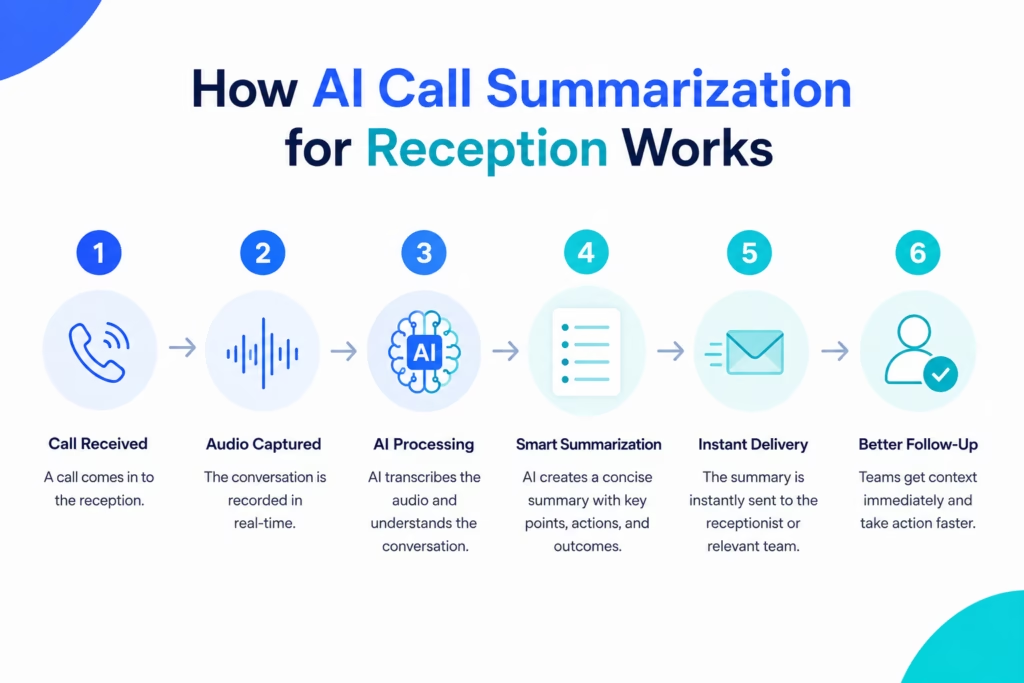
Automated Call Capture and Real-Time Transcription
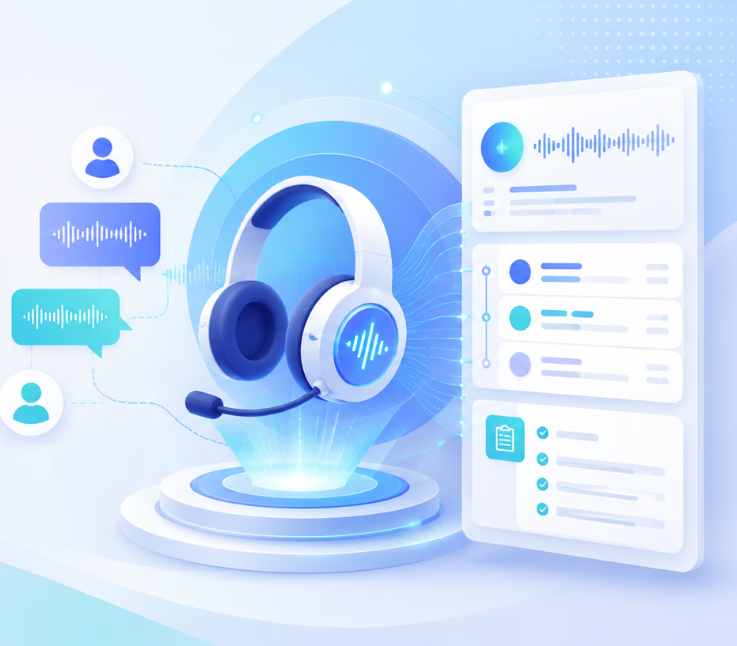
AI call summary systems use voice intelligence to start listening as soon as the call connects.
Speech-to-text technology turns spoken words into accurate text, making it easy to review, search, and store conversations.
This isn’t just for calls. Top systems capture and transcribe SMS, WhatsApp, and chat data, so your entire reception flow lives in one place.
Quality transcription is now table stakes, but real efficiency comes from what happens next.
AI-Powered Summary Generation and Quality Assurance
Once the conversation is transcribed, AI models analyze the full context—pulling out who called, what was discussed, and what action is needed. This goes far beyond listing each word.
Intent and sentiment analysis highlight customer needs and mood, so your team can follow up smartly.
Having reviewed hundreds of outputs, the best summaries organize key points, questions, promises, or concerns in clear, concise language.
Quality assurance steps then check for accuracy and flag possible errors, so compliance isn’t an afterthought.
Multichannel Reception Coverage: Voice, Chat, SMS, and Beyond
A real reception desk isn’t voice-only.
A strong AI system covers phone, chat, SMS, email, and even WhatsApp—capturing and summarizing every interaction, no matter the channel.
This unified approach means fewer missed messages and less duplication. In my POV, single-channel solutions don’t actually reduce workload—they just move it around.
Workflow Automation: Turning Summaries into Actions
Here’s where efficiency gets real. AI platforms now trigger automated workflows directly from summary content.
If a summary picks up a request for an appointment, it can start booking without human input. If sensitive health info appears, it can escalate to a specialist straight away.
In my experience, systems like Commplify use workflow automation to close the loop fast: updating CRMs, sending follow-up SMS, routing leads, or alerting humans only when needed.
Data Security and Compliance for Reception Environments
Many reception desks handle private data (think PHI, legal files, financial info). A strong call summary system comes with role-based access, audit trails, and redaction for compliance.
I see too many teams rely on basic tools that don’t manage this risk. Advanced systems apply redaction policies by default, ensuring sensitive details never get exposed where they shouldn’t.
Benefits for Businesses of Call Summary Systems
Using an efficient call summary system for AI reception can improve both customer experience and internal productivity.
It saves time because staff no longer need to manually write call notes or listen to full recordings. It reduces mistakes by capturing important customer details automatically. It also improves response speed because follow-up tasks can be created instantly after the call.
For sales teams, call summaries help track new leads and customer interest. For support teams, they provide clear issue details. For appointment-based businesses, they help manage bookings, cancellations, and rescheduling requests more smoothly.
Most importantly, call summaries create a reliable record of every customer interaction. This helps businesses understand common customer questions, identify service gaps, monitor call quality, and improve future communication.
Key Features to Look for in an AI Reception
When choosing the most efficient call summary system for AI reception, businesses should look for features that go beyond basic note-taking.
The system should provide accurate transcription, smart summarization, intent detection, automatic task creation, CRM integration, call tagging, sentiment analysis, and searchable call history.
It should also allow customization. Different businesses need different summary formats. A healthcare clinic may need appointment details and patient concerns, while a real estate agency may need property preferences and buyer intent. A good AI reception system should adapt to the business workflow instead of forcing every team to use the same format.
Choosing an efficient solution means weighing several key features together—not just chasing the most recent AI demo.
Let’s break these down:
- Omnichannel integration so all reception messages flow into one place.
- Workflow automation turns summaries into real-world actions with no extra clicks.
- Customizable roles and templates for different departments and regulatory contexts.
- Accurate transcription and summary logic that reduce manual checks.
- Strong security and compliance support by default.
- Analytics for error tracking, after-call work reduction, CSAT, and real impact.
| Feature | Why It Matters |
|---|---|
| Real-time multi-channel capture | Fewer missed calls, no data silos |
| Action item extraction | Speeds up follow-up, less manual review |
| Automated workflow triggers | Cuts after-call work (ACW) |
| Role-based customization | Fits vertical/legal needs (PHI, auditing) |
| QA and audit trail | Ensures compliance, reduces error risk |
| CRM and tool integration | Fits into daily workflow |
I have seen teams get trapped by tools that work well for voice, but ignore other channels—or don’t handle compliance checks. A better approach is to use unified, full-lifecycle systems.
Common mistakes to avoid:
- Relying on single-channel solutions.
- Not aligning summary outputs with your real follow-up steps.
- Skipping the integration with existing tools.
- Overlooking department or industry-specific needs.
How Commplify Handles AI Call Summarization for Reception
Commplify connects every reception channel—voice, chat, SMS, email, WhatsApp—into a single inbox.
This centralizes call capture, AI transcription, and summary generation for every interaction, not just phone calls.
In practice, I’ve seen Commplify help clinics, BPOs, and support centers:
- Capture key action items from any channel.
- Route urgent requests to the right staff right away.
- Automate follow-up SMS or emails automatically after calls or missed connections.
- Apply custom compliance rules for sensitive industries, with agent-level knowledge configuration.
Because Commplify integrates with existing telephony, CRM, and calendar tools, it fits quickly into the workflow. This eliminates manual lag and data gaps at the reception desk.
Conclusion
An AI-powered call summary system changes reception from a manual choke point into an efficient, accurate, and compliant channel for customers.
When voice intelligence and workflow automation work together, reception teams save time, reduce mistakes, and deliver a smoother customer experience.
In my POV, buyers who choose a unified, multi-channel platform see the most lasting value. Platforms like Commplify don’t just summarize—they drive actions, improve compliance, and keep teams focused on service, not paperwork.
Reception is often the first and most important touchpoint. The future belongs to those who build automation into every channel, creating a smarter, more human customer journey at every step.
FAQs
What is an AI-powered call summary system for reception desks?
An AI call summary system for reception automatically transcribes and summarizes incoming interactions across voice, chat, SMS, email, and other channels, turning them into structured, actionable records for business follow-up.
How does AI call summarization work in a reception or front desk setting?
AI listens, transcribes the call or message, extracts key points and actions, and delivers a summary directly to the team or system that needs it—across all supported channels.
What does a typical AI reception call summary include?
It lists caller/contact details, reason for contact, main request, sentiment, action items, and any required escalations or follow-ups.
How can call summaries be customized for different industries like healthcare or legal?
Customization includes role-based templates, redaction of sensitive details, compliance prompts, and integration with specific tools or workflows for strict audit and privacy requirements.
Which platforms support multi-channel reception call summaries?
Platforms like Commplify, Five9, Wizr, and Aircall offer multi-channel reception call summary support, integrating voice, chat, SMS, WhatsApp, and email into unified workflows.
What are the limitations or risks with automated call summaries?
Common risks include summary errors, missed context, or data privacy issues if compliance features are weak; human review is often needed for complex or sensitive calls.
How do I integrate AI call summary tools with my phone system or CRM?
Most advanced platforms connect via API, plugins, or direct integrations with major telephony, CRM, and calendar tools; setup is usually guided by vendor onboarding.
What security and compliance standards are important for reception call summary tools?
Key standards include end-to-end encryption, audit trails, role-based access, PHI/PII redaction, and alignment with HIPAA, GDPR, or other industry regulations.
What ROI can I expect from automating reception call documentation?
Typical ROI includes up to 60% reduction in clerical workload, higher documentation accuracy, improved compliance, and noticeable CSAT increases over manual note-taking.
This page was last edited on 30 June 2026, at 4:40 am