Quick Answer
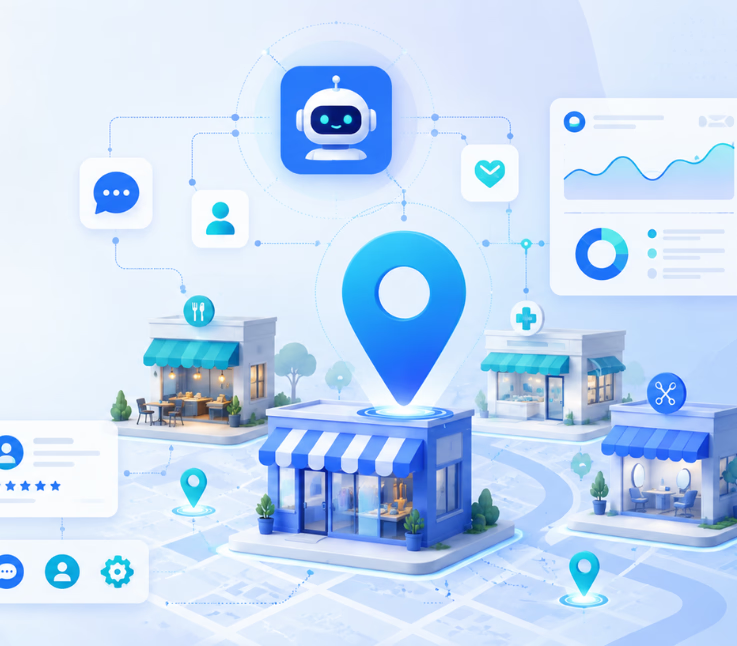
AI-driven CX tools for location-based businesses automate, analyze, and unify customer conversations across voice, chat, SMS, WhatsApp, and email—delivering real-time, location-specific support, workflow automation, and actionable analytics for every branch or site.
If you run branches, clinics, stores, or locations, you know the stakes. Customer expectations keep rising. They want fast, friendly answers—no matter where or how they reach you.
Traditional CX tools and manual processes create silos. Customers slip through the cracks. Local teams scramble. Opportunities—both for engagement and insights—get missed.
The right AI-driven approach changes everything. In this guide, I will show you what to look for, what pitfalls to avoid, and how to create unified, scalable, and actionable customer experiences for all your locations.
Why AI-Driven CX Tools Matter for Location-Based Businesses
Location-based businesses live in two worlds. You balance foot traffic, physical logistics, and staff on site—with digital messaging and high customer expectations for real-time engagement.
In my experience, the biggest problems come from disconnected channels, missed follow-ups, and limited visibility. An omnichannel approach with AI brings all conversations—across voice, chat, SMS, WhatsApp, and email—into one workflow, reducing missed opportunities and improving decision-making at each branch.
With the right tools, every site can offer fast, personalized support managed centrally, while data and feedback flow continuously. The result? Higher customer satisfaction and healthier business operations, whether you run three sites or three hundred.
Core Capabilities of AI-Driven CX Tools for Location-Based Businesses
AI-driven CX platforms designed for physical locations must address unique challenges. Here’s what matters when you need to unify service, scale support, and adapt to real-world operations.
Key Features of Modern Location-Based CX Platforms
Physical businesses can’t afford channel silos or patchwork automation. You need conversation management that unifies every touchpoint—voice, SMS, WhatsApp, email, and chat. In my POV, platforms like Commplify stand out because they put all these channels into a single conversation inbox, making cross-channel handoff and analytics much easier for local teams.
You should look for:
- Omnichannel conversation management (voice, chat, SMS, WhatsApp, email)
- Location intelligence: use geofencing or customer location to trigger relevant messages or workflows
- Unified feedback: gather sentiment and actionable input across branches
- Workflow automation: handle missed calls, follow-ups, and escalations automatically
- Customizable AI agents: adapt tone, knowledge, and escalation logic by site, service, or channel
- Multi-location analytics: see site-by-site performance, pain points, and opportunities in one dashboard
Vertical Use Cases: How Different Industries Apply AI CX
In my experience, success hinges on matching tools to industry realities. Here are real-world scenarios I’ve seen:
- Retail: Automated product Q&A on WhatsApp, order updates via SMS, in-store booking via voice, post-visit CSAT collection.
- Healthcare: AI agents triage calls, book appointments, answer on-site FAQs; sensitive or urgent cases escalate instantly.
- Fitness/Wellness: Automated scheduling, reminders, and class inquiries. Feedback and complaints routed to the right manager.
- Real Estate: AI agents qualify property inquiries, book viewings, route leads to local offices, escalate hot prospects.
- Hospitality: Guest requests handled on WhatsApp or chat, check-in/out automation, immediate escalation of negative reviews.
Mapping the Modern Customer Journey (Physical + Digital Touchpoints)
The customer’s path is never straight. Someone might see your ad online, ask questions by chat, call the branch, show up in person, then leave feedback through SMS. I have seen confusion and missed steps every time data, context, or conversations do not flow together.
AI-driven platforms let you track and act across these connected moments—identifying who they are, why they came, and what happened next, no matter the channel. That means no more blind spots or lost history.
Visual Comparison: Leading AI-Driven CX Platforms for Physical Businesses
Physical businesses need CX platforms that can connect customer interactions across phone calls, in-store support, messaging, email, and follow-up channels. This visual comparison highlights how leading AI-driven CX platforms support automation, omnichannel communication, faster issue resolution, and better customer experience management for businesses with real-world service operations.
| Platform | Channels Supported | Workflow Automation | Per-Location Agent Config | Analytics | Industry Focus |
|---|---|---|---|---|---|
| Commplify | Voice, Chat, SMS, WhatsApp, Email | Yes | Yes | Deep, Filterable | Multi-industry |
| Placer.ai | Web, Mobile App | No | Moderate | Focus: Foot Traffic | Retail, Real Estate |
| Zonka Feedback | Web Survey, Kiosk, SMS | Limited | Yes | Good | Hospitality, Healthcare |
| GrowthFactor | Web, SMS | Basic | Partial | Web Analytics | Retail |
Implementation Framework: Selecting and Deploying AI CX Tools
It’s not just about buying software. The real work is aligning platform strengths with your branch workflows and team realities.
Evaluating Platform Flexibility for Multi-Site Operations
Look for platforms that let you roll out at your own pace. You may want to pilot AI agents at five locations, then expand. Make sure each branch can tailor messaging, automations, and reporting to local needs.
Integrating Omnichannel Communications for Branch Teams
All communication—no matter if it starts on voice, WhatsApp, email, or web chat—should land in a unified inbox. Staff can pick up where others left off, tag conversations, and escalate fast.
Configuring AI Agents and Workflows per Location
AI agents should know the difference between branches. For instance, a Dallas location answers membership questions differently than a New York club. Set up site-specific knowledge, escalation rules, and automated triggers, like sending SMS if a call is missed.
Training, Onboarding, and Change Management
Rolling out new tech isn’t just tech work. Bring in frontline staff early. Show them how automation lightens their load—not replaces them. Give local managers hands-on practice. Celebrate quick wins, like fewer missed leads or faster escalations.
Measuring Success: Analytics, Feedback, and Continuous Improvement
Routinely check site-level analytics. Watch for time-to-response, rate of AI-resolved cases, CSAT trends, and escalation spikes. Encourage feedback from staff and customers to refine workflows and agent behavior.
Workflow Automation: The Secret to Scalable, Exceptional Onsite CX
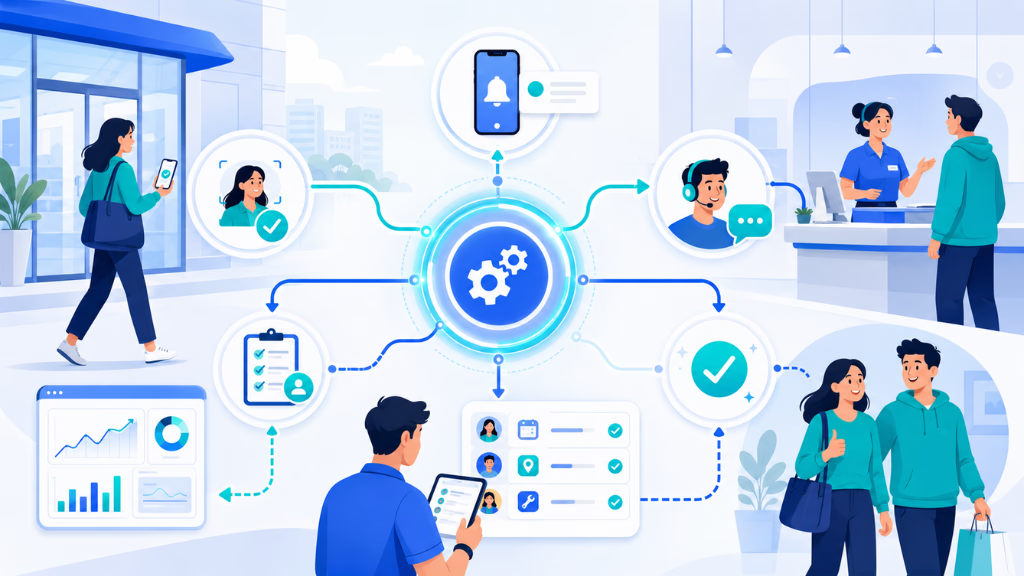
Manual handoffs are where most teams fall short. Workflow automation fills these gaps and frees up your on-site staff for high-value work.
For instance, if someone calls the front desk but no one answers, automation sends an SMS apology right away. If negative feedback comes in on WhatsApp, the platform instantly escalates it to a manager—before it turns into a public complaint.
With Commplify, you can trigger automated actions: routing missed calls, sending follow-ups, or creating alerts if staff can’t answer within two rings. In my experience, this single change can cut missed opportunities by half and reduce staff burnout at busy branches.
Real-world automated workflows might include:
- Missed call triggers automatic SMS or email
- Negative CSAT escalates to branch manager
- New member inquiry routes to local sales rep
- Appointment reminder sent via WhatsApp
- Service issue creates a ticket and signals on-site staff
Key Considerations for Success with AI-Driven CX
Picking a platform is only half the challenge. You must consider integration, compliance, and how well the tool adapts to your real operations.
Don’t overlook:
- Data privacy, especially if handling location or health data (GDPR/CCPA applies)
- Integration with POS, CRM, or legacy branch systems
- Resilience: Can the tool support 10, 100, or 1000 sites without falling apart?
- Human handoff protocols: When should the AI escalate, and how?
- Unified dashboards: Avoiding more siloed tools in the process
A mistake I often see is underestimating the complexity of multi-site operations. Build in time for customization, not just rollout.
Why Leading Enterprises Choose Omnichannel Platforms Like Commplify
Unified conversation management is a must for companies running multiple locations. With platforms such as Commplify, every site can run its own AI agents, configured to handle the local context, knowledge, and support rules. At the same time, regional managers see performance, escalations, and sentiment analytics—organized by site, channel, or team.
How This Works in Practice:
- Imagine a fitness franchise with 50 branches. Each club has different class schedules and FAQs. With a unified CX platform, every customer interaction (voice, chat, SMS, WhatsApp, email) lands in a single inbox for each club. AI agents handle basic questions, book appointments, or triage complaints. Escalations or missed messages are automatically routed and tracked. Leaders view performance across all locations and adjust workflows swiftly.
This approach brings local flexibility and global oversight. In my experience, this is where most brands finally bridge the digital and in-person gap.
Conclusion
AI-driven CX tools for location-based businesses are not optional anymore—they are fundamental for unified, efficient, and data-driven customer journeys. Companies with branches, clinics, or franchises need tools that unify every conversation, automate the mundane, and surface what matters.
Omnichannel conversation management means your team never misses a customer, never loses context, and never gets overwhelmed by disconnected systems. With solutions like Commplify, automations and customizable AI agents make life easier for your staff and smoother for your customers.
Get proactive. Start by identifying where communication breaks down and which workflows still rely on manual attention. Modernize with AI tools built for physical businesses, and you set yourself up for not just efficiency, but real loyalty.
Ready or not, the future of CX is unified, adaptive, and omnichannel—by location, and at scale.
FAQs
What are AI-driven CX tools for physical or multi-location businesses?
AI-driven CX tools automate and unify customer conversations across locations using AI, workflow automation, and analytics over channels like voice, chat, SMS, WhatsApp, and email.
How do AI tools improve customer experience at onsite business locations?
AI tools automate replies, route messages to the right staff, capture feedback, send reminders, and ensure no conversation is missed—improving service, reducing delays, and capturing insights.
What are examples of AI use in location-based businesses?
Examples include appointment booking bots at clinics, automated product inquiries in stores, missed-call SMS follow-up, and location-based feedback collection in franchises.
What challenges do physical businesses face in implementing AI CX?
Challenges include integrating with existing systems, managing compliance and privacy, handling site-specific workflows, and training staff on automation handoff.
What features are essential in AI CX platforms for retail, healthcare, or service industries?
Essential features are omnichannel support, customizable AI agents, workflow automation, feedback capture, per-location analytics, and strong integration with existing tools.
How do businesses choose between different AI-driven CX solutions?
Businesses should compare channel coverage, automation flexibility, analytics, ease of integration, per-location configuration, industry focus, support, and pricing.
What are the costs and implementation considerations?
Costs vary by user, channel, and automation level. Consider time for system integration, staff training, data privacy setup, and workflow customization.
How do you measure the ROI or impact of AI on in-person CX?
Measure ROI by tracking reduced response times, higher customer satisfaction, fewer missed inquiries, increased conversions, and operational savings across locations.
How do AI tools integrate with existing POS, CRM, or other branch systems?
Most AI CX platforms integrate using APIs, webhooks, or native connectors—enabling data flow between customer systems, conversations, and transaction records.
What are the main privacy concerns with using location data and AI for customer experience?
Main concerns include protecting sensitive customer and location data, complying with GDPR/CCPA, securing consent, and limiting data access by role or site.
This page was last edited on 29 June 2026, at 4:34 am